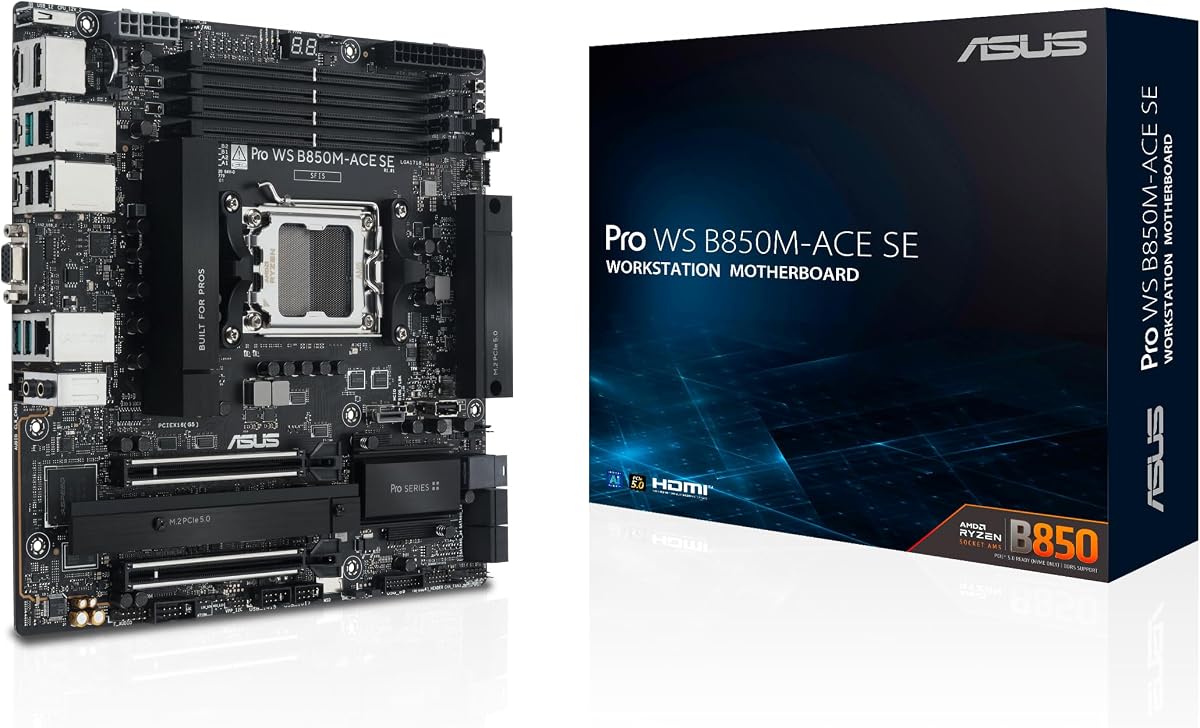
ASUS Pro WS B850M-ACE SE AMD AM5 B850 mATX MicroATX Business Motherboard
4.3Editor score
10Gb and 2.5Gb LAN ports
IPMI remote management support
PCIe 5.0 x16 slot
Compare the top 10 motherboards with 10GB Ethernet for speed and stability in workstations and gaming PCs.
Motherboards with 10GB Ethernet provide ultrafast networking for professionals and enthusiasts. They ensure reliable connections for large file transfers and low latency streaming needs.
We compared ten models based on port speed, chipset compatibility, power delivery, and build quality. Each pick offers robust connectivity for next generation computing workflows and demanding tasks.
Each section highlights key features and real world benefits. Prices and stock change frequently so verify current availability before purchasing your ideal networking ready motherboard today.
4.3Editor score

4.8Editor score

5.0Editor score
This table compares all ten selected motherboards side by side for quick reference on key specs and networking capabilities.


The ROG Crosshair X870E Dark Hero delivers top tier networking with Realtek 10Gb and 5Gb Ethernet ports for seamless data transfers.
We may earn a commission when you buy through this link, at no additional cost to you.
Its robust 20 phase power solution ensures stable performance for high end AMD Ryzen processors while cooling keeps thermal throttling at bay.
While expensive, the wealth of features like USB4 and PCIe 5.0 justify the investment for creators needing future proofed infrastructure.
Enthusiasts seeking maximum bandwidth and overclocking headroom will find this board unmatched in reliability and connectivity options today.
Dual Ethernet speeds allow flexible routing for dedicated network segments without extra hardware.
PCIe 5.0 M.2 and GPU slots ensure longevity as next gen storage and graphics cards arrive.
We may earn a commission when you buy through this link, at no additional cost to you.
The Pro WS B850M-ACE SE brings server class features to a budget friendly mATX design ideal for small offices.
We may earn a commission when you buy through this link, at no additional cost to you.
Remote management via IPMI lets admins monitor systems without physical access while 10Gb LAN handles heavy data loads.
Though it lacks gaming bells and whistles, reliability and essential connectivity make it a smart pick for workstations.
Small business owners needing secure remote access and fast networking will appreciate the balance of price and performance.
BMC control allows boot and power management over the network for efficient IT operations.
Small footprint saves space in tight cases while maintaining robust power delivery.
We may earn a commission when you buy through this link, at no additional cost to you.
This EEB workstation board offers unmatched expansion with seven PCIe 5.0 slots and dual 10Gb Ethernet for multi-gigabit networks.
We may earn a commission when you buy through this link, at no additional cost to you.
Built for Intel Xeon processors it ensures 24 7 stability with active cooling and IPMI remote management capabilities.
While costly and physically large it is essential for data intensive tasks like virtualization or rendering farms.
Professional workstation users requiring maximum I/O bandwidth and redundant networking will find this board indispensable.
Multiple high speed slots allow simultaneous high bandwidth cards without bottlenecking.
Server grade BMC ensures remote control for critical infrastructure maintenance and monitoring.
We may earn a commission when you buy through this link, at no additional cost to you.
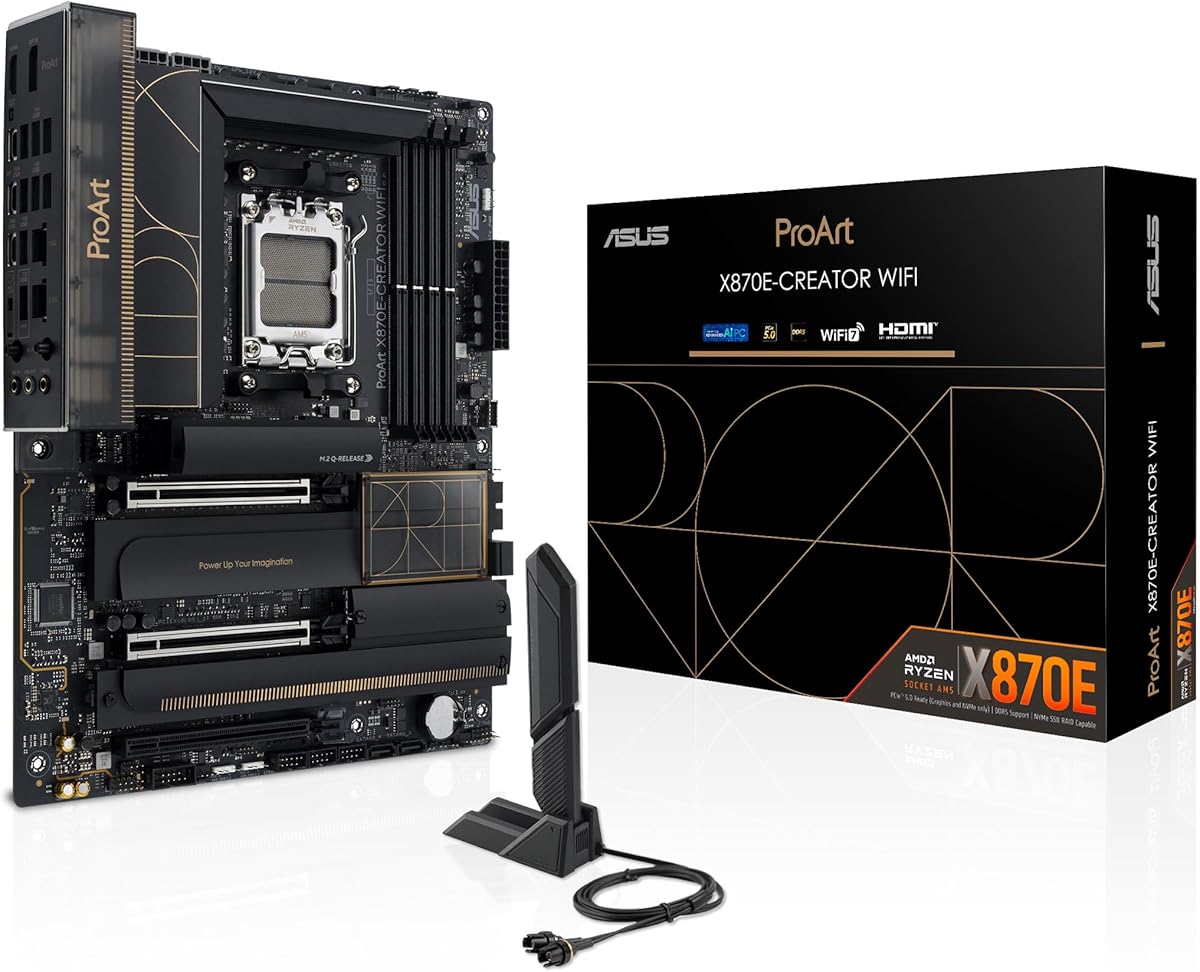
Designed for pros the ProArt X870E offers 10Gb Ethernet and dual USB4 for fast data access and peripheral connectivity.
We may earn a commission when you buy through this link, at no additional cost to you.
Color management software and reliable power stages support demanding creative workflows like video editing and 3D modeling.
Its balanced feature set avoids gamer bloat while keeping essential high speed ports for external drives and displays.
Content creators needing reliable networking and rapid file exports will value its practical layout and proven performance.
USB4 and 10Gb LAN ensure large project files move quickly without lag.
Software suite streamlines color accuracy and device management workflows.
We may earn a commission when you buy through this link, at no additional cost to you.
This Intel board delivers Thunderbolt 5 alongside 10Gb Ethernet for creators needing peak transfer speeds on workstations.
We may earn a commission when you buy through this link, at no additional cost to you.
Robust power stages handle high core counts while AI tools assist with tuning without manual intervention.
Though new, its support for upcoming Intel Ultra chips makes it a future proof investment for high end rigs.
Intel users prioritizing speed and workflow efficiency will find its connectivity suite unmatched in modern workstation builds.
Thunderbolt 5 enables massive external storage throughput for 8K editing.
Built in AI tools optimize performance and cooling automatically for users.
We may earn a commission when you buy through this link, at no additional cost to you.
While featuring 5Gb LAN this board offers strong performance for gamers needing lower latency connections on fast ISPs.
We may earn a commission when you buy through this link, at no additional cost to you.
Dynamic OC features let players tweak performance on the fly while cooling ensures sustained loads stay stable.
It balances style and substance with ample storage slots and USB connectivity for peripherals.
Gamers seeking top notch tuning tools and expandability will appreciate its balance of power and practical features.
AI OC and OC Switcher simplify performance tuning for non experts.
Five M.2 slots allow massive game libraries without SATA bottlenecks.
We may earn a commission when you buy through this link, at no additional cost to you.
This board offers dependable performance with 2.5Gb Ethernet sufficient for most high speed home internet plans.
We may earn a commission when you buy through this link, at no additional cost to you.
DrMOS power stages ensure stable delivery for mid range Ryzen processors without excessive costs.
Its compact size fits smaller cases while still offering PCIe 5.0 for future GPUs and SSDs.
Budget conscious builders seeking reliability and modern connectivity will find this a solid daily driver option.
Military grade components and robust cooling promise long term system stability.
PCIe 5.0 and WiFi 7 ensure readiness for near future upgrades.
We may earn a commission when you buy through this link, at no additional cost to you.
For those prioritizing aesthetics this white PCB board still delivers solid performance with 2.5Gb Ethernet.
We may earn a commission when you buy through this link, at no additional cost to you.
Its PCIe 5.0 slot ensures future compatibility while RGB lighting matches modern build themes perfectly.
Though not the fastest Ethernet model it covers most home and office networking needs with style.
Users building themed white rigs will appreciate its visual appeal alongside capable hardware specs.
Uniform white PCB and RGB sync create a visually striking build.
PCIe 5.0 support ensures the system handles upcoming high bandwidth devices.
We may earn a commission when you buy through this link, at no additional cost to you.
This compact mATX board fits smaller cases while still delivering reliable networking for typical high speed broadband.
We may earn a commission when you buy through this link, at no additional cost to you.
Robust power design supports mid range CPUs without throttling during gaming or content creation workloads.
Its limited expansion may constrain heavy upgrade paths but works well for focused builds.
Gamers with compact towers seeking cost effective performance will find it a reliable daily choice.
Smaller board enables portable builds without sacrificing core performance.
USB and networking ports cover daily usage without needing hubs.
We may earn a commission when you buy through this link, at no additional cost to you.
This board offers an affordable entry into AM5 with reliable 2.5Gb Ethernet for standard network needs.
We may earn a commission when you buy through this link, at no additional cost to you.
Its build quality ensures longevity while PCIe 5.0 keeps it relevant for upcoming storage and graphics cards.
Limited extras keep costs down but it delivers core performance without compromise for budget builds.
Value seekers wanting a solid foundation for future upgrades will find this a smart economical pick.
Lower price keeps total system cost manageable without cutting critical corners.
PCIe 5.0 support ensures readiness for next generation components.
We may earn a commission when you buy through this link, at no additional cost to you.
Selecting the right motherboard with 10GB Ethernet requires evaluating network speed needs, socket type, and expansion slots.
Determine if you need true 10Gb Ethernet or if 2.5Gb or 5Gb suffices for your internet plan.
Higher speeds benefit local file transfers between workstations or NAS units.
Ensure the motherboard matches your processor socket like AM5 for AMD or LGA 1851 for Intel.
Mismatched sockets will prevent the system from powering on or functioning correctly.
Choose ATX for maximum expansion or mATX for compact builds with fewer slots.
Case size and airflow needs often dictate which dimensions work best.
Check PCIe lane availability for GPUs, capture cards, or additional network adapters.
More lanes allow multiple high bandwidth devices without performance bottlenecks.
Look for robust VRM stages to support overclocking and high core count CPUs.
Stable power ensures system longevity and consistent performance under heavy loads.
Verify USB speed and quantity including Type-C ports for modern peripherals.
Sufficient ports prevent needing external hubs which add cable clutter.
WiFi 7 offers the latest standards for wireless performance and lower latency.
Check if built-in wireless matches your network router capabilities.
IPMI and BMC features allow system control without physical access.
Useful for IT admins managing servers or remote workstations efficiently.
Install the motherboard in a compatible case ensuring standoffs align properly to prevent short circuits.
Connect the Ethernet cable to the designated 10Gb port for maximum throughput on your network.
Update BIOS regularly to ensure compatibility with latest CPUs and improve stability.
No you can connect to standard 1Gb or 2.5Gb routers but won't gain full 10Gb speeds. Local transfers benefit even without router upgrades if connected directly.
Dual ports allow separate networks for LAN and internet or link aggregation for higher bandwidth. This improves traffic management and redundancy.
Most newer boards require current gen Ryzen or Intel chips. Check manufacturer CPU support lists before purchase to confirm compatibility.
Not usually unless you have local large file transfers. For general internet speeds 2.5Gb Ethernet often suffices for most households.
IPMI settings appear in BIOS. You'll need a network port and user setup for remote access via ASUS Control Center software.
Many boards have M.2 slots for wireless cards. Check specific models for replaceable modules or onboard soldered WiFi chips.
Top picks like the ROG Crosshair X870E offer unmatched speed and features for enthusiasts seeking top performance.
Prioritize network needs and socket compatibility to ensure the board fits your workflow and CPU choice.
Prices and stock fluctuate so verify current listings and availability before finalizing your purchase decision.