
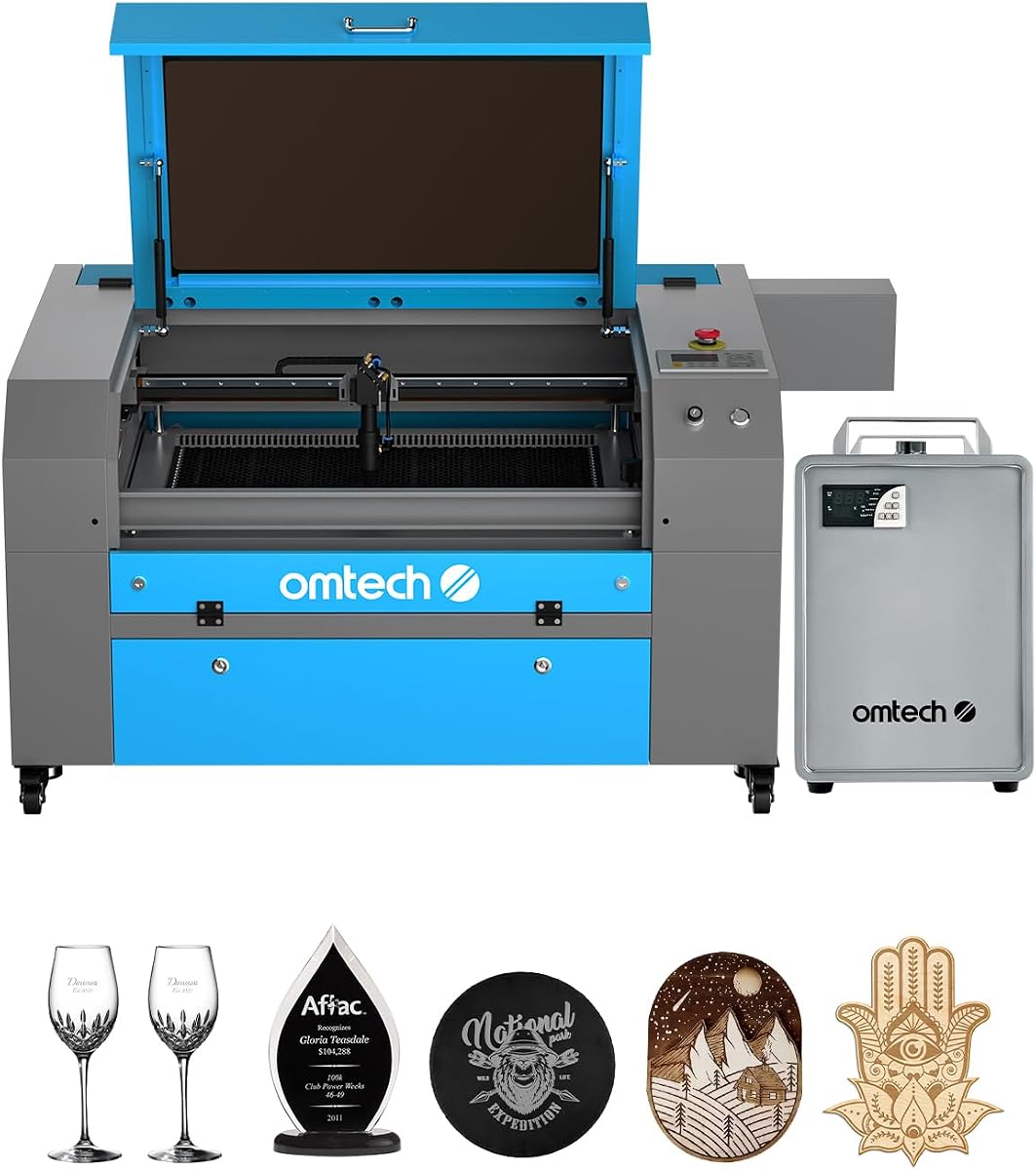
OMTech K40+ 45W Desktop CO2 Laser Engraver & Cutter
4.4Editor score
45W Laser Performance
12×8 Inch Workspace
Integrated Air Assist System
This guide compares the top 10 CO2 laser cutters for 2026, evaluating power, workspace, safety, and software to help you choose the right machine.
Choosing the right CO2 laser cutter can transform your creative projects into professional-grade products. Whether you are a hobbyist or a small business owner, finding a machine with the right power and workspace is crucial for efficiency and safety in your workshop.
We have carefully evaluated ten leading CO2 laser cutters available on the market today. Our analysis focuses on laser power, working area, safety features, software compatibility, and overall build quality to ensure you get the most value for your investment.
Each pick in this list highlights specific strengths to match different needs and budgets. Please note that prices and availability can change frequently, so always check the current listing on Amazon before making your final decision to buy a machine.
4.4Editor score

4.5Editor score

5.0Editor score
This side-by-side comparison breaks down the key specifications of all ten CO2 laser cutters to help you quickly identify the model that best fits your specific production needs and workspace constraints.



The xTool P3 stands out as the Editor's Choice due to its intelligent automation and powerful 80W laser. It simplifies setup with LiDAR autofocus and offers a massive workspace ideal for professional workflows.
We may earn a commission when you buy through this link, at no additional cost to you.
Its dual HD camera system ensures precise positioning with minimal error. The AI-powered smart nesting maximizes material usage which helps offset the higher price point through efficiency and reduced waste over time.
While the upfront cost is significant compared to entry-level models, the safety features and automation justify the investment. The Class 1 safety rating means users can operate it without constant supervision in many scenarios.
This machine is best suited for serious makers and small businesses needing industrial quality without industrial footprints. If you value speed precision and safety over the lowest possible price this is the top recommendation.
The Place and Go system with LiDAR ranging eliminates manual focusing steps. This reduces setup time significantly allowing you to move from design to production almost instantly.
With 16MP SkyView camera and Class 1 safety the machine ensures accurate cuts and safe operation. You get professional results without worrying about laser exposure risks.
We may earn a commission when you buy through this link, at no additional cost to you.
The OMTech K40+ is the ideal starting point for hobbyists due to its affordable price. It offers a significant power upgrade over standard K40 models making it capable of real cutting tasks.
We may earn a commission when you buy through this link, at no additional cost to you.
Its integrated air assist system helps keep cuts clean and reduces the risk of fire hazards. The compatibility with LightBurn and LaserGRBL ensures you have flexibility in how you control the machine.
While the workspace is limited to 12×8 inches it handles most common projects well. Users should expect to spend time on manual alignment but the cost savings make this a viable trade-off for beginners.
This unit is perfect for those entering the laser cutting space with a limited budget. If you need a reliable machine for small projects or learning the ropes this is the best value option.
Upgraded to 45W this model cuts acrylic and wood with ease. It provides a significant jump in capability over older models without increasing the price drastically.
Full support for LightBurn means you can use industry standard software. This ensures a smooth learning curve and access to advanced features like nesting and calibration.
We may earn a commission when you buy through this link, at no additional cost to you.
VEVOR delivers a robust 100W system with a spacious 24×35 inch workspace. This makes it suitable for larger projects that do not fit on standard desktop units. The high rating indicates strong customer satisfaction.
We may earn a commission when you buy through this link, at no additional cost to you.
The digital control panel allows easy management of settings without needing a computer for basic operations. Pass-through doors enable processing of longer materials which expands the types of projects you can undertake.
While the machine is powerful it requires a dedicated space and careful setup. The learning curve may be steeper than for smaller units but the versatility is excellent for small businesses.
This model is great for users who need more cutting area without moving to industrial machinery. If you have the space and need reliable 100W power this VEVOR unit is a strong contender.
With 100W power it cuts thick materials like 0.59 inch wood in one pass. The large bed accommodates bulk materials and allows for batch processing of jobs efficiently.
The digital panel offers intuitive control while safety features like auto power-off on open protect the user. Monitoring the process via the tinted window adds an extra layer of safety.
We may earn a commission when you buy through this link, at no additional cost to you.
The OMTech Maker 90W offers a balance of power and workspace suitable for commercial use. The bundled water chiller ensures stable performance during long engraving sessions which is vital for production runs.
We may earn a commission when you buy through this link, at no additional cost to you.
Its four-way pass-through doors allow you to work with oversized items that exceed the bed size. The safety features include a flame retardant window and automatic cut off on open for peace of mind.
While it lacks some automated features of higher-end models it is reliable and durable. The 90W power is sufficient for most non-metallic materials making it a versatile tool for various applications.
This unit is recommended for small business owners who need consistent output. If you prioritize reliability and cooling performance over automation this Maker model provides a solid foundation for growth.
The water chiller maintains optimal tube temperature during extended use. This feature helps prevent overheating and extends the life of the laser tube significantly.
With 90W power it handles wood glass acrylic and leather effectively. The pass-through doors add significant flexibility for cutting long panels or furniture parts.
We may earn a commission when you buy through this link, at no additional cost to you.
This OMTech Maker bundle includes LightBurn software which saves users significant cost. The autofocus feature removes the guesswork from setup making it more user-friendly than many competitors in its class.
We may earn a commission when you buy through this link, at no additional cost to you.
It features a spacious workspace for a desktop unit and includes a water chiller for thermal stability. The 60W power is adequate for detailed engraving and thinner material cutting tasks.
While not as powerful as the 90W version it offers better usability with autofocus. The safety features ensure a safe working environment which is critical when operating high-energy tools.
Ideal for users who want ease of use and professional software out of the box. If you value setup speed and integrated tools over raw cutting power this bundle is an excellent choice.
LightBurn is industry standard for laser control and graphics. Having it included eliminates the need for separate purchases and ensures compatibility right away.
Autofocus adjusts the workbed automatically which saves time and improves accuracy. This small convenience adds up over multiple jobs and reduces setup fatigue.
We may earn a commission when you buy through this link, at no additional cost to you.
This version of the K40+ offers similar capabilities to the first entry with added support benefits. It is designed for small spaces and hobbyists looking for a capable machine without heavy costs.
We may earn a commission when you buy through this link, at no additional cost to you.
The air assist system clears smoke which protects the lens and improves cut quality. Engraving speeds are high enough for bulk orders and complex designs to be completed quickly.
The global support team provides reassurance for users who might need technical help. While manual adjustments are needed the precision remains high for typical hobbyist and small business projects.
A solid choice for entry-level users who need dependable performance. If you prioritize support and speed over advanced automation this model meets basic professional needs effectively.
Global support ensures you can get help regardless of location. This adds value for remote users or small shops without dedicated technical staff.
High speeds up to 300 mm/s allow for efficient processing. This capability makes it suitable for personalizing items in high volume.
We may earn a commission when you buy through this link, at no additional cost to you.
The Pronto 100W focuses on speed efficiency with an engraving rate of 39.4 inches per second. This makes it highly competitive for production environments where time is money.
We may earn a commission when you buy through this link, at no additional cost to you.
Its 40×24 inch workspace accommodates large sheets and items effectively. The autofocus system ensures consistent results without manual intervention which reduces operator fatigue over long shifts.
Safety features like water protection and temperature alarms are built-in to prevent accidents. The air pump helps maintain clean cuts which is crucial for high-volume work.
Best for users who need fast throughput and large capacity. If you are scaling production and value speed alongside quality this Pronto model is a strategic investment.
Speeds up to 39.4 IPS are significantly faster than traditional models. This allows you to complete jobs much quicker and take on more orders.
The powerful air pump removes debris efficiently reducing burns. This ensures a cleaner finish and less post-processing work for your customers.
We may earn a commission when you buy through this link, at no additional cost to you.
This Pronto model offers the highest power and largest workspace in the Pronto line. It is built for heavy-duty cutting of thicker materials and large projects that need significant room.
We may earn a commission when you buy through this link, at no additional cost to you.
The autofocus system works across the wide bed ensuring precision regardless of size. With up to 12000 hours of tube life it is a durable machine for professional operations.
Safety features are comprehensive with temperature alarms and emergency stops. The pass-through doors are essential for handling oversized items that do not fit within the standard bed limits.
Ideal for industrial or commercial shops with space constraints. If you need to cut thick acrylics or large panels regularly this 130W power and workspace are essential.
130W power handles deep engraving and thick cuts effortlessly. This capability expands the range of materials you can offer to customers significantly.
The 51×35 inch area is rare in this category. It allows for laying out full size sheets and cutting larger components without needing to batch multiple times.
We may earn a commission when you buy through this link, at no additional cost to you.
A repeat entry for the K40+ highlighting its consistent reliability across different batches. It remains a top choice for those wanting to try laser cutting without breaking the bank.
We may earn a commission when you buy through this link, at no additional cost to you.
The 45W power ensures it can cut through standard acrylic and wood. It is simple to operate and maintains a low profile suitable for home offices or small workshops.
Safety features like door protection and emergency stops are standard. The high rating suggests that users find it dependable for routine engraving and cutting tasks.
Best for casual users or beginners. If you are looking for a straightforward machine that does not overwhelm you with complexity this model is safe and effective.
The simple design means a shorter learning curve for new users. You can start creating almost immediately after unpacking and basic setup.
Built to withstand regular use it provides a solid foundation. The compact build ensures stability on standard workbenches without needing specialized tables.
We may earn a commission when you buy through this link, at no additional cost to you.
The Pro 130W represents the pinnacle of what this lineup offers. It combines massive power and space with advanced tech like WiFi and servo motors for maximum precision.
We may earn a commission when you buy through this link, at no additional cost to you.
Servo motors provide smooth and accurate motion which is essential for high detail work. The built-in chiller ensures the machine runs cool even during extended industrial production hours.
Safety and visibility are enhanced with a tempered glass window and status lights. The touchscreen control makes operation intuitive even for complex settings and network configurations.
Perfect for industrial shops needing top-tier performance. If budget is not the primary constraint and you need the best precision and reliability this machine is the final word.
WiFi connectivity allows remote monitoring and control of jobs. This adds convenience and efficiency for shops where operators manage multiple machines.
Servo motors ensure tight tolerances and high speed. The flame retardant window and status lights provide clear visibility and safety during critical cutting phases.
We may earn a commission when you buy through this link, at no additional cost to you.
Selecting the right CO2 laser cutter requires evaluating several key factors to ensure it meets your specific project needs and budget constraints effectively.
Laser power is measured in watts and determines how fast and thickly you can cut materials. Higher wattage allows for cutting thicker acrylic and wood with cleaner edges and less pass time.
Choose a power level that matches your typical material thickness. For hobbyists 40W to 60W is often sufficient while commercial users may need 90W to 130W for production efficiency.
The workspace size defines the maximum dimensions of material you can process in one pass. Larger beds allow for cutting full sheets or multiple items simultaneously.
Consider your production volume and material sheet sizes. A compact 12×8 inch bed is great for small parts but a 24×35 inch bed is needed for full scale projects.
Safety is paramount when working with high power lasers. Look for features like emergency stops door interlocks and enclosed safety ratings to protect users from accidental exposure.
Prioritize machines with Class 1 or Class 2 ratings. These ensure the laser is contained within the enclosure and reduces the risk of eye injury or fire.
Compatibility with industry standard software like LightBurn ensures you can easily import designs and control the machine effectively. Some bundles include this software while others require separate purchase.
Check that the machine supports Windows Mac and Linux systems. Flexible software options prevent vendor lock-in and allow you to use tools you are already familiar with.
High power lasers generate significant heat and require effective cooling to maintain performance. Water chillers are essential for keeping the tube at optimal temperatures during long runs.
Ensure the machine comes with or supports a reliable water chiller. Overheating can damage the tube and reduce its lifespan so thermal management is critical for durability.
An air assist system blows air through the nozzle to clear debris and cool the cut area. This helps prevent scorching and ensures cleaner edges on your final products.
Look for adjustable airflow features that match different power levels. Proper air assist reduces fire risk and improves the quality of your cuts on flammable materials like wood.
Balance the upfront cost with the long term value. Higher end models may cost more but offer better support and durability which can save money over time.
Check for warranty terms and customer support availability. A company with a responsive support team can help resolve technical issues quickly and keep your production running smoothly.
Always start by securing your material properly on the honeycomb bed to prevent movement during operation. Check that the focal length is correct and the safety interlocks are engaged before starting any job.
Regular maintenance includes cleaning the lens and mirrors to ensure consistent beam quality. Use compressed air or a gentle solvent to remove dust and debris from optical components regularly.
Monitor your water chiller levels and temperature settings to prevent overheating. Keep the exhaust system clear of obstructions and maintain filters to ensure safe operation and air quality.
CO2 lasers cannot cut metal directly but they can mark or engrave coated metal surfaces. For cutting steel or aluminum you would need a fiber laser cutter instead.
Yes proper ventilation is essential to remove smoke and fumes produced during cutting. Many users install an exhaust fan to vent outside or use an air purifier system indoors.
A typical CO2 laser tube lasts between 10000 and 20000 hours depending on usage. Consistent operation at lower settings and proper cooling can extend this lifespan significantly.
Yes most machines support standard vector file formats like DXF or SVG. Compatible software like LightBurn allows you to import your designs and adjust settings easily.
They are safe when used with proper enclosures and safety features. Look for Class 1 rated machines that prevent exposure to laser light during normal operation.
Use a focus tool or manual adjustment to set the correct distance between the lens and the bed. Automated autofocus features can simplify this process significantly for newer models.
This guide highlighted ten diverse CO2 laser cutters ranging from affordable desktop options to powerful commercial units. Each model offers unique strengths whether you need speed precision or large workspace capacity.
Consider your primary use case when selecting a machine. If you prioritize safety and automation the xTool P3 leads while budget conscious buyers may prefer the OMTech K40+ series.
Always check current prices and availability as they can vary frequently. Investing in the right tool ensures you can create high quality projects efficiently and safely for years to come.