
ASUS RT-AX1800S Dual Band Router
4.3Editor score
AiProtection Classic security powered by Trend Micro
Built-in parental control features
Subscription-free network security
This guide compares the best parental control WiFi routers to help families manage screen time, filter content, and secure their home network effectively in
Finding a reliable parental control WiFi router is essential for modern families who want to manage screen time and protect children from inappropriate content online while ensuring smooth connectivity for all devices in the home.
We evaluated ten top-rated routers based on their parental control features, network security, performance, ease of use, and value to compile this comprehensive list that highlights the strengths of each model for different household needs.
Each pick showcases specific capabilities like scheduling, content filtering, and device management, helping you choose the right fit for your family, and note that product availability and pricing may change frequently on retailer sites.
4.3Editor score

4.4Editor score
3.9Editor score
The following comparison table provides a side-by-side look at the key specifications and features of each router to help you quickly identify which model offers the best tools for managing your home network and protecting your family.






The TP-Link AX1800 WiFi 6 Router stands out as a top choice for families seeking a balance of performance and parental controls. It scores a solid 4.4 rating and uses modern Wi-Fi 6 technology to ensure smooth connectivity for all devices.
We may earn a commission when you buy through this link, at no additional cost to you.
This router includes TP-Link HomeShield which offers basic parental controls for free including time limits and content filtering. The beamforming technology directs signal to devices for better coverage and the dual-band setup helps reduce congestion during heavy use.
While advanced security features require a subscription the basic tools are sufficient for most households. The setup is straightforward via the Tether app and the router works with most internet service providers making it a versatile choice.
Families looking for reliable Wi-Fi and essential parental controls should consider this model. It provides a stable network environment for streaming and gaming while giving parents the tools they need to manage screen time effectively.
OFDMA technology allows multiple devices to share the Wi-Fi channel efficiently reducing lag and improving overall performance during peak usage times.
As a signatory of the Secure-by-Design pledge this router is designed with advanced security as a core requirement to protect your home network from threats.
We may earn a commission when you buy through this link, at no additional cost to you.
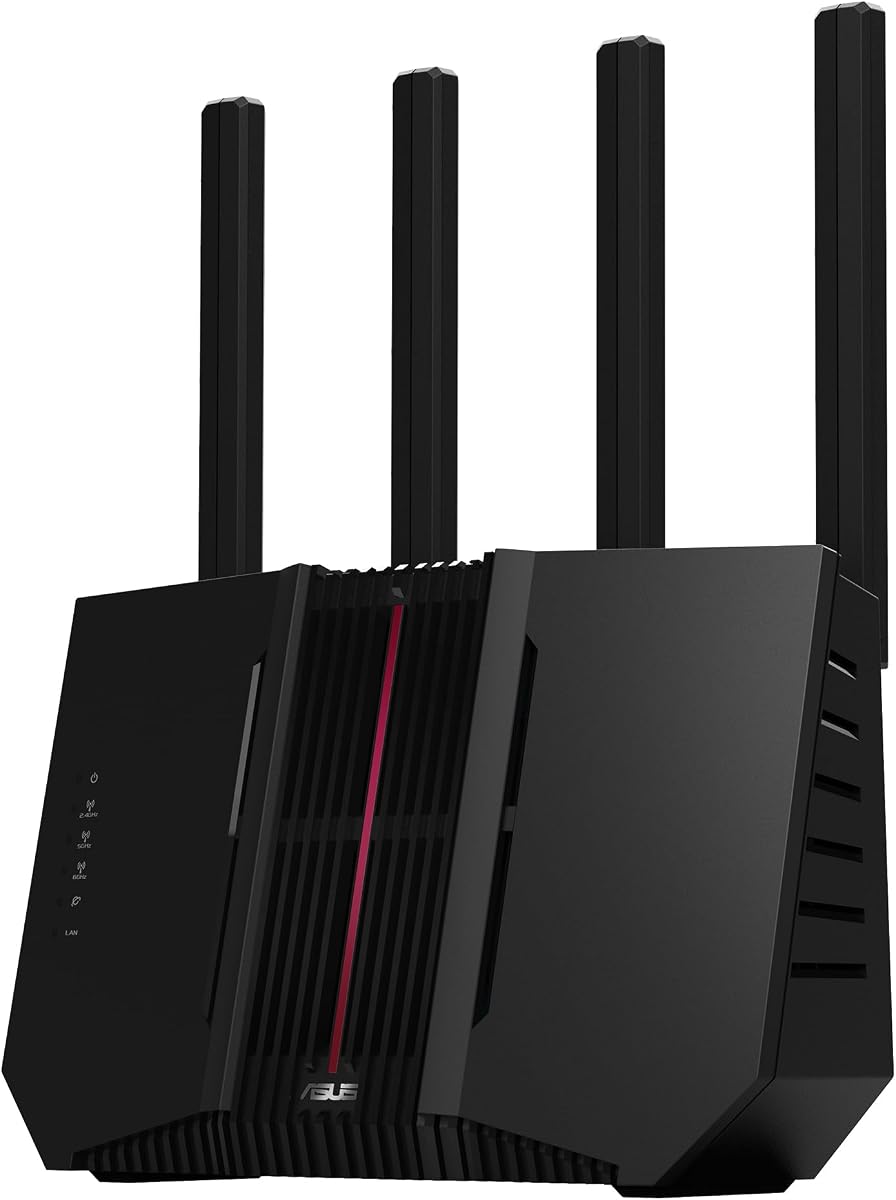
The ASUS RT-AX1800S offers exceptional value with its subscription-free network security and parental control features. It receives a 4.3 rating and uses AiProtection Classic powered by Trend Micro to protect your network from threats.
We may earn a commission when you buy through this link, at no additional cost to you.
Parents can control access schedules and block inappropriate content without ongoing fees. The router supports AiMesh for whole-home coverage and includes a built-in VPN for secure browsing on the go or from anywhere.
The interface might take some time to learn but the flexibility it offers is worth the effort. The dual-core processor handles multiple devices well and the external antennas help maintain a strong signal throughout the home.
For budget-conscious families who still want robust parental controls and security this router is an excellent choice. It balances cost with performance and provides the tools needed to manage online activity effectively.
The subscription-free nature of AiProtection Classic means you get commercial-grade security without recurring monthly costs which is a significant advantage for long-term use.
With four Gigabit LAN ports and WiFi 6 support this router can handle a mix of wired and wireless devices ensuring stable connections for all your needs.
We may earn a commission when you buy through this link, at no additional cost to you.
The ASUS RT-BE9700 represents the cutting edge of home networking with Wi-Fi 7 technology. It delivers speeds up to 9.7 Gbps and offers comprehensive parental controls for families who need the best performance and management tools.
We may earn a commission when you buy through this link, at no additional cost to you.
This router uses a tri-band design including the 6 GHz band to minimize interference and latency. The parental control features are deep allowing for detailed scheduling and content filtering to ensure a safe online environment for kids.
While the price is higher the investment in future-proof technology is significant. The VPN features and dual WAN options provide flexibility for power users and the AiMesh system ensures coverage across large homes.
Families with many devices and high-speed internet plans will appreciate the performance of this router. It sets a high standard for what a parental control router can achieve in terms of speed and security capabilities.
Wi-Fi 7 with 320MHz channels and 4096-QAM significantly increases network capacity and throughput for ultra-fast connections that support demanding applications.
The subscription-free triple-level protection design safeguards your network from end-to-end and ensures that parental controls remain robust without additional fees.
We may earn a commission when you buy through this link, at no additional cost to you.
The ASUS RT-AX3000S offers a solid mid-range performance with speeds up to 3000 Mbps and reliable parental control scheduling. It is designed for families who need fast internet and basic management tools without excessive complexity.
We may earn a commission when you buy through this link, at no additional cost to you.
The Instant Guard VPN feature allows secure connections on public networks which complements the home parental controls. Scheduling is straightforward and lets you set time limits for different devices or profiles easily.
While the basic controls are effective more advanced content filtering may require additional tools. The AiMesh support ensures you can expand coverage if needed and the design is compact enough for most home setups.
This router is a good fit for families who prioritize speed and easy scheduling. It provides a dependable platform for managing screen time while supporting the high-bandwidth activities common in modern households.
The parental control scheduling allows you to set specific times when internet access is available helping to establish healthy digital habits for children.
Instant Guard VPN ensures your devices stay secure when connected to public Wi-Fi extending protection beyond the home network boundaries.
We may earn a commission when you buy through this link, at no additional cost to you.
The GL.iNet GL-MT6000 Flint 2 is a powerful option for those who want deep control over their network including parental controls via AdGuard Home. It supports Wi-Fi 6 speeds and includes dual 2.5G ports for high-speed connectivity.
We may earn a commission when you buy through this link, at no additional cost to you.
With support for AdGuard Home you can block ads and trackers which helps reduce unwanted content. The OpenWrt base allows for plugins and custom setups giving tech-savvy parents flexibility to tailor the network to their needs.
The setup process is more involved than typical routers but the control is unmatched. Firmware updates enhance performance and the low latency is ideal for gaming and streaming while maintaining network safety.
Families who are comfortable with some technical setup will find this router rewarding. It offers a unique blend of high performance and advanced parental control tools for a customized home network experience.
AdGuard Home provides a convenient web interface for filtering selected digital advertisements and tracking domains for a cleaner browsing experience.
Dual 2.5G ports ensure that wired connections can keep up with high-speed internet plans and reduce bottlenecks for demanding devices.
We may earn a commission when you buy through this link, at no additional cost to you.
The TP-Link Dual-Band AX3000 offers reliable Wi-Fi 6 speeds and straightforward parental controls through the HomeShield app. It receives a high 4.4 rating and provides a stable network for everyday family use.
We may earn a commission when you buy through this link, at no additional cost to you.
Features like time limits and content filtering are easy to set up using the Tether app. The four high-gain antennas ensure strong coverage throughout the home and the Target Wake Time helps save battery on connected devices.
The free features cover basic needs but advanced protection requires a subscription. Voice control with Alexa allows convenient management and the router cools efficiently to maintain performance during extended use.
For households needing a dependable router with simple parental controls this model is a great choice. It balances ease of use with performance and ensures that family devices remain connected securely.
Compatible with Alexa this router lets you control network settings using voice commands making it easier to manage Wi-Fi on the fly.
The redesigned case design and larger heat sink keep the system cool ensuring consistent speeds without throttling during heavy network loads.
We may earn a commission when you buy through this link, at no additional cost to you.
The TP-Link Deco S4 Mesh System provides seamless whole-home coverage with robust parental controls included in the app. This 3-pack can cover up to 5500 square feet ensuring strong signal in every room.
We may earn a commission when you buy through this link, at no additional cost to you.
Parents can limit online time and block inappropriate websites through profiles created for each family member. The mesh technology allows devices to roam smoothly between units without losing connection and the setup is simple via the Deco app.
While the speeds are AC1200 this is sufficient for most streaming and browsing needs. The ease of management and strong parental tools make it ideal for families with larger homes who need reliable coverage everywhere.
Families looking for a hassle-free mesh system with strong parental controls should consider this option. It simplifies network management and ensures that safety features are easy to apply across the entire home.
Deco Mesh technology allows devices to switch between units automatically providing the fastest possible speeds as you move through your home.
The Deco app makes it easy to turn on or off guest Wi-Fi and manage parental controls from your smartphone with just a few taps.
We may earn a commission when you buy through this link, at no additional cost to you.
The TP-Link AC1200 offers a simple entry-level option with basic parental controls and WPA3 security. It covers up to 1000 square feet and is easy to manage via the Tether app for families with smaller homes.
We may earn a commission when you buy through this link, at no additional cost to you.
The dual-band setup provides stable connections for streaming and browsing. You can use EasyMesh compatibility to expand the network later if needed and the interface keeps controls straightforward for quick management.
While speeds are lower than newer models this is adequate for basic household use. The focus is on simplicity and security making it a good choice for those who need a reliable and affordable router.
Families with smaller homes or budget constraints will find this router suitable. It provides essential parental controls and security features without the complexity of higher-end models.
The support for WPA3 brings new capabilities to improve cybersecurity in personal networks ensuring your data remains safe from modern threats.
EasyMesh compatibility allows you to pair this router with other compatible devices to create a seamless whole-home network as needed.
We may earn a commission when you buy through this link, at no additional cost to you.
The ASUS RT-BE82U delivers advanced performance with WiFi 7 speeds up to 6.5 Gbps and AiProtection Pro security powered by Trend Micro. It is designed for families who need top-tier connectivity and strong safety features.
We may earn a commission when you buy through this link, at no additional cost to you.
The router offers one-tap security scans and safe browsing features to keep your network protected. Five 2.5GbE ports prioritize traffic for optimal wired connectivity and the mesh support ensures whole-home coverage without issues.
While it requires compatible devices to fully utilize the speeds the performance is outstanding. The parental controls are detailed and the AiMesh system makes expansion easy for larger homes.
Families with high-speed internet and many devices will benefit from this router. It combines next-gen performance with robust security and parental controls for a premium network experience.
The five 2.5GbE ports prioritize traffic to optimize wired internet connectivity for maximum performance across your network devices.
AiProtection Pro includes a one-tap security scan and safe browsing features to protect your network from threats automatically and continuously.
We may earn a commission when you buy through this link, at no additional cost to you.
The ASUS RT-BE9700 is a future-proof high-speed router with tri-band Wi-Fi 7 technology offering speeds up to 9.7 Gbps. It includes comprehensive parental controls and subscription-free protection making it a robust choice for demanding networks.
We may earn a commission when you buy through this link, at no additional cost to you.
The multi-link operation ensures stable internet connections by linking to multiple bands simultaneously. Parents can manage content filtering and time limits easily and the dual WAN options provide always-on internet through mobile tethering.
While the price is high the performance and features justify the investment for power users. The VPN capabilities and mesh compatibility add flexibility and the security design protects your network end-to-end.
Families who want the fastest available speeds and detailed parental controls will appreciate this router. It provides a secure and high-performance platform for managing digital life with confidence.
Versatile WAN options include AI detection and a USB port for 4G LTE and 5G mobile tethering ensuring consistent internet availability.
Comprehensive VPN features including the Instant Guard app allow secure connections over public Wi-Fi keeping your data safe while traveling.
We may earn a commission when you buy through this link, at no additional cost to you.
Selecting the right parental control WiFi router involves evaluating features that match your family needs. This guide outlines key factors to consider to ensure you pick a device that offers both performance and protection.
Look for routers that offer robust parental controls including screen time scheduling content filtering and the ability to create profiles for each family member. Some routers provide these features for free while others require a subscription for advanced tools.
Choose a router that supports the latest WiFi standards such as WiFi 6 or WiFi 7 for better performance and reduced congestion. Ensure the speed matches your internet plan and the number of devices you plan to connect at home.
Consider the coverage area of the router especially if you have a large home. Mesh systems or routers with beamforming technology can provide better coverage and reduce dead zones ensuring strong signal throughout the house.
A user-friendly setup process is essential for getting started quickly. Look for routers with companion apps that guide you through the installation process and allow you to manage settings from your smartphone.
In addition to parental controls check for network security features such as WPA3 encryption threat protection and VPN support. These features help keep your home network safe from external threats and unauthorized access.
Ensure the router is compatible with your devices and internet service provider. Most routers work with major ISPs but verify that your smart home devices gaming consoles and computers will connect smoothly without issues.
Determine a budget that balances cost with features. Some routers offer excellent value with basic controls included while others may require ongoing subscriptions for advanced tools which can add to the total cost over time.
Consider whether the router supports expansion options such as mesh networking or adding range extenders. This allows you to adapt the network as your needs grow or if you move to a larger home in the future.
After setting up your router open the companion app and create profiles for each family member. Assign devices to profiles and set time limits or content filters based on age and needs.
Regularly update the router firmware to ensure you have the latest security features and performance improvements. Check for updates in the app or settings menu at least once a month to keep the network secure.
If you notice slow speeds or connectivity issues reboot the router and check for physical obstructions that might block the signal. Keep the device in a central location and avoid placing it near thick walls or large appliances.
No many routers offer basic parental control features such as time limits and content blocking for free. However advanced security and detailed filtering tools often require a paid subscription. Check the product details to see what is included.
Most routers allow you to apply parental controls to all devices connected to the network. Some may require you to create profiles and assign devices manually but the controls generally work across smartphones tablets and computers.
A mesh router consists of multiple units that work together to provide whole-home coverage eliminating dead zones. A regular router is a single unit that may struggle with larger homes or multiple floors.
You can usually update the firmware through the router's app or web interface. Look for a settings menu and select update firmware. The system may also notify you when an update is available.
Yes most parental control routers allow you to block specific websites or categories of sites. You can typically add these to a block list through the app or web interface to restrict access for certain profiles.
Most routers are compatible with major internet providers but you may need a separate modem. Check the product specifications to confirm compatibility with your ISP before purchasing to avoid setup issues.
Create profiles for each family member and set daily or weekly schedules for internet access. Most apps allow you to choose specific times for devices to be online helping to manage screen time effectively.
Some routers offer web-based interfaces that allow setup and management from a computer. However most modern routers rely on mobile apps for a more user-friendly experience and remote access.
Choosing a parental control WiFi router depends on your specific needs for performance coverage and security. The options reviewed here offer a range of features from basic controls to advanced customization ensuring there is a fit for every household.
Prioritize models that offer the balance of ease of use and robust parental tools. Consider the speed and coverage requirements of your home and ensure the router supports the devices your family uses most.
Remember to check current product availability and features before making a decision. Regularly review your network settings to keep your family safe and ensure that your router performs well over time.