
Acer 24 Inch Conferencing
5.0Editor score
Affordable all in-one design
Built-in mic and speakers
Height and tilt adjustable
Modern workspaces require seamless connectivity and clear communication tools. Monitors with built in speakers and cameras eliminate the clutter of external peripherals while delivering high quality video and audio performance for daily tasks.
We evaluated ten leading models based on display quality, camera resolution, audio clarity, and ergonomic features. Each product was chosen for its ability to enhance productivity and simplify setup for remote workers and students alike.
Our detailed reviews highlight key strengths and trade offs for every option. Remember that availability and specific pricing can shift quickly so always verify current offers before finalizing your purchase decision for your unique needs.
5.0Editor score
4.3Editor score

4.9Editor score
As an Amazon Associate we earn from qualifying purchases.
The following table provides a side by side overview of all ten selected monitors. Compare key specifications like screen size, resolution, webcam quality, and connectivity options to find the perfect match for your workspace setup and budget constraints today.



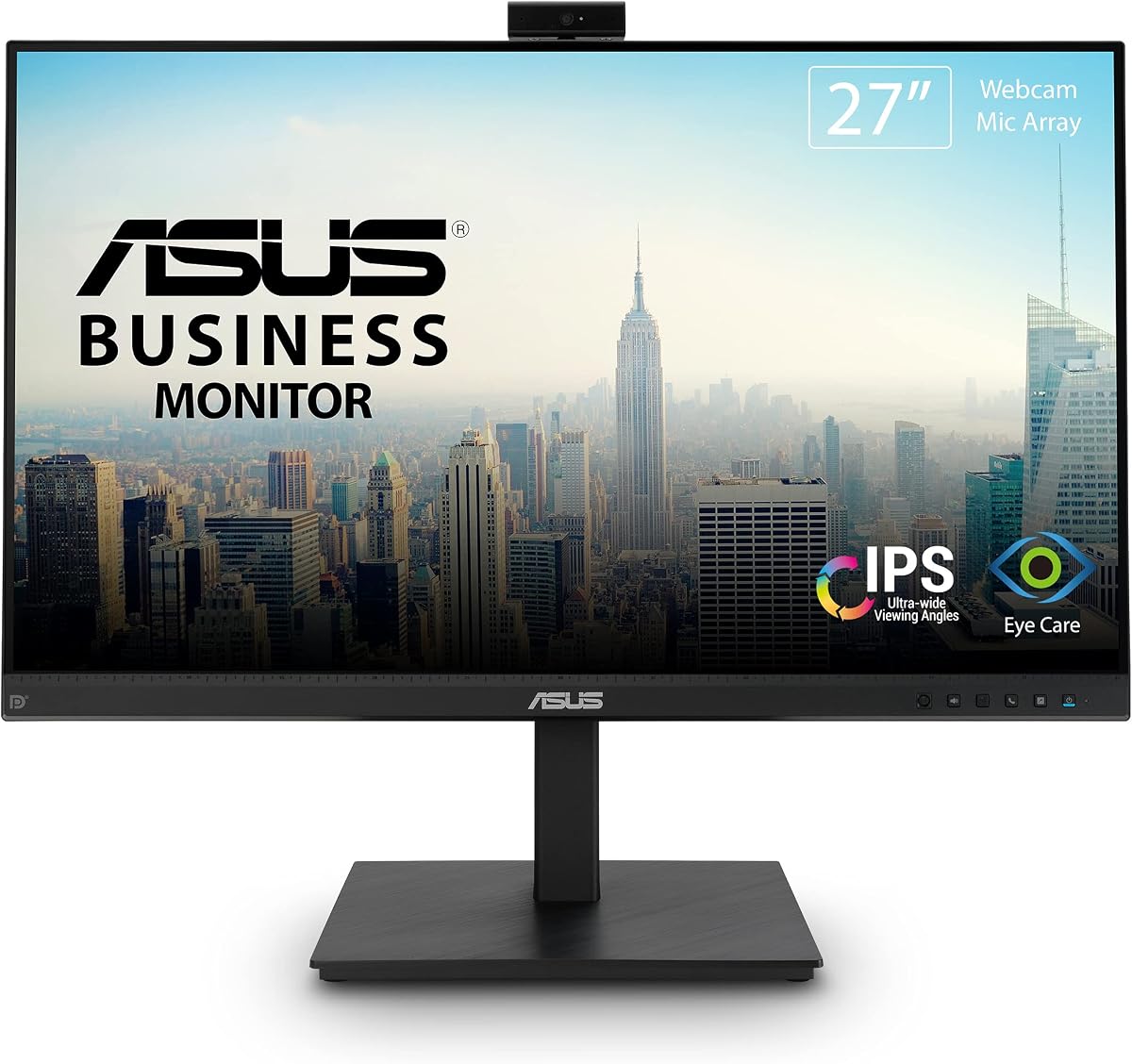
The ASUS BE279QSK stands out as a top choice for professionals seeking a streamlined video conferencing setup. With a rating of 4.3 stars users appreciate its reliable performance and integrated tools that reduce desk clutter effectively.
We may earn a commission when you buy through this link, at no additional cost to you.
Its 27 inch Full HD IPS panel delivers consistent colors and wide viewing angles making it suitable for collaborative tasks. The built-in adjustable webcam and mic array ensure clear communication during meetings while the stereo speakers handle audio without extra gear.
While the webcam lacks advanced motion features and audio is decent but not exceptional these trade-offs are acceptable given the price point. The monitor prioritizes stability and ease of use over flashy features which suits steady professional environments well.
This model is ideal for office workers and home users who need a dependable all-in-one display. Its strong warranty and ergonomic adjustments further enhance its value making it a recommended pick for daily productivity.
Integrated video features allow seamless transitions between work and calls without needing external webcams or microphones.
Adjustable tilt swivel and height settings help reduce strain during long hours of focused work and video meetings.
We may earn a commission when you buy through this link, at no additional cost to you.
The ASUS BE24EQK offers a compact yet functional solution for those with limited desk space. Its frameless design enhances visual focus while the integrated conferencing tools keep communication smooth and efficient for daily tasks.
We may earn a commission when you buy through this link, at no additional cost to you.
Equipped with a 2MP webcam and beamforming audio it filters out background noise like keyboard clicks during calls. The eye care certifications reduce fatigue making it suitable for extended work sessions without excessive strain or discomfort.
The smaller screen size might limit multitasking comfort and the webcam is adequate but not ultra high definition. However for users prioritizing simplicity and eye comfort these drawbacks are minor compared to the benefits of an all-in-one setup.
Best for students and small office users this monitor balances cost and functionality well. Its reliable connectivity options and thoughtful design features make it a practical choice for routine video meetings and learning.
The slim bezels provide a larger viewing area and modern aesthetic that fits well in contemporary home offices.
Integrated microphone and speakers with noise cancellation ensure your voice comes through clearly without external accessories.
We may earn a commission when you buy through this link, at no additional cost to you.
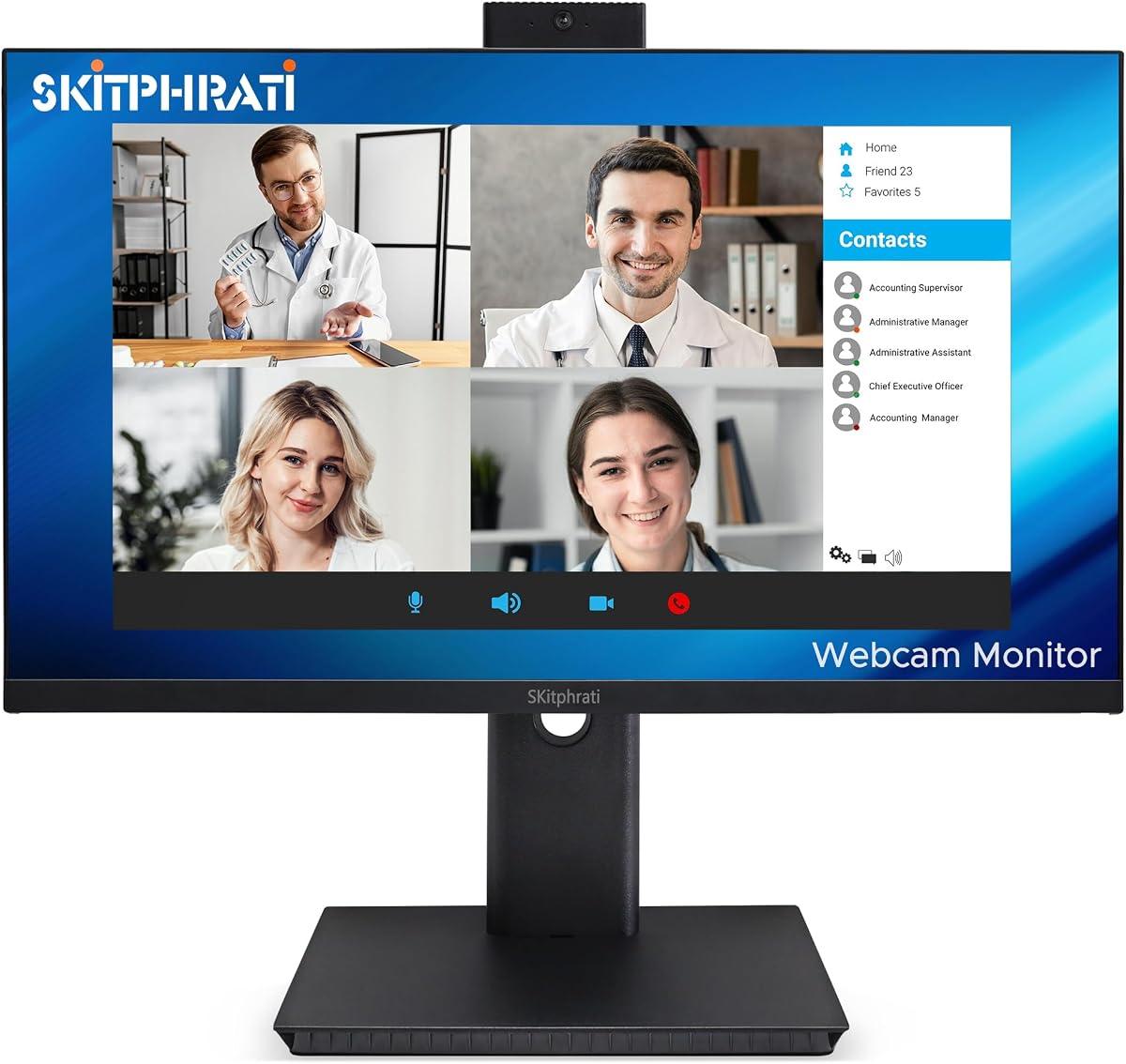
This SKitphrati model brings a unique feature set with its 120Hz refresh rate typically found in gaming monitors. It delivers fluid visuals for both work and casual media while the built-in conferencing gear simplifies remote interaction significantly.
We may earn a commission when you buy through this link, at no additional cost to you.
The 3MP webcam allows for adjustable positioning which is rare at this price point. Combined with a clear IPS panel and integrated speakers it supports professional meetings and daily tasks with minimal setup or cable clutter around your desk.
Audio quality is standard and brand support might be less robust than major players but the core performance remains strong. The high refresh rate ensures smooth cursor movement and scrolling which benefits users who handle data or design work daily.
Ideal for users seeking a smooth visual experience without sacrificing conferencing needs this monitor is a compelling alternative. It stands out for its balance of motion clarity and practical features in a business focused package.
The 120Hz refresh rate reduces motion blur and makes navigating interfaces feel more responsive during active use.
An adjustable webcam lets you angle the lens for optimal framing during video calls without moving the monitor.
We may earn a commission when you buy through this link, at no additional cost to you.
The Philips 34E1C5600HE delivers a spacious UltraWide experience with a curved VA panel that immerses users in their workflow. It stands out for its 5MP webcam with Windows Hello enabling quick secure logins without typing passwords repeatedly.
We may earn a commission when you buy through this link, at no additional cost to you.
USB-C docking simplifies connections by charging laptops and transferring video through one cable. The wide color gamut supports creative work while the 100Hz refresh rate ensures smooth scrolling through large documents and spreadsheets efficiently.
The premium price and curved screen might not appeal to everyone especially those who prefer flat displays or tight budgets. However for power users needing screen real estate and quick authentication the features justify the investment in many cases.
This monitor suits professionals managing multiple windows or creative tasks needing color fidelity. Its all-in-one conferencing and docking capabilities make it a high value hub for modern connected work environments.
Windows Hello support allows rapid logins using your face which streamlines daily access to your computer.
USB-C docking reduces cable clutter by handling power data and video through a single connection to your laptop.
We may earn a commission when you buy through this link, at no additional cost to you.
The Acer 24 Inch Conferencing Monitor offers unmatched value with a perfect 5.0 rating from users. It combines essential conferencing tools with ergonomic adjustments making it a standout choice for budget conscious buyers who need reliability.
We may earn a commission when you buy through this link, at no additional cost to you.
Built-in speakers and a microphone array eliminate extra hardware while the height swivel and tilt adjustments improve comfort. FreeSync ensures smooth visuals during multitasking and the included portable dock adds unexpected utility for data transfer and connectivity.
Brightness levels are modest and the webcam is not high definition but these limitations fit the low price point well. The monitor delivers exactly what is needed for clear meetings and daily office work without unnecessary frills.
This is the top budget pick for students remote workers and small businesses. It balances cost functionality and user satisfaction better than any other option in its category today.
Competitive pricing makes this monitor accessible to everyone seeking a fully featured all-in-one display without overspending.
The portable dock provides extra USB ports and fast data sync helping you expand your workspace easily.
We may earn a commission when you buy through this link, at no additional cost to you.
This CUNPU model addresses privacy concerns with a pop-up webcam that retracts when not in use. It delivers smooth 120Hz visuals and reliable audio making it a secure and comfortable option for personal workspaces and meetings.
We may earn a commission when you buy through this link, at no additional cost to you.
The 5MP webcam offers decent clarity while DC dimming reduces eye strain during long sessions. The stand allows significant height and tilt adjustments ensuring users can find a comfortable position without neck or back stress.
As a newer brand support channels might be less established but the hardware features are robust. The privacy design is a major plus for security conscious users who want control over their visual presence on calls.
Recommended for home office users prioritizing privacy and visual comfort this monitor is a strong contender. Its practical features and flexible adjustments make it well suited for daily conferencing and screen time.
The pop-up camera lets you physically hide the lens when not in use giving you peace of mind.
DC dimming and matte screens reduce flicker and glare to protect your vision during extended work sessions.
We may earn a commission when you buy through this link, at no additional cost to you.
The CUNPU 27 Inch brings QHD clarity to the all-in-one category with its sharp pixel density. The privacy-focused pop-up webcam ensures safety while the 120Hz refresh rate supports both work and casual gaming without screen tearing.
We may earn a commission when you buy through this link, at no additional cost to you.
Color accuracy and wide gamuts make it suitable for content consumption and creative viewing. The stand allows ample height and pivot range which helps align the screen for shared viewing or solo deep work sessions.
While it costs more than FHD options the added detail justifies the price for many. Audio remains standard but the display performance and security features offer compelling reasons to choose this model over basic alternatives.
Ideal for users wanting high detail and privacy control this monitor bridges professional and leisure needs well. Its versatile performance makes it a great addition to modern hybrid work setups.
QHD resolution provides sharper text and images making spreadsheets and designs easier to read clearly.
The 120Hz rate and G-Sync ensure smooth visuals for both productive work and relaxed gaming.
We may earn a commission when you buy through this link, at no additional cost to you.
The ViewSonic VG2441V targets business environments with its secure IR webcam and fast Windows Hello support. Combined with 120Hz refresh and USB-C connectivity it offers a streamlined and efficient experience for shared office or home workstations.
We may earn a commission when you buy through this link, at no additional cost to you.
Its display ensures crisp visuals for documents and meetings while the integrated mic and speakers reduce clutter. The eye care suite supports long workdays making it a thoughtful choice for frequent video collaborators needing sustained focus.
Audio is functional but not immersive and price leans premium compared to basic models. However the secure authentication and USB-C simplicity justify the cost for teams requiring reliable and secure meeting setups.
This model excels for professional environments needing quick logins and clean cabling. It balances security performance and ergonomics effectively for daily business conferencing.
The IR webcam enables secure Windows Hello logins even in low light conditions for faster access.
USB-C ports allow one cable connections for power video and data improving desk organization.
We may earn a commission when you buy through this link, at no additional cost to you.
Samsung View34 ViewFinity offers a stunning UltraWide experience with a curved panel that matches human sight lines. Its sliding camera and built-in KVM switch let users manage two devices seamlessly while maintaining a clean desk layout.
We may earn a commission when you buy through this link, at no additional cost to you.
Eco-friendly materials and packaging reflect a commitment to sustainability which appeals to conscious consumers. Automatic brightness and color optimization reduce eye strain ensuring comfort during long workdays with minimal manual adjustments needed.
The high price and learning curve for advanced features might deter some buyers but productivity gains are significant. For teams needing efficient multi-device workflows this monitor delivers unique utility beyond standard displays.
Best for power users valuing sustainability and screen space this model leads the category in innovation. Its combination of KVM tech and environmental focus makes it a forward thinking choice.
The built-in KVM switch allows control of two computers with one keyboard and mouse saving hardware costs.
Intelligent sensors adjust screen brightness to reduce fatigue during extended viewing sessions.
We may earn a commission when you buy through this link, at no additional cost to you.
The Samsung M8 M80F is a standout premium option delivering 4K UHD visuals on a stylish white chassis. It functions as a standalone smart monitor allowing streaming and gaming without a PC while the detachable SlimFit camera secures privacy.
We may earn a commission when you buy through this link, at no additional cost to you.
High resolution content shines on this VA panel with deep contrast and rich colors. USB-C power supports laptops making it a versatile hub for entertainment and work alike in a single elegant device.
The high cost and lack of traditional input might be barriers but the flexibility and build quality justify it. Users seeking a seamless blend of smart TV and monitor will find unmatched versatility here.
Ideal for tech enthusiasts and content creators needing top-tier visuals this monitor excels in every area. Its unique hybrid capabilities make it a top pick for premium all-in-one setups.
Stream apps and games directly without a PC thanks to the built-in smart platform and app ecosystem.
The SlimFit camera attaches magnetically and can be removed for storage ensuring security when not in use.
We may earn a commission when you buy through this link, at no additional cost to you.
Selecting the right monitor requires balancing display quality audio performance and conferencing features. This section covers the essential factors to consider before making a purchase for your home or office setup.
Screen size affects productivity and immersion with 24 to 27 inches being standard for office work. Higher resolutions like Full HD or QHD provide sharper text and better multitasking space for data-heavy tasks.
Prioritize at least 1080p for clarity and consider 27 inches or more for comfortable multi-window setups.
Webcams range from 2MP to 5MP with adjustable positioning adding flexibility for framing. Privacy features like physical shutters or slide covers are essential for users concerned about security during inactive periods.
Look for cameras with IR sensors for Windows Hello support and physical privacy mechanisms for peace of mind.
Built-in speakers should offer clear mid-range frequencies for voice calls. Noise cancellation and echo reduction in the microphone ensure you are heard clearly even in noisy environments.
Check for dual-channel audio and noise filtering features to ensure high quality call audio.
USB-C docking simplifies setup by providing power and data through one cable. HDMI DisplayPort and VGA support ensure compatibility with older and newer devices.
USB-C ports with power delivery can eliminate the need for a laptop charger adding convenience to your desk.
Adjustable stands with tilt swivel and height help align the screen with your eye level. Eye care technologies like low blue light reduce strain during long workdays.
Choose models with full adjustability and certified eye care features for sustained comfort.
While not critical for office work 120Hz refresh rates ensure smooth scrolling and cursor movement. This benefits data analysis and casual gaming alike without tearing or stuttering.
Higher refresh rates improve fluidity and responsiveness for active users.
Established brands often offer better support and longer warranties. Look for multi-year coverage and replacement services to protect your investment over time.
Verify warranty terms and support availability before buying to ensure long-term reliability.
Sustainable materials and energy-efficient ratings reduce environmental impact. Some models feature recycled packaging and eco modes for lower power usage.
Prioritize models with green certifications if sustainability is important to your purchasing decisions.
Position the monitor so the webcam aligns with your eye level for natural framing. Use the built-in stand adjustments to reduce neck strain during long video calls and work sessions.
Regularly update camera drivers and firmware to maintain optimal performance. Clean the lens and screen with a microfiber cloth to prevent smudges that can impact video quality.
Adjust volume and microphone sensitivity settings during initial setup to ensure clear audio. Avoid placing the monitor near loud fans or AC units to reduce background noise during meetings.
No built-in speakers are included for basic audio needs during calls and media playback. However if you require high fidelity sound for music or professional editing external speakers might still be preferred for enhanced quality.
Simply connect the monitor to your computer and the webcam usually installs automatically. Check your OS privacy settings to allow camera access and adjust focus or resolution via the monitor menu.
Many models support higher refresh rates like 120Hz and AMD FreeSync which reduce screen tearing for gaming. While not dedicated gaming monitors they provide a smooth experience for casual play during downtime.
No only select models support USB-C power delivery to charge laptops. Check the specs for USB-C charging wattage before purchasing if you need to eliminate laptop power adapters.
Windows Hello allows secure biometric logins using the built-in IR camera. This feature lets you unlock your PC quickly with facial recognition without typing passwords each time.
Look for monitors with physical shutters slide covers or detachable camera modules. These physical controls ensure the lens is covered when not in use providing better security than software toggles.
Yes most models offer HDMI DisplayPort and VGA inputs alongside USB ports. This flexibility allows you to connect multiple devices such as laptops and consoles to one display seamlessly.
Warranties range from one to three years depending on the brand. Premium models often include advanced replacement services while budget options may have shorter coverage terms.
The ten monitors reviewed provide diverse options balancing quality and price for different users. Whether you need a budget-friendly all-in-one or a premium 4K smart display there is a model to fit your requirements.
Prioritize camera privacy and ergonomic adjustments to ensure comfort and security during daily use. Matching the right resolution and connectivity to your workflow will maximize the monitor's value in your workspace.
Always check current offers and availability since product details can change. Verify your needs against these options to make a confident purchase that supports your work and collaboration goals.