
BOSGAME E4 Air Mini PC
4.2Editor score
AMD Ryzen 5 3500U
Dual Gigabit Ethernet Ports
Triple 4K Display Support
This guide compares the top 10 Linux Mini Pcs available in October 2026 for performance, reliability, and value across different user needs.
Linux Mini Pcs offer a compact and efficient solution for users seeking powerful computing in a small footprint. These devices run open-source operating systems that provide flexibility, security, and control over your computing environment without the overhead of traditional desktops.
We evaluated ten distinct models based on processor performance, memory capacity, storage options, connectivity features, and operating system compatibility. Our analysis focuses on real-world usability for development, home servers, and daily productivity tasks across various budget ranges.
Each pick highlights specific strengths like expansion capabilities, display support, or specialized OS pre-installation. Prices and availability change frequently, so verify current details before purchasing to ensure you get the best value for your specific requirements.
4.2Editor score

4.5Editor score

4.0Editor score
The following table provides a side-by-side comparison of all ten selected Linux Mini Pcs to help you quickly identify which model best fits your technical requirements and budget constraints.


The TK Node Mini PC stands out as the top choice for users seeking a reliable Linux experience with minimal setup effort. It arrives pre-loaded with Zorin OS Core, an Ubuntu-based distribution designed for familiarity and productivity right out of the box.
We may earn a commission when you buy through this link, at no additional cost to you.
Its AMD Ryzen R2314 processor provides efficient performance for everyday tasks while the dual SO-DIMM slots allow memory expansion up to 64GB. Dual NVMe SSD slots offer flexible storage options, ensuring you can scale the system as your needs grow without needing a new device.
While the base 8GB RAM may be sufficient for light browsing, heavy workloads will benefit from an upgrade. The US assembly ensures quality control but comes at a higher price point compared to imported alternatives which might lack robust local support.
This model is ideal for professionals who need a dependable machine for development or home lab work without wrestling with driver compatibility. The included VESA kit and comprehensive I/O make it a versatile addition to any desk or server rack.
Zorin OS Core simplifies the transition from Windows for users new to open-source systems by providing a familiar desktop interface and essential tools pre-configured.
Built and quality-checked in Texas, this unit benefits from strict manufacturing standards that enhance longevity and provide peace of mind for long-term operational use.
We may earn a commission when you buy through this link, at no additional cost to you.
The Beelink SER3 offers a compelling balance of cost and capability with its AMD Ryzen 3 3200U processor and generous 16GB of DDR4 RAM. This configuration handles daily productivity tasks smoothly and ensures multiple browser tabs or applications run without lag.
We may earn a commission when you buy through this link, at no additional cost to you.
Its 500GB SSD provides ample space for applications and files while the dual HDMI ports allow you to connect two monitors for enhanced workflow efficiency. The inclusion of lifetime technical support adds significant value for users who prioritize long-term assistance over initial cost savings.
While the processor is from an older generation, it remains capable of handling standard office work and media consumption. However, users looking for cutting-edge AI acceleration or intensive gaming capabilities might find the GPU and CPU limits restrictive in demanding scenarios.
This mini PC is an excellent choice for home offices or classrooms where reliability and support matter most. The combination of adequate performance and comprehensive after-sales service makes it a low-risk investment for general computing needs.
With 16GB of DDR4 RAM included, this system avoids the common bottleneck of memory constraints during multitasking without requiring an immediate upgrade from the user.
Beelink offers lifetime technical support and a three-year warranty ensuring that users have access to assistance and troubleshooting resources whenever issues arise.
We may earn a commission when you buy through this link, at no additional cost to you.
The ASUS NUC 14 Pro represents the pinnacle of Linux Mini PC performance with its Intel Core Ultra 7 155H processor and 64GB of DDR5 RAM. This powerhouse is designed for developers and AI researchers who need raw computational strength in a compact form factor.
We may earn a commission when you buy through this link, at no additional cost to you.
Pre-installed Linux Mint provides a stable and lightweight environment optimized for coding and virtualization tasks. The advanced cooling system ensures silent operation even under intense workloads while Thunderbolt 4 offers unprecedented data transfer speeds for external storage or high-resolution displays.
While the price reflects its premium specifications, the investment is justified for professional environments where downtime costs money. The ability to handle complex data processing and machine learning inference tasks locally makes it a viable replacement for many traditional workstations.
This device is best suited for tech professionals and businesses needing high-performance computing without the bulk of a tower. The inclusion of a free wireless keyboard and mouse bundle adds immediate value to the purchase for new setups.
Intel Arc graphics and dedicated AI acceleration units enable efficient handling of machine learning models and visual workloads directly on the mini PC.
Upgradable to 96GB RAM and featuring fast DDR5 technology, this system ensures it remains relevant for years as software demands increase.
We may earn a commission when you buy through this link, at no additional cost to you.
The Beelink Mini S12 Pro excels as a low-power solution for home labs and media centers. Its Intel N100 processor offers a significant performance boost over previous entry-level chips while maintaining minimal power draw which is ideal for 24/7 operation.
We may earn a commission when you buy through this link, at no additional cost to you.
Equipped with 16GB RAM and a fast 500GB SSD, it handles dual 4K video playback and light virtualization tasks effortlessly. The dual HDMI ports allow for a multi-screen setup perfect for monitoring systems or creating a home theater environment with minimal cables.
While the RAM slot is single and limits maximum capacity to 16GB, this is often sufficient for the intended use cases like running a firewall or storage server. The cooling system is designed to be silent ensuring it fits quietly into a living room or home office.
This mini PC is a smart choice for enthusiasts building a home lab on a budget. Its ability to function as a soft router or NAS server makes it a versatile tool for managing home networks and media libraries efficiently.
With a 6W TDP, the N100 processor delivers impressive performance per watt making it economical for always-on devices like home servers.
WiFi 6 and Bluetooth 5.2 ensure reliable wireless connections for peripherals and smart home devices without needing constant Ethernet cabling.
We may earn a commission when you buy through this link, at no additional cost to you.
The KAMRUI Pinova P2 leverages AMD Ryzen 3 3300U to deliver a balanced mix of efficiency and multi-core performance. This makes it suitable for developers needing multiple virtual machines or users running several productivity apps simultaneously without slowdown.
We may earn a commission when you buy through this link, at no additional cost to you.
Its triple 4K display support via HDMI, DP, and USB-C is a standout feature for traders or creators needing extensive screen real estate in a small footprint. The USB-C port supports 10Gbps data transfer allowing for rapid external storage access and display output simultaneously.
While the 256GB SSD is fast the limited capacity means users will likely need external drives or cloud storage for large projects. The LPDDR4X RAM is soldered so upgrade flexibility is non-existent but ensures lower power consumption and system stability over time.
This model is a strong contender for office environments requiring multi-monitor setups without desk clutter. The quiet cooling design ensures that even under load the device remains unobtrusive allowing users to focus on their work without distraction.
The ability to drive three independent 4K displays simultaneously transforms this mini PC into a professional workstation capable of complex visual tasks.
Support for USB 3.2 Gen2 Type-C ensures compatibility with modern high-speed peripherals and displays without needing dongles or adapters.
We may earn a commission when you buy through this link, at no additional cost to you.
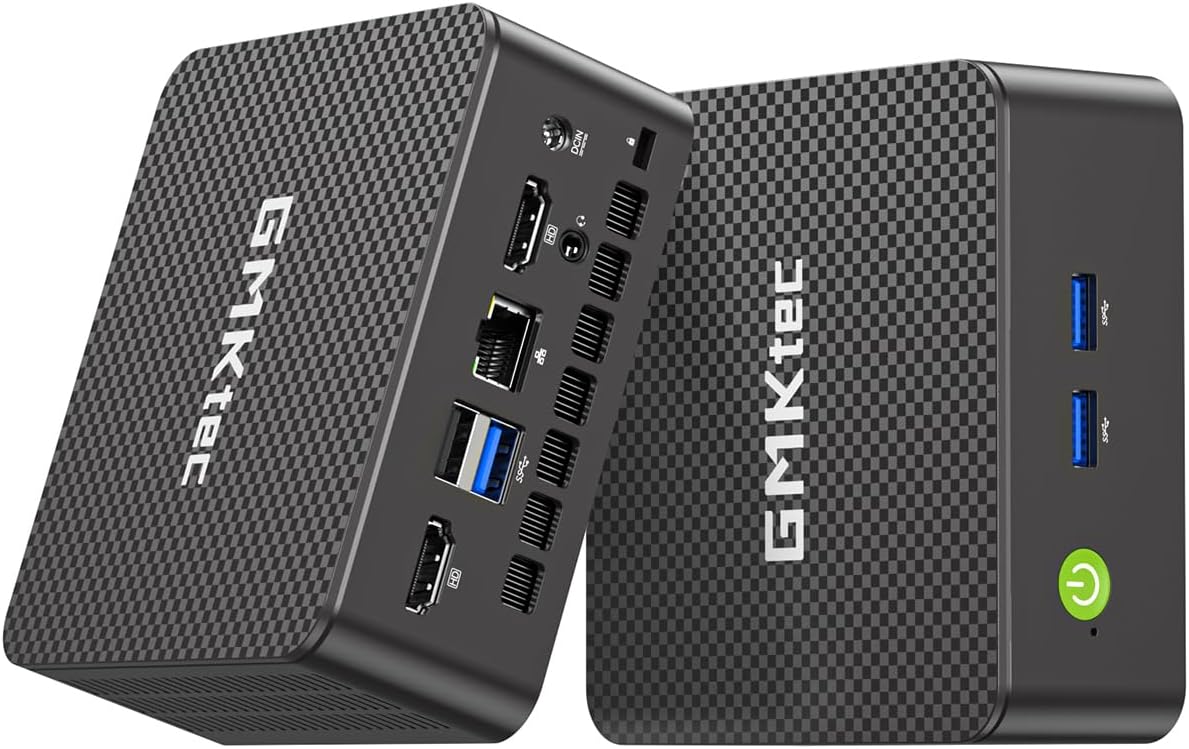
The GMKtec G11 is a specialized unit tailored for networking enthusiasts and home lab administrators. Its dual 2.5GbE Ethernet ports enable high-speed data transfer between networks or internet connections which is rare in this price segment.
We may earn a commission when you buy through this link, at no additional cost to you.
Powered by the AMD R2514 embedded processor it offers superior performance compared to similar Intel entry-level chips. The dual-channel 16GB RAM configuration ensures that the integrated GPU has sufficient bandwidth to handle multiple 4K displays smoothly.
While primarily marketed for networking roles like firewall or NAS, its Linux compatibility makes it a flexible platform for various open-source projects. However storage options are limited to SATA SSDs which may be a bottleneck for high-performance storage requirements compared to NVMe alternatives.
For users focused on building a secure home network or running virtual machines this mini PC offers a unique value proposition. The inclusion of WiFi 6E and Bluetooth 5.2 ensures it also works well as a general-purpose desktop when not acting as a server.
Dual 2.5G Ethernet ports allow for complex network setups including bridging, routing, and firewall configurations that standard mini PCs cannot handle.
Dual-channel memory architecture significantly boosts graphical and computational performance over single-channel alternatives found in many budget devices.
We may earn a commission when you buy through this link, at no additional cost to you.
The CyberGeek Mini PC Gaming stands out with its 11th Gen Intel Core i9 processor offering desktop-class performance in a compact chassis. This is one of the few mini PCs capable of handling demanding gaming or 3D rendering tasks alongside daily Linux operations.
We may earn a commission when you buy through this link, at no additional cost to you.
With 32GB of RAM and a 1TB PCIe SSD it ensures that memory and storage bottlenecks are rare. Ubuntu Linux comes pre-installed providing a robust environment for developers and creators who need a reliable platform for heavy workloads without pre-installed bloat.
The dual LAN ports add versatility for network enthusiasts who want to isolate traffic or create a dedicated server connection. While power consumption is higher than ultra-efficient models the performance per watt remains competitive for such high-end hardware in a small form factor.
Ideal for gamers and professionals who refuse to compromise on speed this device bridges the gap between mini PC convenience and desktop power. The triple display support allows for a command center setup perfect for monitoring system resources while gaming or working.
The 8-core i9 processor allows for parallel processing of multiple virtual machines or development environments without significant latency or lag.
Ubuntu Linux pre-installation ensures immediate access to development tools and libraries for users focused on coding and data science tasks.
We may earn a commission when you buy through this link, at no additional cost to you.
The BOSGAME E5 combines solid productivity hardware with networking features like dual 2.5GbE LAN ports. It is an excellent choice for users who want a compact machine that can also serve as a network appliance or firewall without needing extra hardware.
We may earn a commission when you buy through this link, at no additional cost to you.
16GB of DDR4 RAM and a 512GB NVMe SSD ensure the system is responsive and ready for heavy multitasking. The upgradeable memory slots allow users to expand RAM up to 64GB which is rare at this price point and adds significant long-term value.
While the integrated graphics are not meant for high-end gaming they handle media and productivity well. The triple display output is supported through HDMI DisplayPort and USB-C making it a versatile tool for financial or trading setups requiring multiple screens.
This mini PC is best suited for small businesses or power users who value connectivity and expandability. The quiet operation and compact design make it easy to place in any environment while the reliable networking hardware supports complex home or office configurations.
Dual 2.5G LAN ports provide the bandwidth necessary for network segmentation or high-speed file transfers across multiple interfaces.
Support for up to 64GB RAM allows the system to remain capable of running memory-intensive applications years into the future.
We may earn a commission when you buy through this link, at no additional cost to you.
The BOSGAME E4 Air offers an accessible entry point into the world of Linux Mini Pcs without sacrificing essential connectivity features. Its Ryzen 5 3500U processor handles basic computing tasks and web browsing efficiently despite its lower price tag.
We may earn a commission when you buy through this link, at no additional cost to you.
Dual Gigabit Ethernet ports are a unique inclusion at this budget level allowing for flexible network setups. The triple 4K display support enables users to create a multi-monitor workspace which is often reserved for higher-end models in the market.
However the 8GB of RAM and SATA SSD may feel limiting for users with heavy file management or virtualization needs. Upgrading these components can improve performance but adds to the overall cost and time investment required for setup.
This model is ideal for students or casual users who need a secondary machine for streaming and web tasks. Its compact size and affordability make it a practical choice for adding computing power to a kitchen, bedroom, or study space.
Even with entry-level specs the CPU supports smooth switching between multiple applications ensuring a frustration-free user experience for daily tasks.
Dual LAN ports allow for secure network separation which is rare in budget devices and adds significant utility for home lab users.
We may earn a commission when you buy through this link, at no additional cost to you.
The GMKtec G3S is designed for efficiency and affordability using the Intel N95 processor. It offers a significant performance jump over older entry-level chips and supports modern video codecs like AV1 which is crucial for streaming high-resolution content.
We may earn a commission when you buy through this link, at no additional cost to you.
With 8GB RAM and a 256GB M.2 SSD it provides enough speed for daily tasks like browsing and document editing. The dual HDMI 4K support allows users to connect multiple screens for a more productive workspace without taking up valuable desk space.
While the lack of Wi-Fi 6 and fixed RAM might deter power users the G3S excels in simple media and office scenarios. Its small footprint makes it easy to hide behind a monitor which is perfect for clean setups in homes or offices.
This mini PC is a solid recommendation for basic computing needs where cost and space are primary concerns. It delivers reliable performance for web surfing and media consumption without the complexity or expense of higher-end alternatives.
AV1 decoding support ensures that streaming services and video content remain smooth and efficient even on entry-level hardware.
Its tiny footprint and clean cable management options help declutter desks and living areas while maintaining full desktop functionality.
We may earn a commission when you buy through this link, at no additional cost to you.
Selecting the right Linux Mini PC requires balancing performance needs with budget constraints while ensuring compatibility with your preferred operating system.
Choose a processor that matches your workload intensity. AMD Ryzen and Intel Core i5 or higher models are better for development and multitasking while entry-level N-series chips suit basic browsing.
Prioritize cores and threads for parallel tasks and ensure the CPU supports modern instruction sets for efficiency.
RAM is critical for Linux performance. Aim for at least 16GB to ensure smooth multitasking. Verify that the RAM is upgradeable to future-proof your investment.
Dual-channel memory configurations offer better performance than single-channel setups which is important for integrated graphics.
Solid State Drives are essential for speed. NVMe SSDs provide faster boot and load times compared to SATA SSDs. Consider models with expansion slots for future storage growth.
Ensure the system supports the necessary storage interfaces to avoid bottlenecks during large file transfers.
Look for sufficient USB ports and Ethernet options based on your needs. Dual LAN ports are valuable for server setups while USB-C and DisplayPort enhance versatility.
Verify that the device supports the latest WiFi standards for reliable wireless connectivity in modern environments.
Pre-installed Linux systems save time on setup. Ensure the hardware supports major distributions like Ubuntu or Mint without driver issues.
Check community feedback to confirm compatibility with your chosen distribution before purchasing.
A robust chassis ensures better heat dissipation and longevity. Look for warranties that cover parts and labor to protect your investment.
Assembled units often undergo stricter quality control which can lead to fewer defects over time.
Energy efficiency is key for devices that run 24/7. Lower TDP processors reduce electricity bills and heat output in enclosed spaces.
Verify the power adapter capacity to ensure it can handle sustained loads without overheating.
If you need multiple monitors check for triple 4K support via HDMI and DisplayPort. High refresh rates are beneficial for visual workflows.
Confirm the graphics driver support for Linux to avoid display artifacts or performance issues.
Always place your Mini PC in a well-ventilated area to prevent overheating. Dust buildup can restrict airflow and lead to performance throttling so cleaning vents regularly is essential.
Keep your Linux system updated to the latest patches for security and stability. Use software centers or terminal commands to manage updates and avoid unnecessary software that bloats storage.
Backup important data to an external drive or cloud service regularly. This ensures that hardware failures do not result in permanent loss and that you can restore your environment quickly.
Yes most models in this guide support Linux distributions well. Several come with Ubuntu or Zorin pre-installed while others have open-source driver support that makes installation straightforward for experienced users.
Many models allow RAM upgrades up to 64GB while others have soldered memory. Check specific product details to confirm if your chosen unit has SO-DIMM slots for expansion.
Entry-level and mid-range models are better for casual gaming or emulators. High-performance options like the CyberGeek model can handle more demanding games but integrated graphics still limit AAA gaming capabilities.
Dual Ethernet ports allow you to create separate networks for security or traffic routing. This is useful for firewall setups where one port connects to the internet and the other to your local network.
Check the HDMI DisplayPort and USB-C ports on your device. Most models support up to three displays simultaneously if the graphics card and OS configuration are set correctly for multi-monitor output.
Most manufacturers offer at least a one-year warranty covering defects. Premium models often include extended support or US-based service centers for easier troubleshooting and repair.
Absolutely these devices are energy efficient and compact enough for 24/7 operation. Many support Docker containers and virtualization software to run home automation and storage services effectively.
With proper care and ventilation these devices can last five or more years. Regular maintenance and software updates extend their usability ensuring they remain relevant for standard computing tasks.
Our top picks highlight diverse strengths from the pre-installed Zorin OS on the TK Node to the raw power of the ASUS NUC 14 Pro. Each device serves a specific need whether you are a developer or a home user seeking compact efficiency.
Prioritize factors like RAM capacity and connectivity ports to ensure the device fits your workflow. For network enthusiasts dual LAN models offer unique benefits while office workers may prefer triple display support.
Prices and availability change frequently so verify the latest specs and promotions on the manufacturer sites. Checking current stock ensures you secure the best value for your specific requirements without delay.