
BenQ Zowie XL2566X+
4.3Editor score
400Hz refresh rate for competitive gaming
DyAc 2 enhances blur reduction
Fast TN panel delivers sharp visuals
Choosing the right monitor can transform your gaming experience significantly. Benq offers a diverse lineup ranging from esports-focused displays to versatile 4K screens. Understanding the differences helps you find the perfect match for your play style and budget.
We evaluated ten top Benq monitors based on refresh rate, panel type, and specialized gaming features. Our comparison includes high-speed TN panels for competitive play and IPS options for vibrant visuals. Each product brings unique strengths to different gaming scenarios.
Each pick highlights key specifications and performance traits relevant to gamers. Prices fluctuate frequently so check current listings before purchasing. Use this guide to narrow down options and invest wisely in hardware that enhances your gaming sessions long term.
4.3Editor score

4.6Editor score

4.2Editor score
As an Amazon Associate we earn from qualifying purchases.
The following table compares key specifications across all ten monitors. Use this side-by-side view to quickly identify differences in resolution, refresh rate, and panel technology to match your specific gaming needs.


The BenQ Zowie XL2586X+ stands out as the fastest monitor available for competitive gaming. With a 600Hz refresh rate and DyAc 2 technology it delivers unmatched motion clarity that reduces blur during intense fast paced gameplay sessions.
We may earn a commission when you buy through this link, at no additional cost to you.
Its new Fast TN panel improves electrical conductivity and responsiveness while reducing overshoot. The vivid color film boosts color performance by 35% providing better target visibility and reducing washout compared to standard TN panels used in previous models.
While TN panels generally offer less vibrant colors than IPS options the XL2586X+ mitigates this with improved hue clarity. Gamers focused on esports performance will appreciate how the dynamic accuracy technology keeps targets sharp even during rapid movements.
This monitor is ideal for professional players or enthusiasts who prioritize speed and precision above all else. If you play titles like Counter Strike or Valorant the speed and clarity provided here justify the investment for serious competitors.
DyAc 2 uses dual backlight technology to enhance blur reduction while offering soft light output for better eye adaptation during extended gaming sessions.
The newly developed panel improves liquid crystal responsiveness and reduces overshoot ensuring smoother images with less distraction from unwanted afterimages.
We may earn a commission when you buy through this link, at no additional cost to you.
The XL2566X+ offers a compelling balance of speed and value for gamers entering the competitive scene. Its 400Hz refresh rate paired with DyAc 2 technology ensures motion clarity that rivals much more expensive panels in the industry.
We may earn a commission when you buy through this link, at no additional cost to you.
Designed specifically for pro player resolutions it provides sharper image quality and improved color vibrancy. The redesigned panel enhances electrical conductivity reducing overshoot and allowing you to identify enemies more easily during high intensity matches.
While it lacks the ultra high refresh rate of the XL2586X+ the XL2566X+ still delivers exceptional performance for most competitive gamers. The cost savings make it an accessible option without sacrificing critical features like motion clarity.
Buy this monitor if you need top tier speed for esports but prefer to allocate budget elsewhere. It remains a top contender for anyone seeking reliable motion performance at a more approachable price point.
Fast TN with DyAc 2 provides clearer and sharper images compared to other panel types helping you focus on gameplay without unwanted motion distractions.
The XL2566X+ has been meticulously redesigned to offer more vibrant hues and greater clarity in identifying enemies within game environments.
We may earn a commission when you buy through this link, at no additional cost to you.
The BenQ MOBIUZ EX271U brings premium features to console and PC gaming alike. Its 27 inch 4K panel delivers stunning detail while 165Hz refresh rate ensures smooth gameplay across various titles without sacrificing visual fidelity.
We may earn a commission when you buy through this link, at no additional cost to you.
Built-in eARC support allows up to 7.1 channel audio output directly from the monitor which is rare for gaming displays. This feature enhances immersive sound experiences particularly useful for next-gen console setups requiring high fidelity audio.
Additional features like the Pixsoul Engine and KVM switch add versatility for multi-device users. The color shuttle presets optimize visuals for popular games ensuring an aesthetically pleasing palette that enhances your overall enjoyment.
Ideal for console gamers or those who want high resolution visuals with strong audio capabilities. This monitor bridges the gap between high end gaming and multimedia use making it a versatile choice for home entertainment hubs.
The built-in eARC supports up to 7.1 channels addressing console sound needs without requiring external audio equipment or complex wiring.
AI Detail Enhancement tailors the vibrant world to your preferences ensuring each game is showcased in a visually pleasing way.
We may earn a commission when you buy through this link, at no additional cost to you.
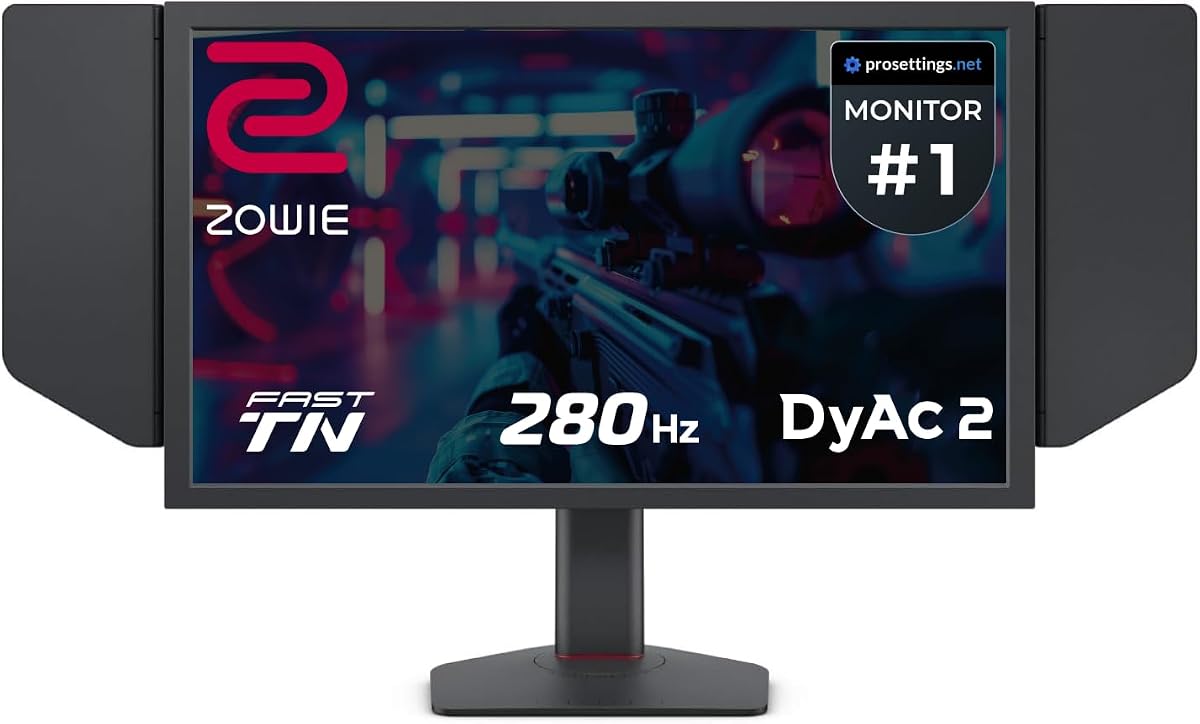
The XL2546X+ provides a reliable entry into the Zowie esports lineup with proven DyAc 2 technology. Its 280Hz refresh rate balances performance and affordability while maintaining clear outlines of moving images to minimize distractions.
We may earn a commission when you buy through this link, at no additional cost to you.
The redesigned panel improves color performance offering better hues and target identification. Overshoot is effectively reduced through enhanced conductivity ensuring that images remain crisp even during rapid directional changes in fast paced games.
While it offers slightly less speed than higher models it still meets the needs of most competitive players. The focus remains on clarity and sharpness which are essential for tracking opponents and executing precise movements consistently.
Consider this model if you want proven esports performance without needing the highest refresh rates available. It remains a solid choice for players seeking professional grade clarity at a slightly more accessible level.
Fast TN panels provide clearer outlines than IPS helping you focus on moving images with less distraction from afterimages.
Redesigned to offer more vibrant hues and greater clarity in identifying enemies enhancing overall game performance visually.
We may earn a commission when you buy through this link, at no additional cost to you.
The BenQ MA320U is designed primarily for Mac users but offers versatile performance for casual gaming. Its 32 inch 4K display provides crisp visuals and accurate colors making it ideal for creative work and relaxed gaming sessions.
We may earn a commission when you buy through this link, at no additional cost to you.
Features like Mac Color Match and volume controls integrated into the keyboard streamline workflow. Dual USB-C ports deliver 90W power allowing you to charge your laptop while maintaining a clean desk setup with minimal cabling.
While not built for competitive gaming its high resolution and comfortable stand make it a great hybrid monitor. The ergonomic adjustments ensure you stay comfortable during long usage sessions whether gaming or working.
Choose this monitor if you own a MacBook and want a display that excels in both productivity and casual gaming. Its focus on color accuracy and connectivity makes it a premium choice for Apple ecosystem users.
Adjust brightness and volume directly from your MacBook keyboard creating a seamless experience that feels native to your workflow.
Dual USB-C ports deliver 90W for your MacBook and charge peripherals making it an ideal hub for modern setups.
We may earn a commission when you buy through this link, at no additional cost to you.
The BenQ GW2790Q offers a balanced approach for users who switch between work and gaming. Its 100Hz refresh rate provides smooth motion while IPS panels ensure vibrant colors suitable for both creative tasks and casual gaming.
We may earn a commission when you buy through this link, at no additional cost to you.
Eye-Care Technology filters harmful blue violet radiation reducing eye strain during long sessions. Brightness Intelligence Technology adjusts display brightness based on ambient light conditions providing comfort and clarity without manual adjustments.
The Input Hotkey feature allows seamless device switching which is useful for dual setup users. Ultra slim bezels improve aesthetics and provide more screen real estate when using multiple monitors side by side.
Best for those seeking a reliable monitor that handles daily tasks well while providing decent gaming performance. Its comfort features and color accuracy make it a versatile choice for home office and light gaming setups.
Low Blue Light Plus filters out harmful radiation while maintaining vivid color quality so you can work longer comfortably.
Brightness Intelligence Tech auto adjusts based on content and light conditions while B.I. Gen2 allows customizable flexibility.
We may earn a commission when you buy through this link, at no additional cost to you.
The BenQ RD320U is a unique monitor designed for coding but excels in gaming with its high contrast and clarity. Its Nano Matte Panel minimizes reflections ensuring clear viewing regardless of ambient lighting conditions.
We may earn a commission when you buy through this link, at no additional cost to you.
Coding modes with dark and light themes reduce eye strain by enhancing font differentiation. Night Hours Protection offers minimum brightness technology for late night sessions protecting your eyes from harsh screen light.
With a 2000:1 contrast ratio blacks appear deeper making games look more immersive. The ergonomic stand allows full adjustments to ensure comfort during long work or play sessions.
Choose this monitor if you want a premium display that balances coding utility with high quality visuals. Its focus on eye care and clarity makes it stand out for users who spend hours in front of screens.
The low reflection property minimizes distractions delivering unparalleled clarity for peak performance in any environment.
Benefit from minimum brightness technology enhancing eye protection during dark room usage and night sessions.
We may earn a commission when you buy through this link, at no additional cost to you.
The BenQ GW2486TC is a compact monitor optimized for work and light gaming. Its 24 inch Full HD display provides clear visuals while the built-in USB hub simplifies cable management for laptops and phones.
We may earn a commission when you buy through this link, at no additional cost to you.
A noise-cancelling microphone helps during video calls making it a versatile tool for hybrid workers. Adaptive Brightness ensures the screen adjusts to your environment maintaining comfort throughout the day.
The height adjustable stand allows you to set the monitor at eye level reducing neck strain. Its white finish adds a modern touch to any workspace or gaming desk setup.
Ideal for users who need an all-in-one monitor for work and light entertainment. Its connectivity and comfort features make it a practical choice for those who value convenience and ergonomics.
Reduce background noise with one click shifting focus to what is important during meetings or calls.
Synchronize data and charge mobile devices with one cable providing an all-in-one solution for your desk.
We may earn a commission when you buy through this link, at no additional cost to you.
The BenQ PD2706QN is designed for creatives but offers smooth performance for gaming with 100Hz. Its factory calibration ensures color accuracy with Delta E under 2 making it reliable for design and visual tasks.
We may earn a commission when you buy through this link, at no additional cost to you.
95% P3 and 100% sRGB coverage deliver vibrant and consistent colors. The Anti-Glare Nano Matte Panel diffuses light reducing glare and preserving accuracy during long sessions.
USB-C with 90W power delivery and MST support for daisy chaining allow versatile connectivity. Height adjustments and swivel options ensure ergonomic comfort which is crucial for extended use.
Best for professionals who want a high quality display for both design and gaming. Its color consistency and connectivity features make it a top pick for those who value visual fidelity.
Factory calibrated with Delta E under 2 ensuring accurate and consistent colors across displays.
Diffuses ambient light to reduce glare ensuring enhanced eye comfort during long design and gaming sessions.
We may earn a commission when you buy through this link, at no additional cost to you.
The Acer Nitro KG241Y is a compelling budget option offering 180Hz refresh rate and FreeSync Premium. Its 23.8 inch display delivers fast motion handling suitable for competitive shooters and casual gamers alike.
We may earn a commission when you buy through this link, at no additional cost to you.
With a 1ms response time in VRB mode motion blur is minimized. Zero-Frame Design creates an immersive view without thick bezels making it great for multi-monitor setups or single screen immersion.
While VA panels may lag slightly behind TN for responsiveness the refresh rate helps smooth out gameplay. It is a cost effective choice for budget focused buyers who still want smooth motion.
Ideal for entry level gamers needing high refresh rates on a tight budget. Its HDR Ready feature and VESA compliance add versatility for mounting and visual enhancements in supported titles.
180Hz refresh rate reacts more quickly to changes resulting in a smoother and more responsive user experience.
1ms response time helps reduce ghosting keeping fast action scenes clear and sharp.
We may earn a commission when you buy through this link, at no additional cost to you.
Selecting the right monitor involves weighing several technical factors. This section details what to consider before making a purchase decision.
Refresh rate determines how many times per second the screen updates. Higher rates like 240Hz or 600Hz reduce motion blur and make gameplay smoother especially in fast-paced shooters.
Look for higher refresh rates if you play competitive titles where split second reactions matter most.
TN panels offer the fastest response times but lower color quality. IPS panels provide better colors but may be slower. VA panels balance contrast but can suffer from ghosting.
Choose TN for pure speed or IPS if you want vibrant visuals for both work and gaming.
Resolution impacts image sharpness. 1080p is standard for competitive gaming while 4K offers stunning detail. Higher resolutions require stronger hardware to maintain high frame rates.
Pick a resolution that matches your graphics card capabilities and viewing distance.
Response time measures how fast pixels change color. Lower values like 1ms reduce ghosting and motion blur. Fast panels ensure smoother visuals during rapid movement.
Prioritize low response times to avoid visual artifacts in fast games.
Ports like HDMI and DisplayPort support higher refresh rates and resolutions. USB-C allows daisy chaining or charging. Ensure the monitor has the right inputs for your devices.
Verify cable standards to fully utilize the monitor performance capabilities.
Adjustable stands allow height tilt and swivel. Proper ergonomics prevent strain during long sessions. VESA mounts offer flexibility for arm mounts.
Choose a stand that supports comfortable viewing positions to reduce neck and eye fatigue.
Flicker-free tech and low blue light modes reduce eye strain. Brightness intelligence adapts to ambient light. These features help maintain comfort during extended use.
Opt for monitors with certified eye-care tech if you game for hours.
Some monitors include DyAc technology or eARC for audio. Others have KVM switches or color presets. These add-ons can enhance the overall experience depending on your needs.
Consider unique features that align with your specific gaming or setup requirements.
Set up the monitor on a stable surface and connect it securely using high speed cables. Ensure your graphics card supports the desired refresh rate and resolution before powering on.
Use the on screen display to adjust brightness and color presets. Enable gaming modes or eye care settings as needed to optimize your viewing experience.
Clean the screen regularly with a soft dry cloth to avoid scratches. Adjust stand height and tilt to match your sitting position for comfort and ergonomic health.
DyAc stands for Dynamic Accuracy. It uses backlight strobing to reduce motion blur during fast movement. This makes moving objects appear sharper which is vital for competitive shooters where target tracking is essential.
Yes TN panels offer the fastest response times and high refresh rates. While colors may be less vibrant than IPS they provide motion clarity that is ideal for competitive gaming and esports performance.
Many models support HDMI 2.1 which allows 4K at 120Hz for next gen consoles. Ensure the specific model includes necessary HDMI and eARC features for full console integration and audio support.
Higher refresh rates update the screen more times per second reducing input lag and motion blur. This results in smoother visuals and more precise tracking of moving targets in fast games.
1080p offers high frame rates on modest hardware while 4K provides sharper images and detail. Choose based on your PC power and whether you prioritize speed or visual fidelity.
Many models come factory calibrated for accurate colors. Pro series like Designer or MOBIUZ offer preset modes that match industry standards for design work and accurate visual representation.
Choosing the right monitor depends on your priorities. For pure speed the XL2586X+ leads while the XL2566X+ offers value. The MOBIUZ EX271U brings premium visuals for console and PC gamers.
Prioritize refresh rate and panel type for competitive play. For casual use resolution and eye-care features matter more. Match your choice to the games you play and your budget.
Prices change often so check current listings before buying. Use this guide to find a monitor that enhances your setup and supports your gaming goals effectively.