
Frameo 10.1 Inch WiFi
4.7Editor score
Simple app sharing for family
Touchscreen interface for seniors
Large local storage capacity
Modern homes increasingly rely on smart devices to personalize spaces with meaningful content. AI art and photo digital frames blend traditional aesthetics with cutting-edge technology to transform static memories into dynamic experiences. These devices allow users to display everything from family snapshots to generative art without cluttering walls with physical prints.
To identify the most reliable options, we evaluated ten leading models based on display technology, connectivity, and user experience. Our analysis focuses on how well each frame handles high-resolution images, supports remote sharing, and integrates artificial intelligence to enhance visual storytelling. We also considered battery life, ease of setup, and overall design suitability for various room layouts.
Each selection in this roundup highlights specific strengths such as e-ink realism, motion detection, or extensive cloud storage. While our research provides a comprehensive overview, individual needs vary depending on budget and technical comfort. Please note that product availability and specific feature sets may change over time as manufacturers release updated firmware and hardware revisions.
4.7Editor score
![Magic Frame[Old Photo Alive]](https://m.media-amazon.com/images/I/81RI++-D+BL._AC_SL1200_.jpg)
4.4Editor score

5.0Editor score
As an Amazon Associate we earn from qualifying purchases.
The following table provides a side by side overview of all ten models analyzed in this guide. It highlights key specifications such as screen type, storage capacity, and unique features to help you quickly identify the right device for your home environment.


This model stands out by transforming static images into dynamic video memories using advanced artificial intelligence. With a solid 4.4 rating from users, it is praised for its ability to bring old family photos to life with motion effects.
We may earn a commission when you buy through this link, at no additional cost to you.
The core strength lies in its AI Magic Moments feature which allows users to colorize black and white photos and animate faces within group portraits. The included credits enable immediate use without additional cost for initial restoration projects making it highly accessible for nostalgic sharing.
While the AI features are powerful they rely on a credit system that may require purchase over time for extensive usage. Users should be aware that video creation consumes specific credits which adds a layer of ongoing engagement cost beyond the initial hardware purchase.
This frame is ideal for families who want to revive old memories and share them dynamically. If you prioritize emotional impact and visual transformation over simple slideshow display this device offers a unique value proposition that distinguishes it from standard digital frames.
The colorization and motion tools specifically target older photos allowing grandparents to see their past vividly restored on the screen.
Users can invite friends and family to send photos directly to the frame ensuring a steady stream of new content without physical media.
We may earn a commission when you buy through this link, at no additional cost to you.
With a high user rating of 4.7 this frame is designed to be the most accessible option for family communication. It focuses on simplicity and privacy ensuring that only invited contacts can view the displayed memories.
We may earn a commission when you buy through this link, at no additional cost to you.
The Frameo app allows instant sharing of photos and short videos from anywhere in the world. The large 32GB internal memory stores thousands of images reducing the need for external storage management while the touchscreen makes navigation intuitive for seniors.
Video sharing via the app is limited to fifteen seconds which may restrict longer clips unless uploaded via physical media. Additionally the external card slot has compatibility constraints with larger capacities that users should check before purchasing specific cards.
This device is perfect for those seeking a reliable and easy to use gift. Its straightforward setup and secure sharing protocol make it an excellent choice for connecting with distant family members without technical complexity.
Advanced privacy settings ensure that only invited friends and family can send content keeping personal memories completely safe from public access.
The large touch screen and simple gestures make it easy for elderly users to swipe through photos and adjust settings independently.
We may earn a commission when you buy through this link, at no additional cost to you.
This model achieves a perfect rating of 5.0 by offering a sophisticated e ink display that mimics traditional paper art. It combines artistic features with practical battery life making it a top choice for decor conscious users.
We may earn a commission when you buy through this link, at no additional cost to you.
The color e ink screen provides a unique viewing experience that avoids the harsh light of standard digital displays. Users can create custom artwork through the app using text prompts or even convert hand drawn doodles into finished pieces to display.
Although the e ink technology offers a paper like feel it has lower resolution compared to glossy screens which may not show fine details. The higher cost reflects the premium materials and unique display technology but it may not suit every budget.
Ideal for art lovers and parents who value a natural look this frame offers a peaceful and stylish addition to any room. The unlimited storage and multi year battery life ensure it remains functional and visually appealing with minimal maintenance.
The app allows users to generate personalized art from text or voice prompts providing a creative outlet for the digital gallery.
The high capacity battery supports years of use on low refresh settings making it truly wireless for various home locations.
We may earn a commission when you buy through this link, at no additional cost to you.
With a 15.6 inch display this frame offers an expansive canvas for viewing high resolution photos and videos. The 4.5 rating reflects satisfaction with its ability to showcase large family gatherings and detailed images clearly.
We may earn a commission when you buy through this link, at no additional cost to you.
The Full HD IPS screen ensures vivid colors and wide viewing angles which is crucial for larger sizes. The built in speaker allows users to play videos with sound directly from the device or imported via USB enhancing the multimedia experience.
While the size is impressive it requires significant wall or shelf space which may not fit smaller rooms. The reliance on power for continuous display might limit placement flexibility compared to battery powered models in temporary setups.
This frame is best for main living areas where a large focal point is desired. It suits households that enjoy sharing video memories with sound and want to see fine details without straining their eyes.
The 15.6 inch screen provides a cinematic feel for family videos allowing multiple people to view content comfortably together.
Large internal memory combined with external options ensures there is plenty of space for thousands of high resolution photos and videos.
We may earn a commission when you buy through this link, at no additional cost to you.
This 15.6 inch model offers a robust display with a unique ability to transfer photos without internet connectivity. It is rated 4.5 by users who appreciate the simplicity of using physical media for updates.
We may earn a commission when you buy through this link, at no additional cost to you.
The frame supports uploading photos via SD card or USB drive which is helpful for users who prefer not to use apps or WiFi networks. The Full HD screen delivers clear images making it suitable for displaying detailed portraits and landscapes effectively.
However the lack of remote sharing means you cannot receive photos from family members instantly over the internet. This limitation makes it less dynamic than WiFi models but ideal for static displays managed locally by one person.
This option is great for settings where internet access is limited or security is a primary concern. It serves well as a dedicated photo display where content is curated and transferred manually rather than shared dynamically.
Users can upload content via physical drives ensuring that the frame works reliably even without a stable internet connection.
The 15.6 inch panel allows for a broad range of photos to be viewed comfortably from across the room.
We may earn a commission when you buy through this link, at no additional cost to you.
This compact frame is designed for wireless placement and offers a unique e ink screen that looks like a printed page. With a 3.8 rating it receives praise for its battery life but faces criticism for its lower resolution.
We may earn a commission when you buy through this link, at no additional cost to you.
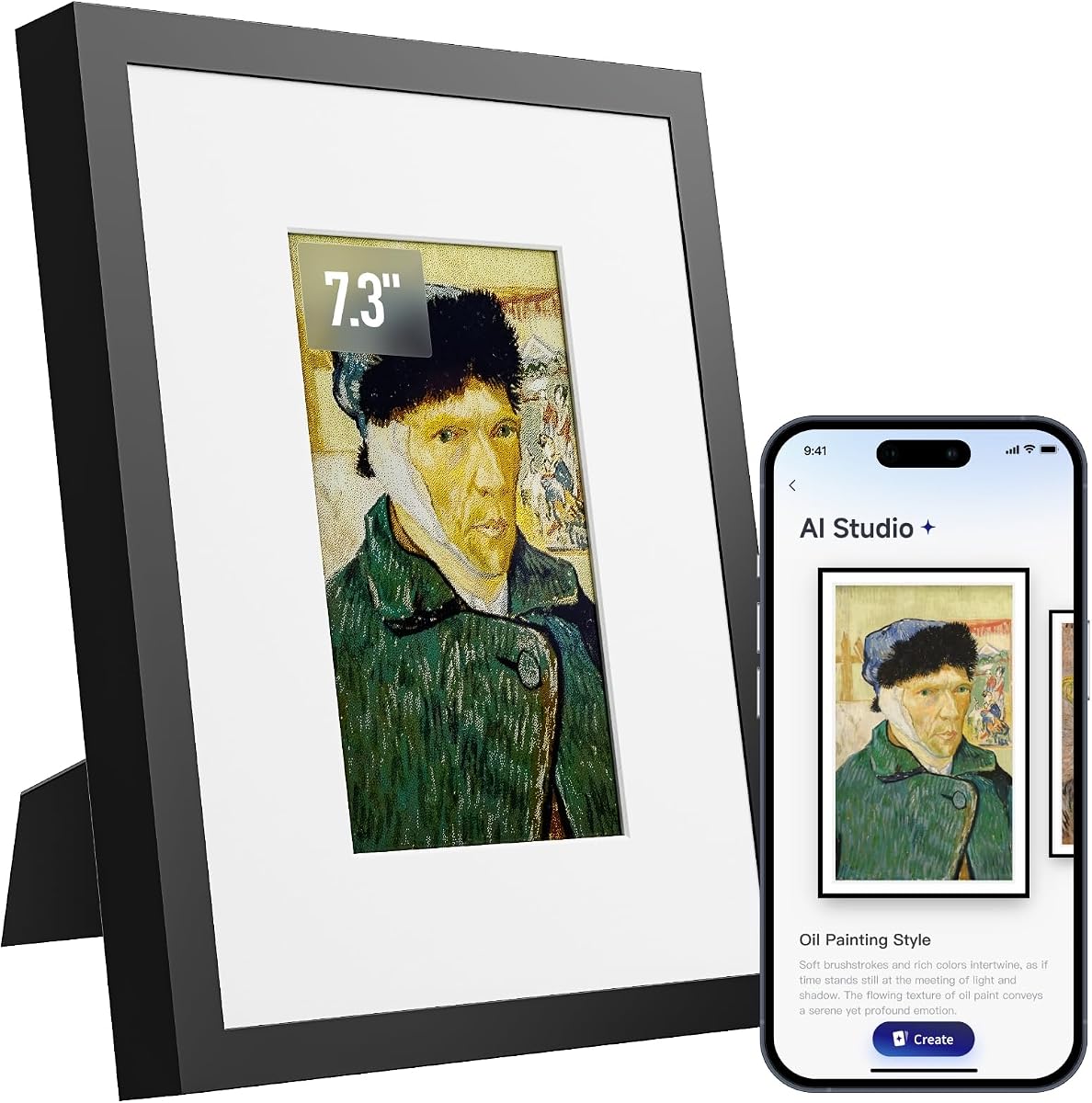
The electronic ink display ensures images remain visible even when the power is off making it a practical choice for low energy use. It also supports AI generated art allowing users to create new styles with a monthly subscription for enhanced features.
The resolution is lower than standard digital screens so close inspection may reveal pixelation which is typical for e ink. Additionally the AI art features require a recurring fee which adds to the cost of ownership over time.
This frame is best for users who prioritize a clutter free look and long battery life. It works well as a piece of wall decor where the art is viewed from a distance rather than for detailed photo viewing.
The long battery life allows users to place the frame on shelves or desks without needing a nearby power outlet.
Users can generate dynamic artwork using prompts adding an ever changing element to their home gallery.
We may earn a commission when you buy through this link, at no additional cost to you.
Rated 4.8 this frame excels with specific AI motion templates that add cinematic effects to photos. It combines a high quality IPS screen with a generous storage capacity for a balanced user experience.
We may earn a commission when you buy through this link, at no additional cost to you.
The four magical templates such as Spellcasting and Living Oil Painting provide unique ways to animate portraits. The credits used for these features can be refunded if the result is not satisfactory offering a safety net for users.
The main trade-off is that creating many videos will consume credits quickly requiring further engagement with the system. Users who prefer static photos may find the AI focus less useful but those wanting dynamic displays will appreciate the detail.
This model is ideal for those who want a visually stimulating display without complex setups. It works particularly well for gifting where the AI motion adds a surprising and memorable element to the presentation.
The specific templates add realistic motion to static images transforming them into short animated stories.
With 64GB local space and unlimited cloud storage users can save extensive libraries without worrying about space constraints.
We may earn a commission when you buy through this link, at no additional cost to you.
This model is a solid 4.5 rated option that focuses on simplicity and privacy for family sharing. It offers a straightforward way to connect with loved ones through a dedicated app.
We may earn a commission when you buy through this link, at no additional cost to you.
The interface is designed to be easy for seniors to navigate with large fonts and simple touch controls. It supports secure sharing ensuring that only trusted contacts can upload content to the display.
It lacks advanced AI animation features found in other models which may appeal to users who prefer standard slideshows. The storage capacity is adequate for most family needs but does not expand indefinitely like some cloud options.
This frame is a great choice for those who want reliability over advanced features. It ensures privacy and ease of use making it suitable for households with mixed technical skill levels.
The app uses secure protocols to ensure that only invited members can share photos keeping the family gallery private.
Large text and intuitive controls make it easy for elderly users to manage the frame without assistance.
We may earn a commission when you buy through this link, at no additional cost to you.
This frame stands out with a motion sensor that automatically wakes the display when someone approaches. It has a 4.6 rating for its smart features that make viewing more interactive and energy efficient.
We may earn a commission when you buy through this link, at no additional cost to you.
The motion detection adds a dynamic element where the frame greets users as they walk by. It also includes bonus AI credits right out of the box allowing immediate use of video generation features.
The sensor requires specific placement to avoid false activations and may consume more power than a standard display. Users should consider the layout of their room to ensure the feature works optimally.
This option is best for high traffic areas like hallways or living rooms. The automatic activation adds convenience and saves energy making it a smart addition to modern home environments.
The motion sensor triggers the display to turn on as you enter the room ensuring the frame is always ready.
The cloud service follows GDPR and CCPA regulations ensuring that user data is protected according to strict standards.
We may earn a commission when you buy through this link, at no additional cost to you.
This compact frame features an electronic ink screen that requires almost no power for static images. It is designed for small spaces and those who prefer a natural and low glare display style.
We may earn a commission when you buy through this link, at no additional cost to you.
The AI optimization algorithm automatically adjusts the colors and contrast of photos to ensure they look natural on the ink screen. The wooden frame design integrates well into various home decor styles without looking like a tech device.
The small 7.09 inch size limits its use to small spaces like desks or nightstands. While the low power consumption is excellent the limited size means it is not ideal for displaying group photos.
This model is perfect for personal use on a desk or bedside table. It serves as a subtle yet stylish way to display one cherished memory without drawing too much attention.
The built in algorithm optimizes every photo to ensure vibrant and clear images on the e ink panel.
The screen only uses power when images change allowing for weeks of battery life on a single charge.
We may earn a commission when you buy through this link, at no additional cost to you.
Choosing the right digital frame involves balancing display technology, storage needs, and specific features like AI capabilities. This guide outlines the most critical factors to ensure you select a device that fits your lifestyle and home decor.
The display technology determines how photos look and how comfortable they are to view. IPS screens offer vibrant colors and high resolution suitable for detailed photos but consume more power. Electronic ink screens look like paper and are easier on the eyes but have lower resolution and less color accuracy.
Choose an IPS screen if you want bright vivid colors and a standard digital experience. Choose e ink if you prefer a subtle paper look and want longer battery life for a clutter free setup.
Storage capacity is crucial for managing large photo libraries. Some frames offer unlimited cloud storage which ensures you never run out of space and can share from anywhere. Others rely on local storage which may limit the number of photos you can keep on the device.
Look for unlimited cloud storage if you plan to share frequently from multiple devices. Ensure local storage is expandable if you prefer keeping a large library offline for privacy.
AI features range from basic motion detection to advanced photo animation and colorization. Some frames use AI to create video from static photos while others use it to tune image quality automatically. These features often require credits or subscriptions for extended use.
If you want to revive old photos prioritize frames with AI motion and colorization tools. Be aware of any credit systems or subscriptions required to maintain access to these advanced features over time.
The sharing app is how you and your family send photos to the frame. Ensure the app is available for your phone's operating system and that it supports secure sharing. Some models allow sharing without WiFi which is useful if you do not want to use cloud services.
Select a frame with a user friendly app that allows easy invitations for family members. Check if the frame supports direct SD card transfers if you prefer offline methods for updating content.
Power options determine where you can place the frame. Models with built in rechargeable batteries can be placed anywhere without cords but may need recharging every few months. Continuous power models offer consistent brightness but limit placement to near an outlet.
Choose a battery powered model for flexible placement on shelves or desks. Ensure the battery capacity supports your desired refresh rate and duration of use between charges.
Digital frames store personal photos so security is essential. Look for frames that require invitations to view or share content. Cloud services should comply with regulations like GDPR to ensure your data is protected from unauthorized access.
Prioritize frames with encrypted sharing and local storage options if privacy is a top concern. Ensure the app allows you to control who can view or add content to your frame.
The physical size and frame design should match your intended space. Large 15 inch frames work best as focal points in living rooms while smaller 7 to 10 inch models fit better on nightstands or desks. Also consider the mounting options like wall clips or stands.
Measure your intended space before buying to ensure the frame fits comfortably. Choose a frame finish that matches your furniture to blend seamlessly into your home decor.
Extra features like motion sensors or speakers add convenience but may increase cost. A motion sensor can wake the frame when you walk by while a speaker allows video playback with sound. Decide which features add value to your daily use.
Only pay for extra features if you will use them regularly. A simple frame with reliable sharing may be more valuable than one with unused complex functions.
To set up your frame, download the companion app on your smartphone and connect the device to your WiFi network following the on-screen instructions. Ensure the frame is placed in a stable location away from direct sunlight to maintain screen visibility and battery performance.
Invite family members to the app to start sharing photos. Use the secure invite codes to allow friends and relatives to send content remotely. Adjust the slideshow settings to control how long each image stays on screen and ensure the rotation settings match your wall mount.
Clean the screen gently with a soft microfiber cloth to avoid scratches. For models with electronic ink, avoid touching the screen aggressively as the surface can be delicate. Periodically update the firmware through the app to access new features and security improvements.
Some models come with built-in speakers that allow video playback with sound directly from the device. However, video size limits may apply when sharing via the mobile app. Check the specifications of your chosen model to confirm audio capabilities and video length limits.
Most modern frames require you to invite specific users to access the content. The app generates unique codes that only trusted family members can use. Always verify that the sharing settings are set to private to ensure no unauthorized access.
Many frames include basic AI features for free but may require credits or subscriptions for unlimited access to advanced tools. Always check the specific terms of the service for the model you choose. Some offer unlimited cloud storage without recurring fees.
Frames with local storage will continue to display existing photos even without internet. However, remote sharing will stop until the connection is restored. Some models support SD card transfers to update content manually without needing a network.
While primarily designed for home use, these frames can serve as small digital displays for retail or office settings. Ensure you choose a model with sufficient brightness and connectivity to meet your business needs. Some models offer wall mounting options suitable for public spaces.
You can use a scanner to digitize old photos or rely on built-in AI features that colorize and restore scanned images. Upload these files via the app or SD card to display them on the frame. Some models even allow you to draw on the app to recreate drawings.
We reviewed ten diverse options ranging from budget-friendly basic frames to premium models with advanced AI motion capabilities. Our top picks highlight the versatility available whether you need a simple sharing tool or a sophisticated art display.
Prioritize the display type and storage based on your primary use case. If you want to share photos with elderly relatives, look for easy app access. If you want to showcase digital art, look for color e ink technology and AI creation tools.
Always check the latest product specifications before buying as features and firmware update frequently. Prices and availability may change so ensure you select the model that best fits your current home needs and technical preferences.