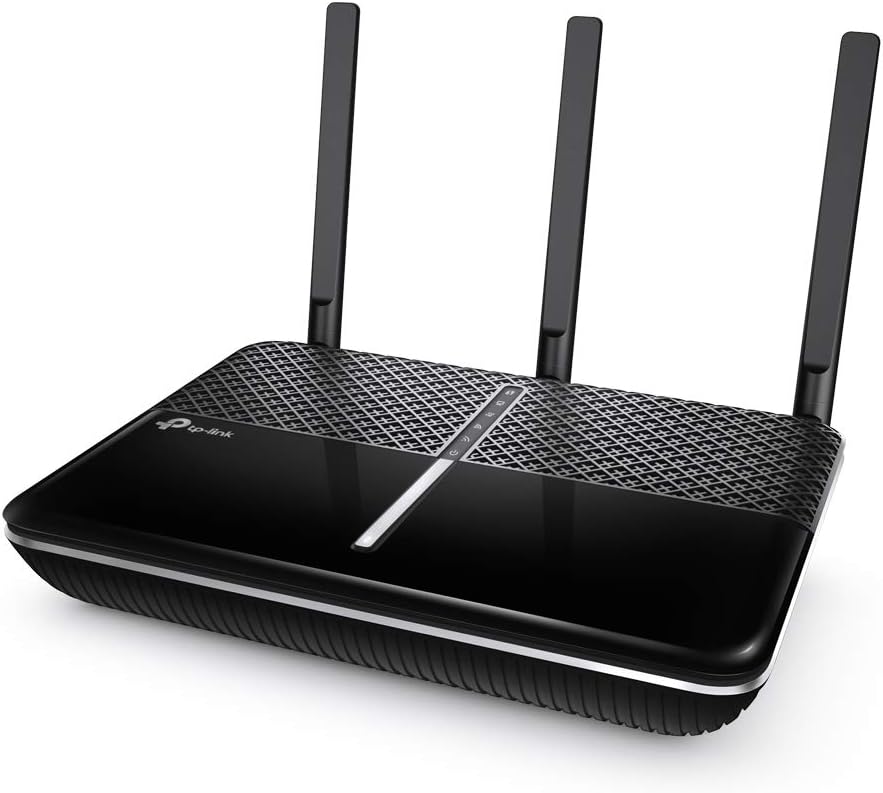
TP-Link Archer A10
4.5Editor score
Dual band high speed
MU-MIMO technology
VPN server support
This guide compares the top AC2600 WiFi routers for speed, range, and security to help you choose the right wireless networking solution for your home.
Finding the right wireless router is essential for modern homes that demand reliable connectivity for streaming, gaming, and smart devices. The AC2600 standard offers a balanced mix of speed and coverage suitable for most families seeking robust internet performance.
We evaluated ten leading models based on their technical specifications, user feedback, and real-world performance metrics. Our analysis focuses on throughput, range capabilities, security features, and ease of setup to ensure you get a device that meets your networking needs.
Each selection highlights specific strengths such as budget value, gaming optimization, or advanced security features. Please note that pricing and availability fluctuate frequently, so verify current details before making your final purchase decision online.
4.5Editor score
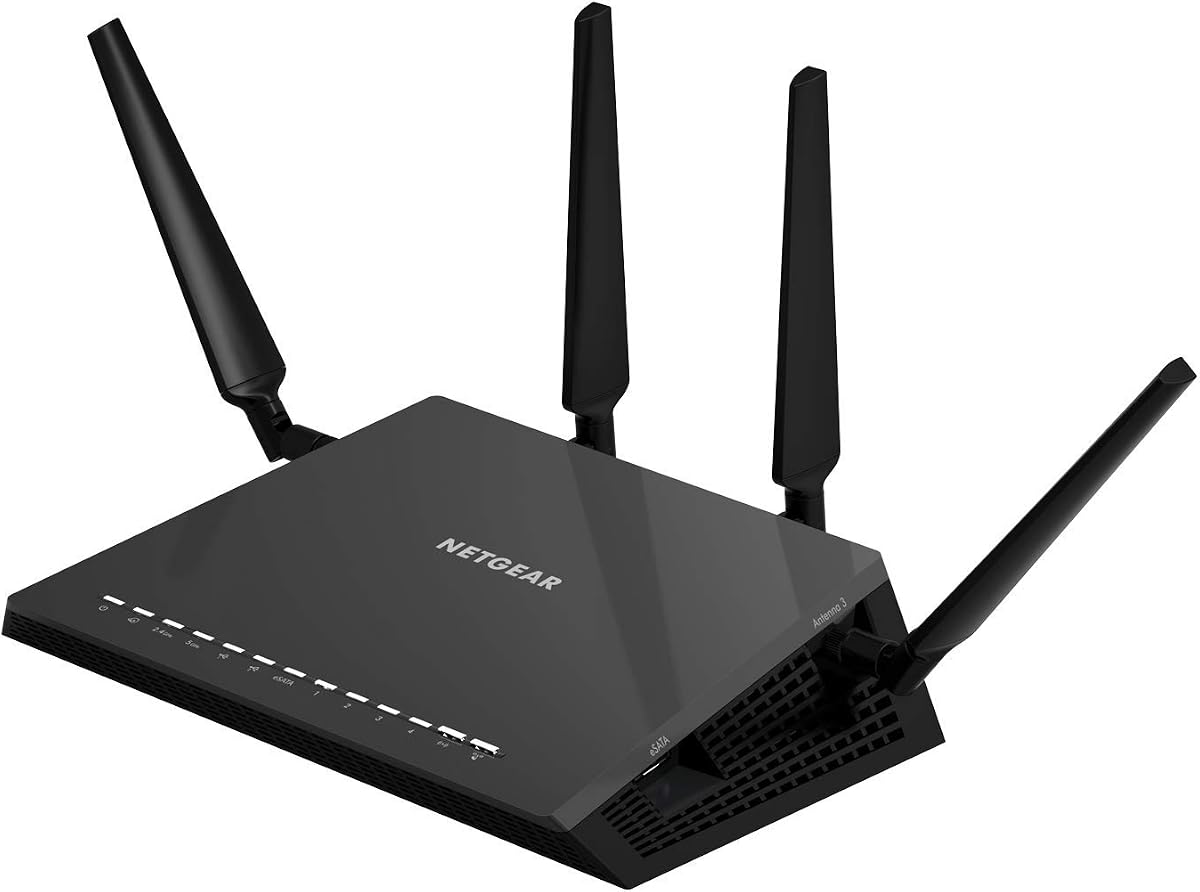
4.4Editor score

4.3Editor score
This side-by-side comparison outlines the key specifications and capabilities of each model to help you quickly identify the device that best fits your specific networking requirements and home layout.


The NETGEAR Nighthawk R7800 stands out as a top-tier option for households requiring extensive coverage and high-speed connectivity. With an AC2600 rating, it delivers substantial throughput suitable for demanding applications like 4K streaming and online gaming.
We may earn a commission when you buy through this link, at no additional cost to you.
Its powerful 1.7GHz dual-core processor ensures smooth management of up to 45 connected devices without lag. The inclusion of USB 3.0 and eSATA ports allows users to share storage devices and printers across the network efficiently.
While the unit is larger than many competitors, the design facilitates better heat dissipation which is crucial for continuous operation. The beamforming technology focuses signals directly to connected devices enhancing overall range and reliability.
This router is ideal for tech-savvy users who need advanced control over their network traffic and security settings. Its performance justifies the investment for families looking to future-proof their home internet infrastructure.
Connect external drives to create a personal cloud accessible from any device on your network or remotely via the internet.
Use Amazon Alexa commands to manage guest networks or check connection status without logging into the admin interface.
We may earn a commission when you buy through this link, at no additional cost to you.
The TP-Link Archer A10 offers exceptional value for users seeking high performance without a premium price tag. It provides reliable dual-band speeds that cater to most modern home networking needs effectively.
We may earn a commission when you buy through this link, at no additional cost to you.
Equipped with three external antennas and one internal antenna, it ensures robust coverage across medium-sized homes. The Tether app simplifies the setup process allowing users to get online within minutes of unboxing.
Smart Connect technology automatically assigns devices to the best available band to maintain optimal performance. Additionally the built-in VPN server allows secure remote access to your home network from anywhere.
This model is perfect for budget-conscious buyers who still want solid connectivity for streaming and gaming. Its user-friendly interface makes it accessible even for those with limited technical expertise.
The intuitive mobile app guides you through configuration quickly ensuring you are online faster than traditional router setups.
Control guest WiFi access using simple voice commands with Alexa for added convenience and network management.
We may earn a commission when you buy through this link, at no additional cost to you.
The NETGEAR Nighthawk XR500 is specifically engineered for gamers who require minimal latency and maximum network stability. Its AC2600 speed rating ensures that high bandwidth activities are handled with precision.
We may earn a commission when you buy through this link, at no additional cost to you.
A standout feature is the geo-filtering tool which allows you to connect to the closest servers reducing ping times significantly. This ensures a competitive edge during online matches by prioritizing your gaming traffic.
The device includes four Gigabit Ethernet ports for wired connections to consoles ensuring maximum stability for stationary devices. Quality of Service settings let you manually prioritize specific devices to prevent lag spikes.
Ideal for serious gamers, this router transforms your home network into a competitive platform. The renewed option provides access to high-end features at a reduced cost for those willing to accept minor cosmetic variations.
Select specific regions to connect to nearest game servers reducing lag and improving your reaction times.
Set gaming devices as top priority ensuring uninterrupted gameplay even when others stream videos simultaneously.
We may earn a commission when you buy through this link, at no additional cost to you.
The D-Link DIR-2640 combines standard AC2600 performance with mesh capabilities to suit expanding home networks. It is designed to manage multiple devices smoothly while offering robust parental controls for family safety.
We may earn a commission when you buy through this link, at no additional cost to you.
A powerful dual-core processor ensures that all threads and applications run smoothly without network congestion. You can create individual profiles for family members to control internet access and device usage effectively.
The router supports wired connections for devices that require consistent low latency like smart TVs and game consoles. Setup and management are handled through a dedicated mobile app making it easy for users to monitor activity.
This device is suitable for families looking for a balance of ease of use and safety features. Its mesh readiness allows for future expansion if your home needs larger coverage areas.
Assign devices to profiles to set time limits or block inappropriate content for children effectively.
Expand your network seamlessly by adding compatible mesh nodes to eliminate dead zones in large homes.
We may earn a commission when you buy through this link, at no additional cost to you.
The NETGEAR Nighthawk R7450 delivers a solid performance profile suitable for households with mixed usage demands. Its AC2600 rating ensures sufficient bandwidth for multiple high-definition streams and online gaming sessions.
We may earn a commission when you buy through this link, at no additional cost to you.
Equipped with a dual-core processor it manages wireless wired and WAN to LAN performance efficiently. Advanced QoS settings help reduce lag during gaming and ensure smoother video streaming for all connected devices.
Three external amplifiers enhance signal range making it suitable for medium to large homes. The MU-MIMO technology allows multiple devices to receive data simultaneously reducing wait times and congestion.
This router is a strong candidate for those seeking a reliable all-around solution without excessive cost. Its balance of speed and coverage makes it a practical choice for everyday home internet needs.
Prioritize critical applications like gaming or video calls to maintain smooth performance during busy hours.
Three amplifiers ensure consistent coverage throughout your home reducing weak spots and dropped connections.
We may earn a commission when you buy through this link, at no additional cost to you.
The ASUS Blue Cave distinguishes itself with integrated lifetime internet security powered by Trend Micro. This feature provides robust protection against external threats ensuring a safe browsing environment for all devices.
We may earn a commission when you buy through this link, at no additional cost to you.
It utilizes Intel Wi-Fi technology to deliver reliable AC2600 performance across dual bands. The unique cooling design helps maintain optimal operating temperatures which supports long-term hardware reliability and performance.
Users can control their network using Alexa voice commands adding a layer of convenience to daily management. The AiMesh compatibility allows you to expand your network with other ASUS routers seamlessly for whole-home coverage.
This model is ideal for users who prioritize security and ease of maintenance over raw speed. It is a strong choice for families concerned about online safety and network health.
Built-in security blocks threats automatically keeping devices safe without extra subscription fees or software.
Special housing allows better heat dissipation maintaining consistent performance during long usage periods.
We may earn a commission when you buy through this link, at no additional cost to you.
Although categorized with newer standards this router offers advanced capabilities that ensure long-term viability. The WiFi 6E technology includes a 6 GHz band providing near-zero latency and faster speeds for compatible devices.
We may earn a commission when you buy through this link, at no additional cost to you.
With tri-band support it can handle high traffic loads without slowing down. The unique housing design provides optimal heat dissipation which is vital for maintaining reliability over time.
EasyMesh compatibility allows you to extend your network range by adding compatible routers or extenders. This flexibility ensures that you can adapt the network to your home layout as needs change.
Ideal for forward-thinking users, this router prepares your home for future internet technologies. It is a significant step up for those needing maximum capacity and speed.
Access the 6 GHz band for less interference and faster speeds on the latest supported devices.
Add Mesh extenders to cover larger areas without creating separate network names or passwords.
We may earn a commission when you buy through this link, at no additional cost to you.
The NETGEAR Nighthawk RS90 utilizes WiFi 7 technology to deliver ultra-fast speeds and high reliability. It is designed to handle busy homes where many devices are online simultaneously without performance drops.
We may earn a commission when you buy through this link, at no additional cost to you.
With a 2.5 Gig WAN port it supports multi-gigabit internet plans ensuring you are not bottlenecked by your router. The coverage area extends up to 2000 sq ft supporting up to 50 connected devices.
Security is a priority with automatic firmware updates and built-in protection features to guard against online threats. The Nighthawk app simplifies management allowing you to run speed tests or pause devices remotely.
This router is best for users with high-speed internet plans who want maximum performance. It is a premium choice for those who need top-tier throughput and capacity.
Use the 2.5 Gig port to fully utilize high-speed internet plans without router bottlenecks.
Automatic firmware updates keep your network protected against new vulnerabilities without manual intervention.
We may earn a commission when you buy through this link, at no additional cost to you.
The NETGEAR Nighthawk R6700AX brings modern WiFi 6 technology to a more accessible price point. It provides efficient data transmission suitable for homes with multiple smartphones and laptops.
We may earn a commission when you buy through this link, at no additional cost to you.
It offers a range of 1500 sq ft which is adequate for apartments and smaller houses. The inclusion of WPA3 encryption ensures your data is protected against modern security threats effectively.
Backward compatibility with older WiFi 5 devices means all your existing gadgets will work immediately. The Nighthawk app allows you to run speed tests and manage network settings easily from your phone.
This model is an excellent choice for small to medium households looking to upgrade to WiFi 6. It balances modern features with a cost-effective design.
WPA3 encryption provides robust protection for your network ensuring your data remains private.
Use the app to monitor speed and manage connected devices with simple controls.
We may earn a commission when you buy through this link, at no additional cost to you.
The TP-Link Archer C2600 is a classic model that offers solid AC2600 performance for standard home use. It utilizes four-stream technology to ensure faster data transfer across multiple devices simultaneously.
We may earn a commission when you buy through this link, at no additional cost to you.
A 1.4GHz dual-core processor handles network traffic efficiently ensuring smooth performance during heavy usage. Four dual band antennas with high-powered amplifiers help maintain strong signals throughout your home.
Beamforming technology targets Wi-Fi signals to individual devices improving connection stability and speed. The device includes parental controls to help manage usage and keep children safe online.
This router is suitable for users who need reliable performance and a strong warranty. Its design may be older but it delivers consistent results for general networking tasks.
Beamforming directs Wi-Fi signals to specific devices for stronger connections and higher speeds.
Enjoy peace of mind with a 2-year warranty and 24/7 technical support for setup help.
We may earn a commission when you buy through this link, at no additional cost to you.
Selecting the right router requires understanding key technical factors that impact performance and reliability in your specific home environment.
AC2600 routers provide dual-band speeds totaling up to 2600 Mbps. This bandwidth is distributed across 2.4 GHz and 5 GHz bands to handle multiple high-bandwidth tasks like 4K streaming or online gaming simultaneously. Ensure the router can handle your internet plan speeds without bottlenecking.
Look for dual-band capability to balance range and speed efficiently.
Coverage depends on the number of antennas and beamforming technology. Routers with four external antennas usually offer better range and penetration through walls compared to internal antennas. Check the manufacturer's stated square footage to ensure it matches your home layout.
More antennas generally mean better signal stability in larger spaces.
A dual-core processor ensures that the router can manage data traffic without lag when many devices are connected. Higher RAM capacity helps maintain stability during heavy usage periods like peak hours. This is critical for homes with numerous smart devices.
Choose models with dual-core CPUs for better multi-tasking performance.
Modern routers should offer WPA3 encryption to secure your network against unauthorized access. Some models include built-in threat protection like Trend Micro or Norton to block malware and phishing sites. This reduces the need for separate antivirus software on every device.
Prioritize routers with robust encryption and threat scanning tools.
Gigabit Ethernet ports are essential for connecting devices that need stable wired connections like consoles or smart TVs. USB ports allow you to share storage devices across the network for easy file access. Check the number of ports to ensure they meet your wired device needs.
Ensure enough LAN ports and USB options for your specific hardware.
User-friendly apps simplify the setup process allowing you to configure networks quickly from your phone. Look for features like guest network creation and device prioritization which make daily management easier. Simple interfaces reduce the technical barrier for non-expert users.
Select models with intuitive mobile apps for hassle-free management.
Advanced parental controls let you schedule internet access and block specific content for children. Look for options to create profiles for each family member to tailor restrictions effectively. This ensures a safer online environment for younger users.
Check for flexible profile-based content filtering tools.
Prices vary significantly based on brand and advanced features. A longer warranty period often reflects higher build quality and better support from the manufacturer. Balance the cost with the features you actually need to avoid overpaying.
Verify warranty terms to protect your investment against defects.
Place your router in a central location to ensure even signal distribution throughout your home. Avoid placing it near thick walls, large metal objects, or other electronics that cause interference.
Keep the firmware updated to ensure you have the latest security patches and performance improvements. Most routers offer automatic updates, but you should periodically check the admin interface for new versions.
Periodically reboot the device to clear cache and resolve minor connectivity issues. If you notice slow speeds, check if nearby devices are consuming excessive bandwidth and prioritize important traffic via settings.
AC2600 refers to the combined theoretical wireless speed of the router across both frequency bands. It typically includes 800 Mbps on the 2.4 GHz band and 1733 Mbps on the 5 GHz band totaling 2600 Mbps.
Yes, a router connects to a modem to access the internet. The modem receives the signal from your ISP while the router distributes that connection wirelessly to your devices.
Absolutely, AC2600 routers are designed to handle multiple connected devices simultaneously. They support standard smart home protocols ensuring reliable connectivity for lights, cameras, and speakers.
Most AC2600 routers have a built-in feature for guest networks accessible via the admin app or interface. You can create a separate SSID with its own password to keep your main network secure.
AC2600 routers are backward compatible with WiFi 6 devices but they operate at WiFi 5 speeds. Newer devices will connect successfully but you may not experience the full benefits of WiFi 6 technology.
MU-MIMO allows the router to send data to multiple devices simultaneously rather than sequentially. This reduces congestion and improves speeds when many devices are connected to the network at once.
The NETGEAR Nighthawk R7800, TP-Link Archer A10, and NETGEAR Nighthawk XR500 stand out as top choices for performance, budget, and gaming respectively. Each model offers distinct advantages suited to different household needs and preferences.
When choosing prioritize factors like coverage area, processor power, and security features to ensure long-term satisfaction. A router with robust parental controls or advanced security can save you from future headaches regarding safety and management.
Remember that technology and pricing change quickly so verify current availability before purchasing. Selecting the right AC2600 router today can significantly enhance your daily internet experience for years to come.