
MikroTik NetBox 5 ax
4.6Editor score
Wi-Fi 6 performance
Outdoor durable enclosure
PoE power support
Gigabit Ethernet port
Discover the top 5G router with external antenna ports for fast, stable internet anywhere. We compare speed, features, and reliability to find the perfect
Finding reliable internet in remote areas requires a robust 5G router with external antenna ports. These devices connect to cellular networks and allow you to attach high-gain antennas for better signal reception. They are essential for RVs, rural homes, and outdoor work sites.
We evaluated ten top models based on speed, connectivity options, and antenna flexibility. Our analysis includes real-world performance data, build quality, and user feedback. This guide helps you choose the right router for your specific environment and usage needs.
Each pick highlights key strengths and potential trade-offs to inform your decision. We focus on models that support external antennas for improved range and stability. Prices and availability change frequently, so check current listings before purchasing your new device.
4.6Editor score

4.2Editor score

4.8Editor score
This side-by-side comparison highlights the key specifications and capabilities of each router model. Use this table to quickly identify which device offers the features you need for your 5G network setup.




The GL.iNet GL-X3000 Spitz AX stands out as a top choice for users needing reliable 5G connectivity with external antenna support. With a solid 4.2 rating, it delivers high-speed Wi-Fi 6 performance and supports dual SIM cards for seamless failover between carriers.
We may earn a commission when you buy through this link, at no additional cost to you.
Its standout quality lies in the customizable OpenWrt firmware, offering advanced users deep control over network settings. The six detachable antennas allow for significant signal improvement in remote areas, making it ideal for RVs and rural deployments where wired broadband is unavailable.
While the device is powerful, the initial setup can be complex for non-technical users. Additionally, the price is higher than some competitors. However, the robust feature set and reliable performance make these trade-offs acceptable for those needing professional-grade connectivity.
Buyers seeking a versatile router for travel or rural internet should prioritize this model. It balances performance and flexibility better than most options. We recommend it for anyone who values long-term reliability and advanced network management capabilities.
The OpenWrt based firmware allows installation of over 5000 plugins for specific needs.
Dual-SIM slots enable automatic switching to the strongest available signal automatically.
We may earn a commission when you buy through this link, at no additional cost to you.
The RM520N AX3000 offers impressive speed potential with its Qualcomm SDX62 5G modem. It allows connection to external cellular antennas, enhancing signal quality in weak coverage areas. With nine detachable antennas, it provides extensive options for optimizing network performance.
We may earn a commission when you buy through this link, at no additional cost to you.
This router supports multiple VPN protocols including WireGuard and OpenVPN for secure remote access. The multi-WAN technology ensures internet remains available even if one connection fails. Users benefit from balanced bandwidth distribution across Ethernet, cellular, and repeater sources.
Despite its technical strengths, the device holds a lower user rating compared to competitors. This may indicate initial setup difficulties or specific hardware limitations. Prospective buyers should verify compatibility with their specific carrier before purchase.
It is suitable for tech-savvy users needing high customization. For those prioritizing ease of use, alternatives might be better. However, for maximum signal control, the RM520N delivers significant hardware flexibility.
Nine SMA connectors allow customizing both cellular and Wi-Fi antenna setups.
Built-in VPN clients ensure data security when connecting to public networks.
We may earn a commission when you buy through this link, at no additional cost to you.
The Teltonika RUTM50 is designed for critical industrial applications requiring uninterrupted connectivity. With a 4.8 rating, it ensures business continuity through dual SIM failover and robust security features. It is built to withstand extreme environments effectively.
We may earn a commission when you buy through this link, at no additional cost to you.
Key strengths include RMS remote management which allows centralized configuration of multiple devices. Gigabit Ethernet ports support high-bandwidth needs. Security features like IPsec and OpenVPN protect data against threats in remote locations.
The device lacks Wi-Fi 6 technology, which might limit peak wireless speeds compared to consumer models. Its industrial focus also comes with a higher price point. These factors are justified for mission-critical scenarios where uptime is paramount.
Buyers needing reliable connectivity for businesses or remote infrastructure should consider this unit. It prioritizes stability over consumer features. We recommend it for environments where network failure is not an option.
RMS platform allows monitoring and updating routers without physical access.
Rugged enclosure handles wide temperature ranges and harsh outdoor environments.
We may earn a commission when you buy through this link, at no additional cost to you.
The Cudy P5 provides excellent redundancy with dual nano SIM slots for always-on connectivity. It supports triple failover ensuring internet remains active even during carrier outages. The AX3000 Wi-Fi 6 standard delivers fast wireless speeds for modern devices.
We may earn a commission when you buy through this link, at no additional cost to you.
Four detachable SMA antennas allow upgrades for better reception in rural areas. Users can benefit from wall-mount installation which saves space in offices or retail locations. The Cudy App simplifies management for non-technical users.
The device does not offer Wi-Fi 7 capabilities which might be a consideration for future-proofing. Standard antenna gain is decent but may need external upgrades for very remote sites. Overall, it remains a solid choice for balanced performance.
This model suits small businesses needing robust backup options. It balances cost and features well. We suggest it for users wanting easy-to-manage failover without complex setup.
Automatically switches between WAN, Cellular1, and Cellular2 for uptime.
Wall-mount design allows flexible placement in tight office spaces.
We may earn a commission when you buy through this link, at no additional cost to you.
The MikroTik Chateau LTE6 is an affordable option for those needing reliable cellular internet. It supports LTE6 technology which improves speeds through carrier aggregation. Five Gigabit Ethernet ports provide robust wired connectivity for multiple devices.
We may earn a commission when you buy through this link, at no additional cost to you.
Its quad-core ARM CPU ensures stable performance even in crowded networks. The design is optimized for responsiveness in weak signal situations. Users can double internet speeds in rural areas compared to basic modems.
Lack of explicit external antenna ports limits signal optimization compared to other models. Speeds are capped at 300 Mbps which is lower than true 5G speeds. However, it remains a cost-effective solution for moderate internet needs.
We recommend this for budget-conscious buyers in rural homes. It offers value where 5G is unavailable. Users should verify carrier compatibility before purchase.
Combines multiple frequency bands to increase throughput in weak signal areas.
Five Gigabit ports support extensive wired setups without extra switches.
We may earn a commission when you buy through this link, at no additional cost to you.
The MikroTik NetBox 5 ax offers an affordable entry into Wi-Fi 6 outdoor networking. Its compact design and PoE support make installation simple for remote locations. It functions well as an access point or CPE for bridging connections.
We may earn a commission when you buy through this link, at no additional cost to you.
Key strengths include its durable outdoor enclosure and dual-core ARM CPU. The device delivers efficient wireless performance for its price. Users appreciate the straightforward Gigabit Ethernet connection for wired backhaul.
The wireless range is limited compared to larger routers. Advanced features like external antennas are not directly supported on this specific model. These trade-offs are acceptable given its very low price point.
Buyers needing a simple outdoor connection point should consider this model. It is ideal for small outdoor expansions. We recommend it for users prioritizing low cost over high speed.
Simplifies installation by delivering power and data through one cable.
Small footprint and weatherproof housing allow secure outdoor placement.
We may earn a commission when you buy through this link, at no additional cost to you.
The LHG XL 5 ax is engineered for extreme long-range wireless connections. With a 5.0 rating, it delivers reliable throughput over distances up to 30 km. This makes it perfect for connecting remote buildings without running cables.
We may earn a commission when you buy through this link, at no additional cost to you.
Its high-gain integrated antenna ensures strong signal stability. The IP54 rated enclosure withstands harsh weather conditions. Users benefit from low latency and improved spectral efficiency typical of Wi-Fi 6 standards.
This device is strictly for point-to-point links and cannot replace a home router. It lacks typical LAN/WAN switching features. Buyers should understand it serves as a bridge rather than a standalone gateway.
Ideal for extending internet to sheds or cabins. It bridges distance effectively. We suggest it for rural property owners needing stable long-distance wireless links.
Up to 30 km reach allows connecting distant structures reliably.
IP54 rating protects against rain and dust in outdoor environments.
We may earn a commission when you buy through this link, at no additional cost to you.
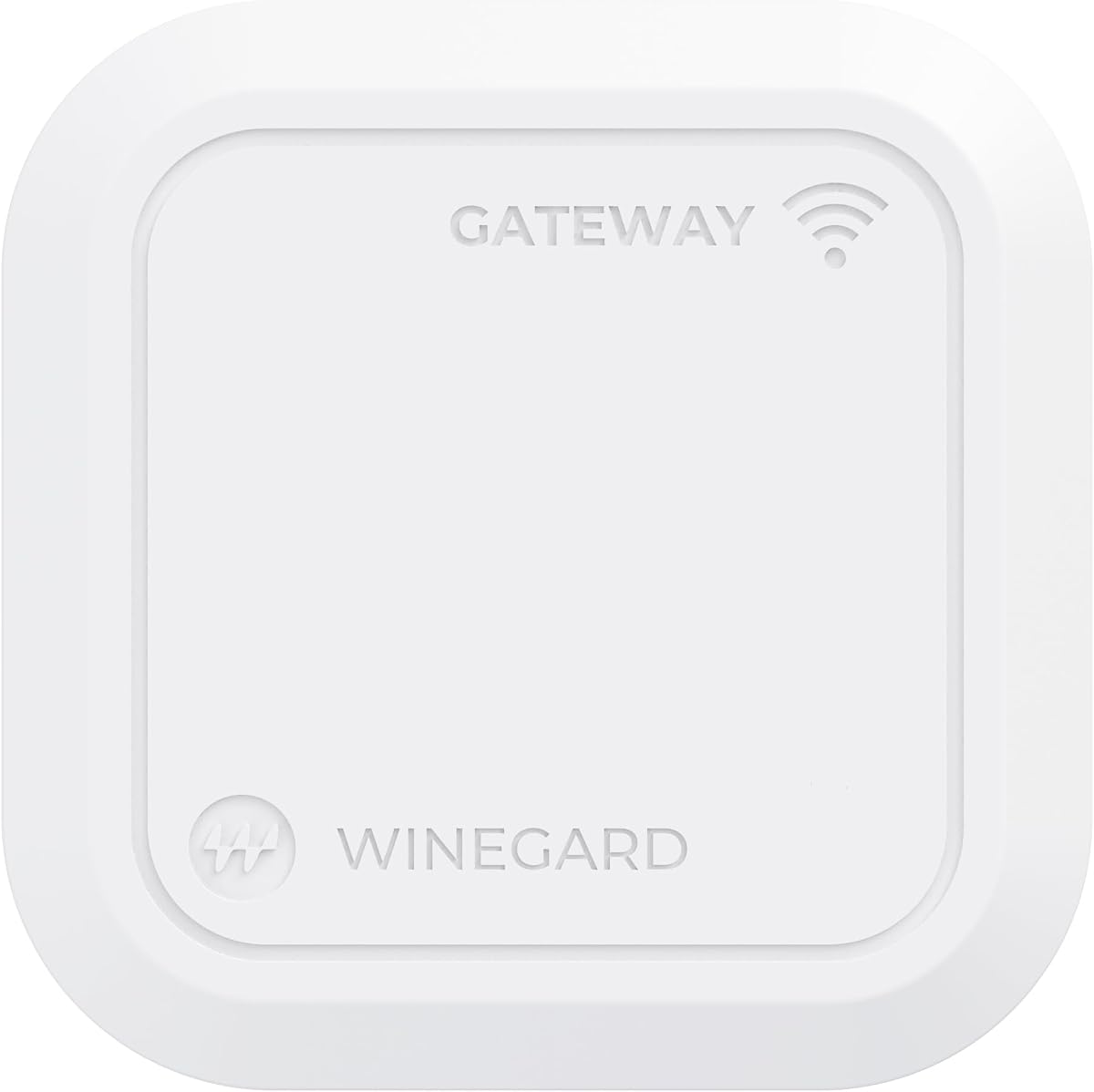
The Winegard Gateway 5G is designed specifically for RVs using the Air 360+ system. It integrates directly with the dome antenna to provide high-speed cellular backhaul. The ceiling mount design saves interior space in vehicles.
We may earn a commission when you buy through this link, at no additional cost to you.
Key strengths include support for multiple carriers and Ethernet WAN for hybrid setups. Users can add Starlink alongside cellular for redundancy. Dual-band Wi-Fi ensures decent coverage inside the vehicle.
It requires compatible Winegard hardware to function fully. User satisfaction scores are lower than general purpose routers. These limitations are acceptable for dedicated RV users needing a clean setup.
We recommend it for RV owners already invested in Winegard systems. It provides seamless integration. Users should check carrier compatibility before purchasing.
Supports combining satellite and cellular for continuous internet access.
Ceiling mount keeps router out of the way in small RV spaces.
We may earn a commission when you buy through this link, at no additional cost to you.
The GL-E5800 pushes boundaries with tri-band Wi-Fi 7 and eSIM integration. It delivers ultra-fast download speeds for streaming and remote work. The built-in battery allows use without external power sources for extended periods.
We may earn a commission when you buy through this link, at no additional cost to you.
Key features include 2.5G Ethernet and a 10 Gbps USB-C port for high speed data transfer. The touchscreen simplifies switching carriers without opening a panel. Users can manage VPN connections directly on the device.
It comes at a premium price compared to standard routers. Being portable, it lacks full external antenna ports. These trade-offs are acceptable for travelers needing high-end mobility.
We suggest this for tech professionals on the move. It offers unmatched flexibility. Users should ensure their devices support Wi-Fi 7 to maximize speed.
eSIM management allows carrier switching without physical SIM card changes.
Wi-Fi 7 support ensures fastest possible connections on modern devices.
We may earn a commission when you buy through this link, at no additional cost to you.
The Waveform QuadMini is an accessory rather than a router but is essential for those with antenna ports. It offers 4×4 MIMO technology to maximize data rates. The kit includes cables and mounting hardware for easy installation.
We may earn a commission when you buy through this link, at no additional cost to you.
Its omnidirectional design means it can be placed without precise aiming. The low-profile mount looks neat on windows or walls. Users report faster speeds and lower latency after installing this antenna.
Since it requires a router with specific ports, it cannot be used alone. It is an add-on to existing setups. This makes it a perfect companion for devices like the GL-X3000 or RM520N.
Buyers with external antenna capable routers should add this for better signal. It enhances existing hardware effectively. We recommend it for anyone needing reliable outdoor connection.
Captures signals from all directions without needing to point at towers.
Includes all necessary cables and mounts for immediate setup.
We may earn a commission when you buy through this link, at no additional cost to you.
Selecting the right router depends on your specific location and connectivity needs.
Look for routers with multiple SMA ports to support external antennas. MIMO support like 4×4 ensures better data rates. Without these, signal strength might remain weak in remote areas.
Prioritize models with at least four antenna connectors for optimal performance.
Ensure the router supports both NSA and SA 5G standards. Carrier certification guarantees compatibility with T-Mobile or AT&T networks. Some models work only on specific regions so check global support.
Always verify the modem supports your local carrier bands before buying.
Newer Wi-Fi 6 and Wi-Fi 7 standards offer better efficiency. Older Wi-Fi 5 routers may bottleneck modern device speeds. Consider future-proofing if you have many connected devices.
Choose at least Wi-Fi 6 for balanced speed and capacity today.
Dual SIM slots or multi-WAN ports prevent internet downtime. If one carrier fails, the router switches automatically. This is critical for remote work or business continuity scenarios.
Select a device with automatic failover capability for reliability.
Built-in VPN support secures traffic on public networks. OpenVPN and WireGuard are common protocols. Firewalls protect connected devices from unauthorized access.
Verify the device supports your preferred VPN providers.
Industrial routers often have wider temperature ranges. Outdoor rated enclosures protect against moisture. Consumer models might fail in extreme cold or heat.
Check the operating temperature range for your climate.
Admin interfaces vary widely in complexity. Some brands offer apps for mobile management. Others require technical knowledge to configure.
Read user feedback to gauge how user-friendly the interface is.
Look for Ethernet USB-C for future expansion. High speed ports like 2.5G ensure wired speed matches wireless. This allows connection to high-performance NAS storage.
Consider if you need extra ports for upcoming upgrades.
Install the router in a central location with access to windows for signal. Connect the antenna cables securely to the SMA ports. Ensure connectors are tightened to prevent signal loss over time.
Configure the SIM settings through the admin panel or mobile app. Select the correct carrier frequency bands to match your location. Use speed test apps to find the optimal antenna placement.
Keep the firmware updated regularly for security patches and bug fixes. Protect the device from direct sunlight and extreme heat. Regularly check antenna cables for wear to maintain optimal connection.
External antennas significantly improve signal in areas with weak reception. They allow you to aim for stronger towers and overcome interference. However if you live near a tower built-in antennas may suffice.
Most routers use SMA connectors which screw into place. Some use TS9 or CRC9 which are smaller. Always check the product specs to ensure you have compatible cables and mounts.
It depends on the router's modem compatibility. Some support a wide range of bands globally while others are carrier locked. Verify supported LTE and 5G bands for your destination before traveling.
Dual SIM routers often support failover or load balancing. Failover switches to the second card if the first fails. Load balancing uses both cards simultaneously to increase total bandwidth.
Many modern routers offer mobile apps to simplify setup. However advanced features like VPN or static IP may require some learning. Review user guides to gauge the learning curve.
Most routers draw between 5W to 30W depending on usage. Some support PoE which powers the device via Ethernet cable. Battery powered options exist but usually have shorter runtimes.
Modern 5G routers have low latency suitable for gaming. However signal stability is key to avoid lag. External antennas can help stabilize the connection for smoother gameplay.
Some routers allow adding Starlink via Ethernet WAN. This creates a hybrid internet setup for better redundancy. Check the model support for multi-WAN configurations before connecting.
We explored ten top models offering reliable connectivity for various scenarios. From the GL.iNet GL-X3000 to the industrial Teltonika RUTM50 there is an option for every user.
Prioritize antenna flexibility and network failover when selecting a device. These features ensure stable internet regardless of weather or carrier issues.
Remember that prices and availability change frequently. Always check the current listings to find the best deal for your needs.