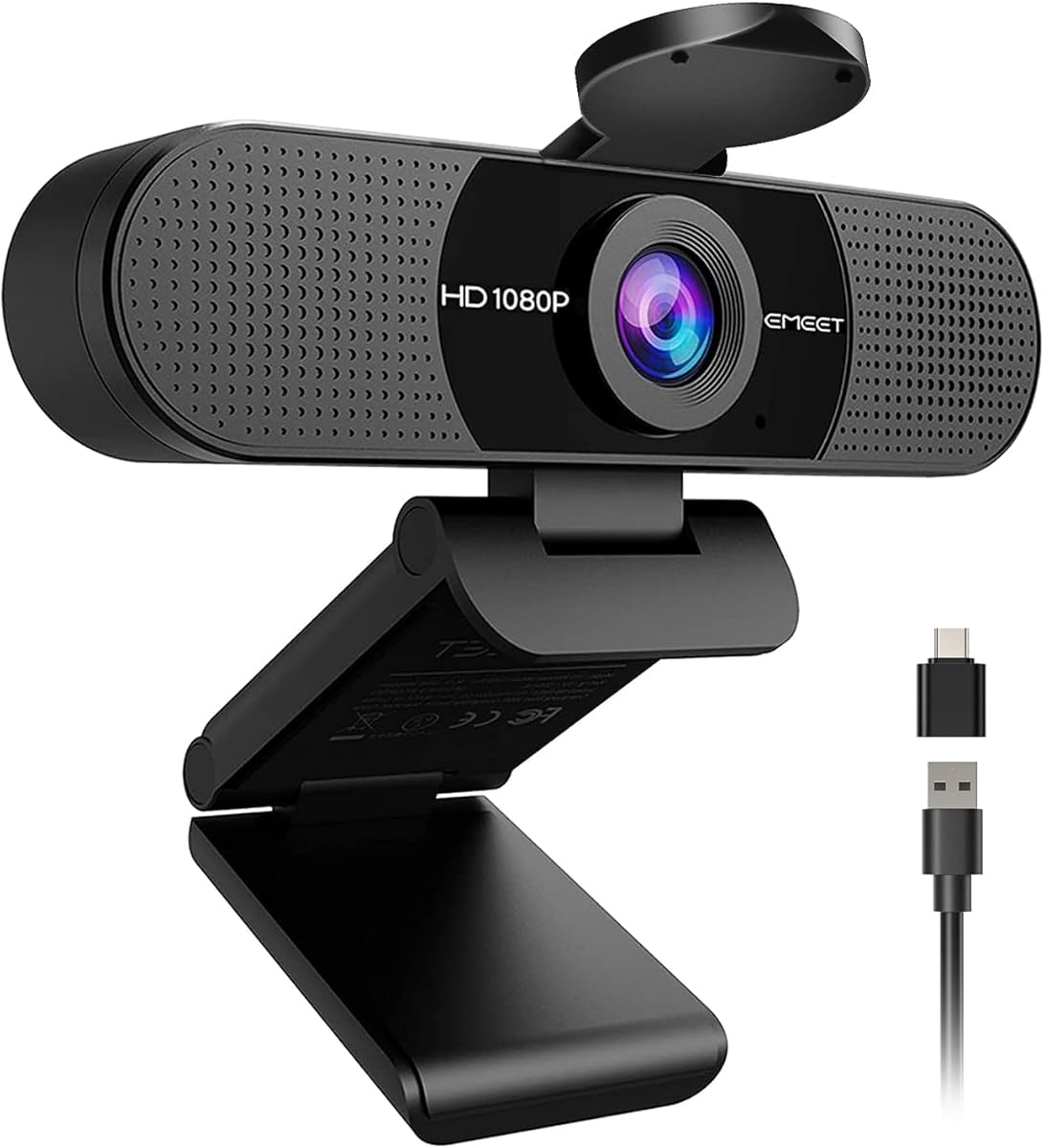
EMEET C960 1080P Webcam with Microphone, 2 Mics, 90° FOV, Computer Camera
4.4Editor score
90 degree wide angle field of view
Built-in cover for privacy protection
Two omnidirectional microphones included
This guide compares the top 1080p webcams for streaming and meetings, evaluating video quality audio performance privacy features and compatibility for all
Choosing the right 1080p webcam ensures crisp video and clear audio for calls and streams. High definition cameras help you look professional and engaged during important meetings or content creation sessions.
We evaluated ten top models based on video resolution, autofocus speed, microphone quality, and privacy features. Each pick balances performance with ease of use for home offices and gaming setups.
Every review highlights key strengths and potential trade-offs to help you decide quickly. Prices and availability change often so check current listings before making your final purchase decision online.
4.4Editor score
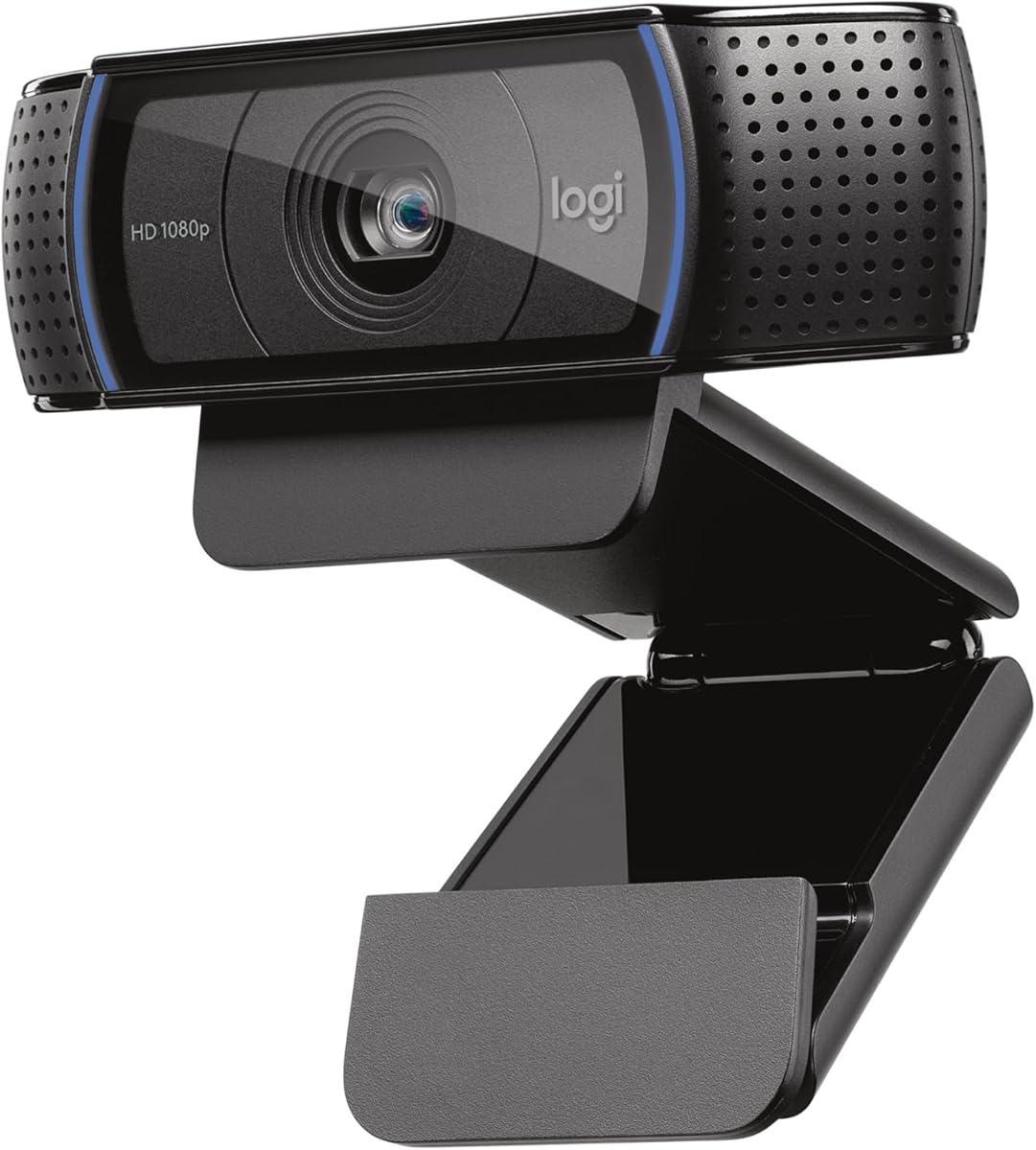
4.6Editor score

4.4Editor score
This side-by-side comparison outlines the core specifications and unique features of each top rated 1080p webcam to help you find the perfect match for your workspace.



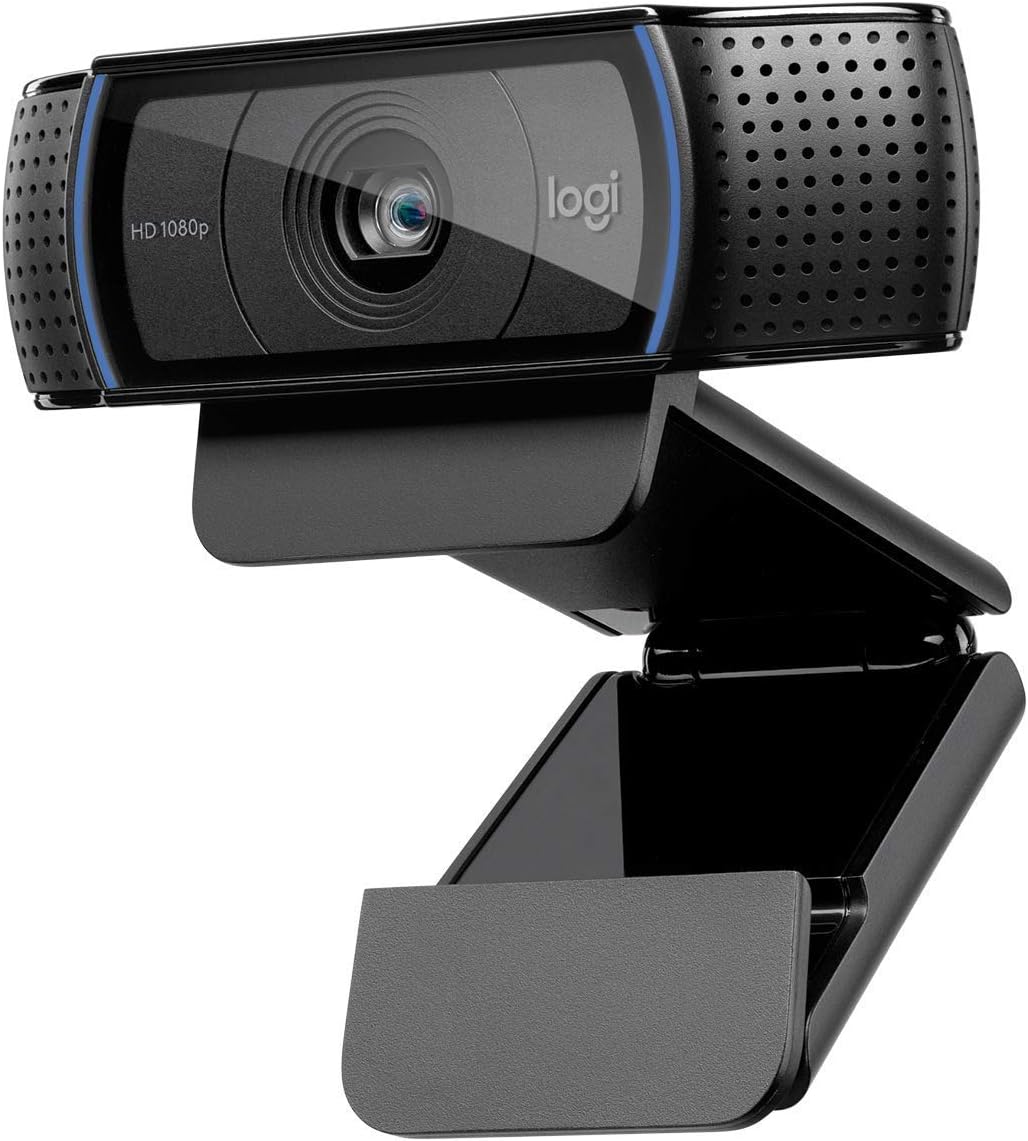


The Logitech C920x HD Pro delivers premium 1080p video quality at 30fps, making it a top choice for professionals and creators. With a strong 4.6 rating from users, it consistently impresses with clear images and smooth performance across Zoom and Microsoft Teams.
We may earn a commission when you buy through this link, at no additional cost to you.
Its autofocus and HD light adjustment ensure you look sharp even in dimly lit rooms. The dual microphones capture natural audio, reducing background noise effectively. This webcam is ideal for desktop setups where consistent high quality video is needed daily.
While it lacks a privacy shutter, its video performance justifies the design for many users. The included XSplit VCam license adds value for those wanting background effects without green screens. Some may find the fixed cable limits placement options compared to detachable models.
Buy this if you need reliable high definition video for meetings or streaming. It balances advanced features with ease of use perfectly. For most home office users seeking professional results without complexity, this remains the standout choice in its class.
HD lighting adjustment fine-tunes brightness automatically so shadows vanish and skin tones remain natural across different environments.
Dual microphones work together to capture natural sound during calls ensuring your voice remains clear and consistent throughout.
We may earn a commission when you buy through this link, at no additional cost to you.
The C920S HD Pro is a robust upgrade from the original C920, adding a privacy shutter for peace of mind. It maintains the same high video quality with 1080p resolution and autofocus ensuring you always look professional on camera.
We may earn a commission when you buy through this link, at no additional cost to you.
Privacy features are a major strength here allowing you to block the lens physically when not in use. The glass lens ensures recorded videos are sharp and colorful. Autofocus handles quick movements well making it suitable for dynamic presentations.
While it omits the VCam license found in the C920x, the core camera performance is identical. Users appreciate the physical shutter for security which is often missing on other models. The stereo audio continues to deliver clear communication.
This webcam suits users who prioritize privacy without sacrificing image quality. It is an excellent fit for corporate environments or personal home offices where security matters. Trust its consistent delivery for daily professional video needs.
The snug privacy shutter covers the lens tightly giving you full control over visibility and protecting your space.
Full HD recordings capture crisp details and vibrant colors ensuring every video looks professional and polished.
We may earn a commission when you buy through this link, at no additional cost to you.
The Brio 101 brings premium features to a mid-range model focusing on ease of use and lighting performance. With Auto Light Balance it enhances brightness by up to 50% reducing shadows and keeping your face well lit.
We may earn a commission when you buy through this link, at no additional cost to you.
Privacy is handled via a simple slide cover that you can engage instantly without software. The webcam connects easily to most platforms like Teams and Zoom. It is crafted with recycled plastic aligning with eco friendly values.
While it does not support high frame rates like 60fps the 30p output is smooth for standard meetings. The privacy slider is more robust than flimsy covers on other devices. It is a solid choice for those valuing sustainability and simplicity.
Choose this if you need reliable lighting and privacy without complex settings. It fits well in professional setups requiring minimal configuration. Trust it for consistent video quality during important video calls.
RightLight technology boosts brightness automatically reducing shadows so you look your best even in dim rooms.
Constructed with at least 77% post-consumer recycled plastic reducing environmental impact while maintaining durability.
We may earn a commission when you buy through this link, at no additional cost to you.
Designed for business use the C920e ensures seamless integration with corporate video platforms. Its certification for Zoom and Teams guarantees compatibility and reliable performance in professional settings where stability is paramount.
We may earn a commission when you buy through this link, at no additional cost to you.
The 78 degree field of view balances individual framing and group sharing. Omnidirectional microphones capture voices clearly from up to a meter away. It features a sturdy clip and tripod threads for flexible mounting options.
An attachable privacy screen provides security though it requires manual flipping. Light correction ensures you remain visible in various office lighting. It suits organizations needing compliance and consistent performance across multiple devices.
This is an ideal pick for IT managers deploying webcams in offices. Trust its certified status for seamless integration. It delivers dependable video for daily business meetings and collaboration.
Certified for Zoom and Teams ensures seamless integration and reliable performance in professional environments.
Sturdy adjustable clip and tripod threads allow versatile mounting on laptops monitors or tripods.
We may earn a commission when you buy through this link, at no additional cost to you.
The EMEET C960 offers impressive value with 1080p video and a wide 90 degree lens at a low cost. Its privacy cover slides off automatically when in use and you need no manual handling during calls.
We may earn a commission when you buy through this link, at no additional cost to you.
Two omnidirectional microphones ensure clear voice capture without external gear. The USB A to C adapter increases connectivity options for modern laptops. Light adjustment helps maintain stable image performance in normal conditions.
Fixed focus means it works best for static positions rather than moving around. While not as versatile as autofocus models it excels for steady desktop calls. Users praise its simplicity and budget friendly design.
Choose this for cost effective home office or student setups. It covers essential needs without extra complexity. Trust it for clear and stable video during daily meetings.
The cover removes automatically when the webcam is in use removing friction from your daily video routine.
A 90 degree field of view captures more participants without needing frequent adjustments or repositioning.
We may earn a commission when you buy through this link, at no additional cost to you.
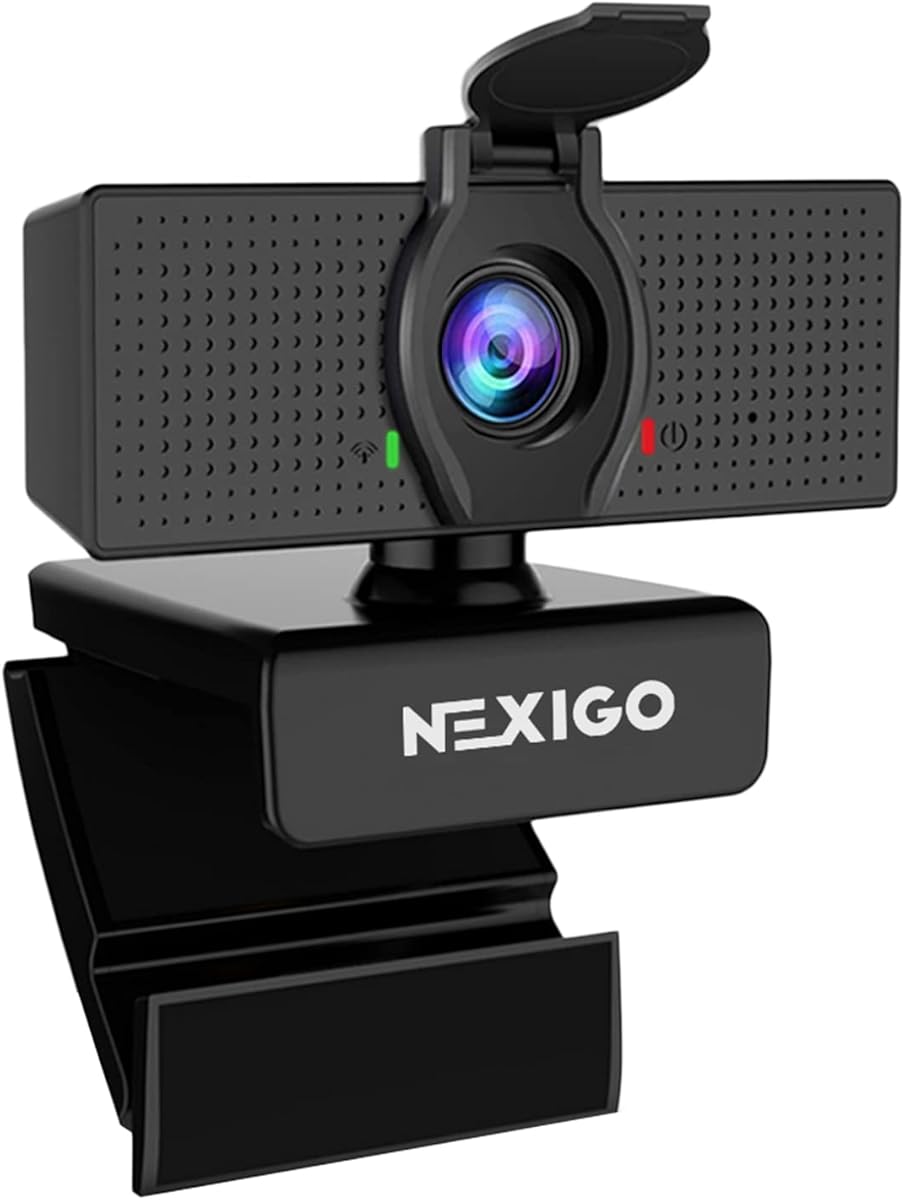
The NexiGo N60 provides sharp 1080p images and a reliable privacy cover at an accessible price. It works with most platforms and operating systems making it versatile for diverse environments.
We may earn a commission when you buy through this link, at no additional cost to you.
Noise cancelling reduces background ambient sounds keeping your voice clear. The privacy cover blocks the lens completely when not in use. Fixed focus ensures optimal performance between 19.6 inches to 13 feet.
Firmware updates may be needed to resolve initial audio delays. While customization is limited it handles standard calls well. Users appreciate the privacy assurance without software dependencies.
Ideal for students and remote workers needing straightforward video tools. Trust it for secure and clear daily meetings. It delivers consistent quality without unnecessary features.
Built-in noise cancelling reduces ambient sounds enhancing clarity and quality of your voice during calls.
A physical privacy cover blocks the lens giving you total security and peace of mind.
We may earn a commission when you buy through this link, at no additional cost to you.
The EMEET S600 stands out with true 4K capability and phase detection autofocus for fast precise focusing. At 1080p it offers 60fps smooth motion perfect for streaming or active calls.
We may earn a commission when you buy through this link, at no additional cost to you.
Its adjustable field of view lets you zoom out for presentations or in for portraits. The privacy cover is built-in and the design is rugged for stability. Software adds extra customization for power users.
While 4K needs bandwidth the 1080p mode is highly reliable. The Sony sensor ensures excellent light handling. It suits content creators needing versatility without high cost.
Buy this for high quality streaming and detailed video work. Trust it for advanced focus and image fidelity. It bridges the gap between pro and consumer grade.
Phase Detection Autofocus offers faster speed higher precision and stable performance in various scenes than standard autofocus.
Adjustable field of view at 1080p lets you focus on yourself or include surroundings as needed.
We may earn a commission when you buy through this link, at no additional cost to you.
The C920 remains a trusted classic with reliable 1080p video and H.264 compression for smooth streaming. It supports desktop and laptop use widely making it a versatile choice for many users.
We may earn a commission when you buy through this link, at no additional cost to you.
Widescreen quality ensures you look sharp on modern monitors. Platform support is excellent across all major apps. It lacks newer privacy features but delivers consistent performance.
While newer models offer autofocus and shutters this one remains stable and familiar. Users appreciate its simplicity and proven track record. It is a safe bet for basic video needs.
Choose this for a proven reliable solution without complexity. Trust it for clear video on any platform. It continues to serve millions effectively.
Years of trusted performance ensure stable video quality and broad compatibility across platforms.
H.264 compression ensures smooth streaming with efficient bandwidth use for stable connections.
We may earn a commission when you buy through this link, at no additional cost to you.
The Brio 105 delivers business class features at an affordable price with RightLight 2 for better image quality. It includes an integrated privacy cover for employee confidence during home work.
We may earn a commission when you buy through this link, at no additional cost to you.
Certified for Google Meet and Chromebook it integrates smoothly with enterprise systems. Remote management tools help IT teams deploy and maintain devices. Plug and play setup ensures quick adoption.
While basic in features it covers essentials for meetings and internal calls. The privacy shutter adds security absent in many budget models. It fits well for large deployments needing consistency.
Buy this for cost effective business video solutions. Trust it for reliable connectivity and privacy. It supports remote workers with confidence.
RightLight 2 technology automatically improves image quality in suboptimal lighting conditions.
Logitech Sync supports remote deployment and maintenance for large teams needing consistent updates.
We may earn a commission when you buy through this link, at no additional cost to you.
The renewed Brio 100 offers a budget entry to reliable 1080p video with strong ratings. It provides smooth streaming at 30fps and includes a microphone for convenience.
We may earn a commission when you buy through this link, at no additional cost to you.
Plug and Play setup works with most apps instantly. The field of view is narrower than wide angle models which is better for individual framing. Built-in audio simplifies setup for quick calls.
Renewed units provide cost savings though cosmetic variations may exist. Performance remains consistent for standard video needs. It is a good option for casual users needing clear video.
Choose this for low cost clear video needs. Trust its high rating for basic performance. It handles calls effectively without extra cost.
Full HD 1080p resolution at 30fps provides clear and smooth video for daily streaming and recording.
Easy USB connection works seamlessly with popular video conferencing applications without extra setup.
We may earn a commission when you buy through this link, at no additional cost to you.
Selecting the right webcam involves balancing video quality audio performance and privacy features with your specific workspace needs.
1080p resolution ensures sharp images while higher frame rates like 60fps provide smoother motion. For meetings 30fps is sufficient but streaming may benefit from 60fps.
Prioritize 1080p for professional looks and higher fps for dynamic content.
Autofocus keeps you sharp when moving and light correction ensures visibility in dim rooms. These features reduce setup time and improve consistency.
Look for HD light adjustment and autofocus for reliable performance in changing conditions.
Dual omnidirectional mics and noise cancellation improve audio clarity without external gear. Clear sound is as important as video for engagement.
Choose models with advanced mics to reduce background noise and enhance voice capture.
Physical privacy covers and slides block the lens when not in use offering tangible security. They are essential for shared spaces and remote workers.
Select webcams with built-in shutters for reliable privacy protection without software.
Ensure support for your operating system and conferencing apps. Adjustable clips and tripod mounts add flexibility for desk and monitor setups.
Check for platform certifications and versatile mounting options for your workspace.
USB A and C adapters ensure compatibility with modern laptops and docking stations. Direct connections improve stability over hubs.
Prefer models with USB C support for future proofing your video setup.
Advanced software allows background effects and image tuning. Plug and Play offers simplicity for basic needs.
Decide based on whether you need extra features or prefer minimal setup.
Sturdy clips and recycled materials indicate long-term reliability and environmental responsibility. Quality construction prevents wear and tear.
Choose robust designs for daily use in professional environments.
Position the webcam at eye level for natural framing and clear audio. Secure it on your monitor or use a tripod to prevent shaking during calls.
Clean the lens with a microfiber cloth regularly to remove dust. Avoid harsh chemicals that can damage coatings on the glass.
Test your setup in your video app before important meetings. Check lighting from the front and ensure the privacy shutter is open.
1080p webcams provide higher resolution images with more detail and sharper text visibility compared to 720p models. The additional pixels enhance video clarity making you look more professional on camera.
Most modern computers handle 1080p streaming without issue. Ensure your USB port supports sufficient bandwidth and your OS meets minimum requirements for smooth performance.
Yes top models support both macOS and Windows operating systems. Look for plug and play models requiring no drivers for easiest setup across platforms.
Privacy covers use a mechanical slide or flip to block the lens. They physically prevent unauthorized viewing and are essential for privacy in shared spaces.
Yes many 1080p webcams work well with streaming software like OBS. Ensure your internet upload speed is sufficient for your desired stream quality.
Blurriness often results from poor lighting or being outside the focus range. Adjust your distance to the camera and ensure your space is well lit for clarity.
The Logitech C920x HD Pro remains our top pick for its balanced performance and light correction. Budget users will love the EMEET C960 while premium needs align with the Brio 101.
Prioritize privacy features and autofocus if you work in shared spaces or dim lighting. Match the webcam to your platform certifications to ensure seamless integration.
Prices fluctuate so check current listings before buying. Verify compatibility with your setup to avoid unnecessary returns and get the best value today.