
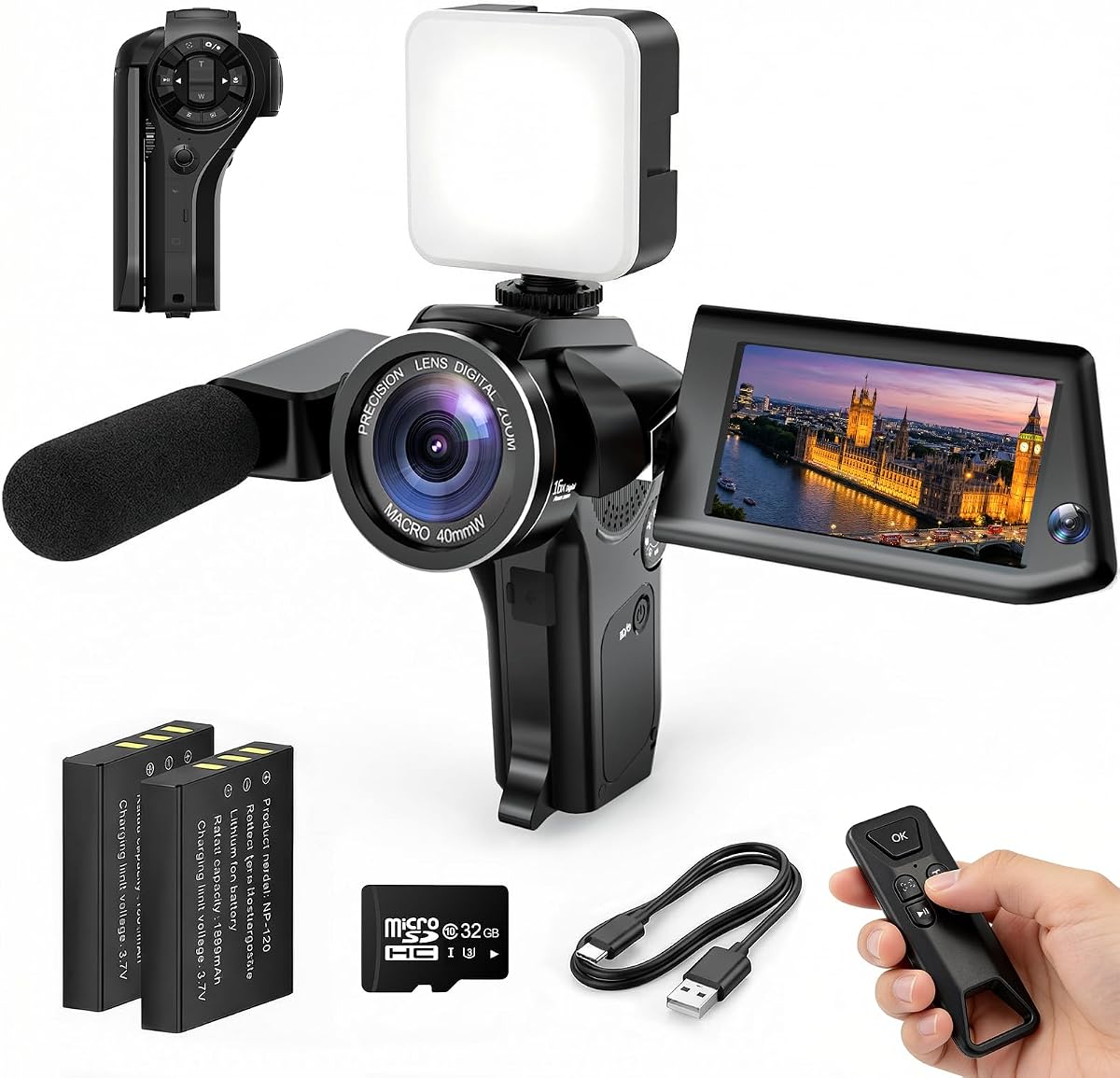
4K Vlogging Camera Pocket Digital Camera
4.4Editor score
4K video recording
330 degree rotating lens
Built-in WiFi transfer
This guide compares ten top camera for social media content options to help creators find the perfect device for vlogging, streaming, and high quality video
Creating engaging content requires the right tools to capture every moment clearly. A reliable camera for social media content ensures your videos look professional and your audience stays engaged throughout your creative journey.
We evaluated ten diverse options ranging from compact pocket cams to advanced creator kits. Each product was assessed based on video quality, ease of use, stabilization features, and connectivity for seamless social media sharing.
Every pick highlights unique strengths to match different creator needs and skill levels. Note that availability and specific features may shift over time so check current listings before purchasing your next gear.
4.4Editor score

4.5Editor score
5.0Editor score
The following table offers a side-by-side comparison of all ten models helping you identify key specifications and features at a glance for informed decision-making.


The DJI Osmo Pocket 3 stands out as a top tier camera for social media content with its large one-inch sensor and robust stabilization system. It earns a strong rating from creators who need high-quality footage without complex setups.
We may earn a commission when you buy through this link, at no additional cost to you.
Its 3-axis mechanical stabilization ensures footage remains smooth even during dynamic movement. The rotating 2-inch touchscreen simplifies framing for both vertical and horizontal formats. ActiveTrack 6.0 keeps subjects in focus reliably.
While the price is higher than entry-level options the image quality justifies the cost. Users note that pairing it with DJI Mic 2 yields best audio results though internal stereo recording is decent for casual use.
This model suits creators prioritizing video quality and portability. It delivers professional results for travel vlogs and social posts making it a reliable investment for serious content production workflows.
The 3-axis mechanical gimbal eliminates shakes ensuring smooth videos even while walking or running during outdoor shoots.
The rotating touchscreen allows quick switching between horizontal and vertical shooting essential for platforms like TikTok and Instagram.
We may earn a commission when you buy through this link, at no additional cost to you.
This 4K vlogging camera offers an accessible entry point for new creators seeking solid performance without high costs. It delivers clear footage and essential features needed for daily social media posting.
We may earn a commission when you buy through this link, at no additional cost to you.
The rotating lens design allows self-framing without mirrors or extra equipment. WiFi connectivity streamlines transferring files to smartphones for quick editing. Accessories like a mini tripod are included out of the box.
Users appreciate the ease of setup and lack of complicated menus. While low light performance is not as strong as premium models it performs well in daylight or well-lit indoor settings for tutorials.
Ideal for beginners or travelers needing a lightweight option. This camera provides reliable functionality for starting a YouTube channel or posting travel clips without a large gear investment.
The 330 degree rotating lens lets you frame yourself effortlessly without needing a mirror or remote control during recording.
Comes with essential accessories like a memory card and tripod so you can start recording immediately without extra purchases.
We may earn a commission when you buy through this link, at no additional cost to you.
This camera distinguishes itself with a Picture-in-Picture mode that records both the subject and creator simultaneously. It is rated highly for creating engaging content that includes facial reactions alongside events.
We may earn a commission when you buy through this link, at no additional cost to you.
Ideal for product reviews where seeing the user and the product matters. The flip screen aids self-composition and WiFi ensures quick uploads. The dual view feature adds storytelling depth to standard vlogs.
Creators note it makes family videos and tutorials more personal. While not all may use PiP daily it offers unique creative options. Battery life is adequate for average sessions but spares help for extended use.
Perfect for creators aiming to boost engagement through personal connection. This model helps build audience trust by showing authentic reactions in real time during content creation.
Record the moment and your reaction at once making videos more authentic and engaging for social media audiences.
A flip screen lets you see yourself while recording ensuring perfect framing for solo shots without a second person.
We may earn a commission when you buy through this link, at no additional cost to you.
The FlyFrost 8K Video Camera targets users seeking ultra-high resolution output. It offers 8K video and high MP photos alongside useful accessories like a stabilizer and microphone.
We may earn a commission when you buy through this link, at no additional cost to you.
IR night vision allows recording in low light without visible lights. The included stabilizer helps reduce shake during handheld shots. WiFi connectivity supports direct app transfer for quick editing.
Users appreciate the included accessories that reduce extra costs. Though 8K recording is limited in frame rate it remains a strong choice for detailed scenes. The touch screen simplifies setting adjustments.
This camera suits creators needing detailed footage and night capabilities. It is versatile for outdoor adventures and indoor content providing robust features at a mid-range price point.
IR night vision enables recording in dark environments capturing visible details without requiring bright external lighting.
A foldable stabilizer is included to help keep footage smooth and steady during handheld recording sessions.
We may earn a commission when you buy through this link, at no additional cost to you.
This 8K Digital Camera offers a blend of photography and video features suited for social media. The high MP count allows detailed stills while the flip screen aids self-recording.
We may earn a commission when you buy through this link, at no additional cost to you.
The 20X digital zoom helps capture distant subjects though it lacks optical quality. Anti-shake technology helps stabilize handheld footage. WiFi sync simplifies moving media to mobile devices for sharing.
Creators appreciate the large screen and easy controls for quick edits. It balances photo and video needs well for general use. Battery performance is sufficient for daily content creation sessions.
This model works for versatile creators needing both photo and video tools. It is reliable for travel or studio use offering a range of features in a compact form.
Capture 96MP still images for high detail social media posts and thumbnails alongside your video content.
A 3.5 inch flip screen simplifies framing self-shots and reviewing footage on the camera.
We may earn a commission when you buy through this link, at no additional cost to you.
The Mini Camcorder prioritizes portability and simplicity for casual creators. It fits easily in a pocket and records for long durations with minimal setup.
We may earn a commission when you buy through this link, at no additional cost to you.
Its one-button recording removes app downloads or complex menus. A rotating lens allows various angles. The battery lasts up to seven hours for extended travel or outdoor shoots.
Users value its ease of use for spontaneous moments. It is not a replacement for professional gear but excels at capturing everyday memories without stress. Includes a 32GB card.
This camera is ideal for beginners or travelers needing backup recording. It provides reliable basic video capture without burdening your gear load.
A 2000mAh battery supports up to seven hours of recording ideal for long trips without frequent recharging.
One-button recording starts filming instantly without needing app downloads or complicated setup steps.
We may earn a commission when you buy through this link, at no additional cost to you.
This 4K vlogging camera kit provides a complete starter set for new creators. It includes a memory card tripod and bag enabling immediate use out of the box.
We may earn a commission when you buy through this link, at no additional cost to you.
The rotating lens supports solo filming without needing mirrors. 4K video ensures quality for platforms requiring HD. WiFi sync helps transfer files to mobile devices quickly for editing.
Users find the included accessories reduce initial setup time. The camera is lightweight and easy to handle. It balances cost with function for those starting their content journey.
This kit is ideal for first-time vloggers. It offers necessary tools to begin producing content without investing in separate gear.
Includes camera card tripod and carrying bag to help you start filming without buying extra accessories separately.
A 330 degree rotating lens lets you film yourself with natural framing and less manual adjustment.
We may earn a commission when you buy through this link, at no additional cost to you.
This vlogging kit offers essential accessories to enhance smartphone video quality. It includes a wireless mic tripod and light to elevate production value for creators using mobile devices.
We may earn a commission when you buy through this link, at no additional cost to you.
The wireless mic ensures clear audio even in noisy environments. RGB lighting allows mood customization and RGB flexible tripod enables unique angles. A remote control adds convenience for self-timing.
Creators using phones for content find this setup transformative. It reduces the need for multiple purchases. The phone clamp fits various sizes ensuring secure mounting for shoots.
This kit is ideal for creators starting with smartphones. It provides professional accessories to upgrade video quality without needing a dedicated camera.
The included wireless mic delivers clear sound and allows movement while recording without cables.
RGB fill light provides adjustable colors and brightness to enhance video quality and mood.
We may earn a commission when you buy through this link, at no additional cost to you.
This Creator Vlogging Kit brings hands-free automation to smartphone recording. The tripod uses gesture controls and face tracking to keep focus on you without constant app use.
We may earn a commission when you buy through this link, at no additional cost to you.
Dual wireless mics provide clear audio and LED lights improve brightness. The 70-inch stand adjusts height for eye-level shots. Gesture recognition makes stopping and starting recording intuitive.
Users appreciate the simplicity for solo creators. It reduces reliance on helpers. The lights and mics combine to boost quality for interviews and social content.
This kit suits creators prioritizing convenience and movement. It is an excellent upgrade for mobile content production.
Gesture controls allow you to start or pause tracking with hand signals removing need for apps or remotes.
Two wireless microphones ensure clear audio and allow movement during recording sessions.
We may earn a commission when you buy through this link, at no additional cost to you.
The Logitech Brio 101 is a reliable webcam for streaming and online content. It offers Full HD resolution and features like Auto-Light Balance to improve image quality automatically.
We may earn a commission when you buy through this link, at no additional cost to you.
Auto-Light Balance boosts brightness to reduce shadows in low light. The privacy shutter adds security when not in use. Plug-and-play compatibility ensures quick setup across most platforms.
Creators using laptops or desktops find it convenient for live sessions. It eliminates setup steps. The built-in mic provides clear audio for calls or recordings.
This camera is ideal for home streaming or meetings. It delivers consistent quality with minimal effort for regular online content.
Auto-Light Balance adjusts brightness to reduce shadows helping you look clear even in dim lighting.
A physical slide cover lets you secure privacy instantly when not recording or on calls.
We may earn a commission when you buy through this link, at no additional cost to you.
Selecting the right camera for social media content involves balancing resolution features and ease of use to fit your workflow.
Resolution defines how clear your video and images appear. Higher resolutions like 4K or 8K allow better cropping and future-proofing but may require more storage. For most social platforms HD or 4K is sufficient.
Prioritize resolution that matches your typical platform requirements and editing capabilities.
Stabilization reduces shake and ensures smooth footage during movement. Mechanical gimbals offer the best stability while electronic modes are lighter. This is critical for travel or action content.
Look for optical or mechanical stabilization if you plan to record while walking or moving.
A lightweight compact design allows you to carry your camera everywhere. Pocket sizes are convenient for travel but may lack large sensors. Consider how often you will transport your gear.
Choose a size that balances image quality with daily carrying convenience.
WiFi or Bluetooth connectivity enables direct transfer to mobile devices for quick editing. Apps may offer remote control features. Without wireless transfer you rely on cables which can slow down workflow.
Ensure your chosen model supports fast transfer to your preferred editing device.
Rotating or flip screens simplify framing self-recording. Touch interfaces make settings adjustments faster. A clear view helps you check focus and exposure during shots.
Prioritize models with flip screens if you create selfie-style content frequently.
Good audio is as important as video. Built-in mics vary in quality so external mic support is valuable for professional sound. Wireless mics allow movement while recording.
Check for external audio input or included mic options to ensure clear sound.
Long recording sessions require reliable power. Some cameras offer removable batteries or fast charging. Short battery life may disrupt workflow so consider carrying spares for travel.
Look for at least several hours of continuous recording time or easy battery swaps.
Simplified menus and one-button recording help creators focus on content. Complex settings can slow down production. Beginners may prefer automatic modes over manual control.
Choose a camera with intuitive controls that match your technical comfort level.
Clean the lens regularly with a soft cloth to maintain image clarity. Store your camera in a protective bag when not in use to prevent scratches and damage from dust or moisture.
Update firmware as needed to access the latest features and performance improvements. Check battery health periodically and replace old batteries to avoid sudden power loss during recording.
Organize your files regularly to avoid storage issues. Use reliable storage cards rated for video capture to prevent corruption or data loss during recording sessions.
For most platforms 4K is ideal for high-quality uploads while 1080p is sufficient for daily posts. Higher resolution allows cropping and flexibility but requires more storage.
A gimbal or stabilization helps reduce shake especially for action content. Built-in electronic stabilization can work but mechanical systems provide smoother results for moving shots.
Use WiFi or Bluetooth enabled cameras to sync media directly to your phone. Cable transfer is an alternative but wireless is often faster for quick edits and uploads.
Yes many vloggers use smartphones with accessories like tripods and external mics. A dedicated camera offers better image quality but phone setups are convenient for simple content.
An external wireless mic ensures clear sound especially in noisy environments. Built-in mics work for quiet spaces but external options improve voice clarity significantly.
Battery life varies by model but most offer several hours of recording. For long sessions carry extra batteries or a portable power bank to avoid interruptions.
A flip or rotating screen helps if you frequently frame yourself. It simplifies self-recording and ensures accurate composition without needing mirrors or external monitors.
Use high-speed memory cards rated for video capture. 64GB or 128GB is common for 4K content but always check camera compatibility before purchasing a card.
The DJI Osmo Pocket 3 4K Pocket Digital Camera and Vlogging Camera with Picture-in-Picture stand out for their balance of performance and usability. Each caters to different budgets and content styles.
Prioritize features that align with your specific content needs such as stabilization for travel or dual view for engagement. Matching tools to your workflow improves efficiency and creativity.
Always check current availability and features before purchasing as specifications may change. The right camera will help you create consistent high-quality content for your audience.