
GIGABYTE WiFi 6E GC-WBAX210
4.6Editor score
Intel AX210 module
Tri-band WiFi 6E
Low profile bracket
This guide compares the top PCIe WiFi cards for Linux systems to help you find the best wireless adapter for your desktop PC needs.
Finding the right wireless adapter for your Linux desktop can be challenging due to driver compatibility issues. This guide reviews ten top PCIe WiFi cards that support modern Linux kernels to ensure smooth connectivity.
We evaluated these products based on their chipset support, signal strength, and overall performance in Linux environments. Each entry includes detailed specifications to help you make an informed decision for your specific hardware setup.
Each pick highlights key features, pros, and cons to guide your selection process. Please note that availability and pricing may change over time, so verify details before purchasing your new network card.
4.6Editor score
4.5Editor score
4.4Editor score
This side-by-side comparison helps you quickly identify the best wireless network card for your Linux desktop based on key specifications and features.


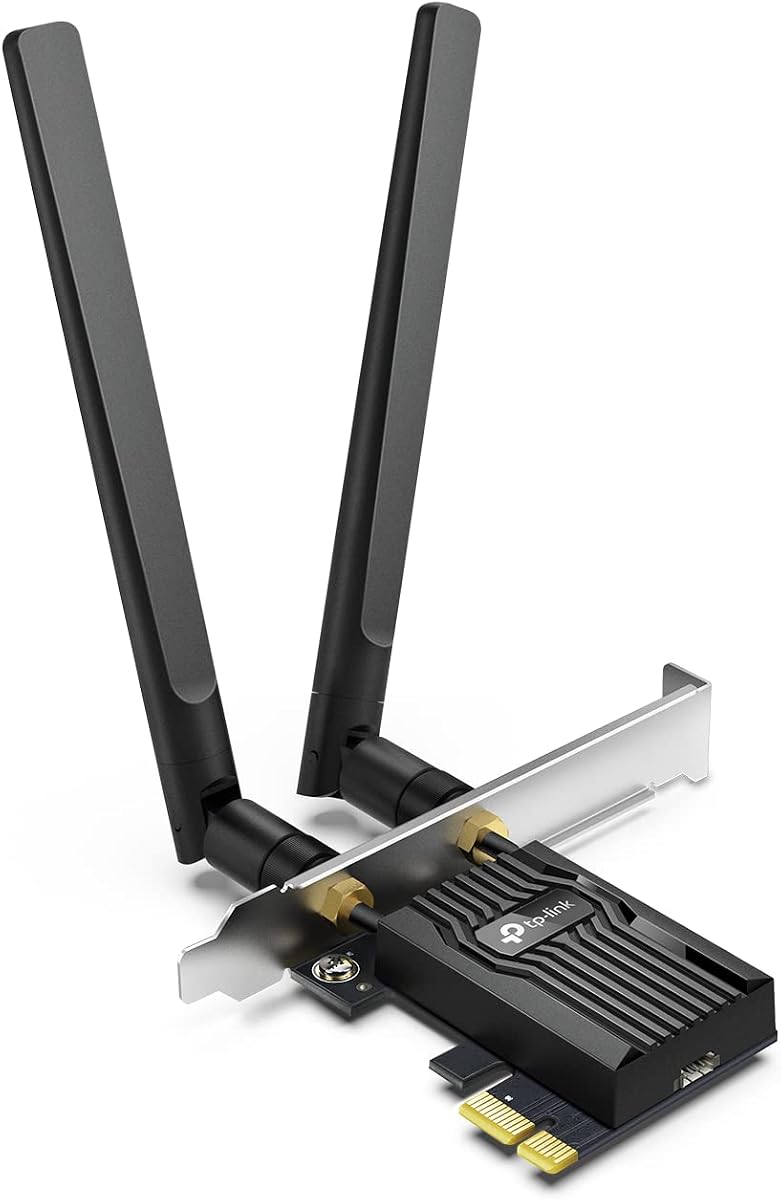
This TP-Link card offers excellent performance for Linux users with reliable driver support and fast Wi-Fi 6 speeds. It delivers consistent connectivity for daily tasks and demanding applications alike.
We may earn a commission when you buy through this link, at no additional cost to you.
The AX3000 speeds and OFDMA technology ensure smooth streaming and gaming even on busy networks. High-gain antennas extend coverage effectively throughout your home or office space.
While it lacks WiFi 6E bands, the current standard is sufficient for most users. The need to connect a USB cable for Bluetooth is a minor inconvenience during setup.
This card is ideal for users seeking a balance of performance and value. We recommend it for desktops needing a reliable wireless upgrade without breaking the budget.
This card is compatible with modern Linux kernels ensuring plug-and-play connectivity for most users.
High-gain antennas provide extended coverage to reach distant corners of your home.
We may earn a commission when you buy through this link, at no additional cost to you.
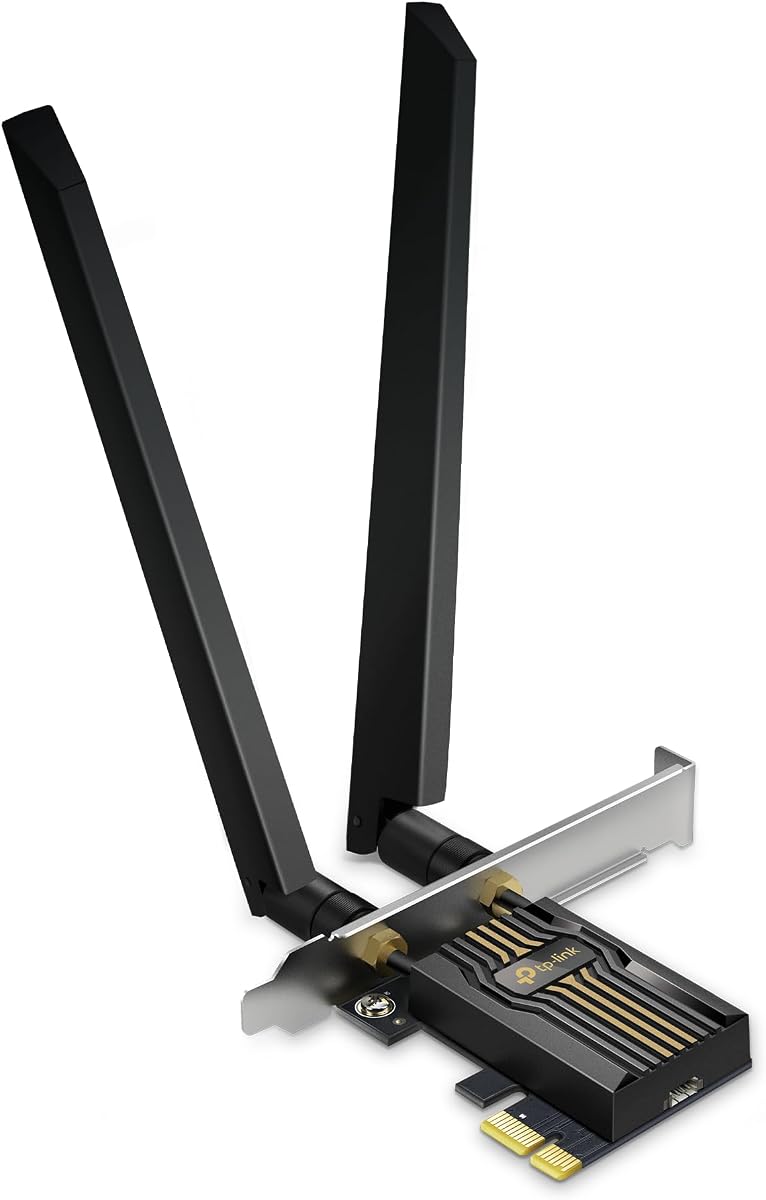
The GIGABYTE GC-WBAX210 features the popular Intel AX210 module known for excellent Linux compatibility. It brings WiFi 6E capabilities to desktops at a budget-friendly price point.
We may earn a commission when you buy through this link, at no additional cost to you.
With tri-band support including the 6GHz band, you can future-proof your network for faster speeds. The low profile bracket makes it suitable for compact mini tower cases.
However, fully utilizing WiFi 6E requires a compatible router which might be an additional cost. The compact size may limit signal range compared to larger external antennas.
This is the perfect pick for budget-conscious Linux users wanting cutting-edge WiFi 6E features. It delivers reliable performance for everyday computing and light gaming.
The AX210 module is widely supported on Linux ensuring stable network connections.
Access the less congested 6GHz band for faster and more reliable connections.
We may earn a commission when you buy through this link, at no additional cost to you.
This TP-Link BE9300 card pushes the boundaries with Wi-Fi 7 technology for extreme bandwidth and low latency. It is ideal for power users demanding the fastest possible wireless connection.
We may earn a commission when you buy through this link, at no additional cost to you.
Multi-Link Operation combines bands for seamless performance and reduced interference. Bluetooth 5.4 ensures better connectivity for peripherals while high-gain antennas maximize range.
Keep in mind that full functionality requires a Wi-Fi 7 router and current Linux support may lag behind Windows. The high cost is justified only for those needing top-tier speeds.
Select this card if you want the absolute best wireless performance available today. It is perfect for enthusiasts upgrading to next-gen network infrastructure.
Achieve blazing-fast speeds with 320MHz channels and advanced modulation.
Combine multiple frequency bands to reduce lag and improve stability.
We may earn a commission when you buy through this link, at no additional cost to you.
The EDUP WiFi 7 card offers an affordable entry into next-generation networking with MT7925 chipset support. It supports Linux Kernel 6.7 making it a solid choice for Linux desktops.
We may earn a commission when you buy through this link, at no additional cost to you.
With tri-band speeds up to 6.5Gbps and MLO technology, you get excellent performance for streaming and gaming. The hardware design reduces CPU load for efficient operation.
However you will need to download drivers from the official website as they are not always pre-installed. Being a less common brand means community support might be limited.
This card is a smart choice for Linux users wanting WiFi 7 without a premium price tag. It delivers great performance for those who can manage manual driver setup.
Modern Linux kernels include native support for this advanced WiFi standard.
Maximize your bandwidth with tri-band support and efficient RF design.
We may earn a commission when you buy through this link, at no additional cost to you.
This TX3000E model stands out with its magnetized antenna base allowing you to find the optimal signal location easily. It uses Intel's reliable Wi-Fi 6 technology for consistent performance.
We may earn a commission when you buy through this link, at no additional cost to you.
The high-performance antennas combined with OFDMA ensure low latency for gaming and video calls. Bluetooth 5.3 offers improved range for connecting your wireless peripherals seamlessly.
While the magnetic base is convenient it requires a USB connection which adds cable clutter. Driver installation may be required via website rather than CD for Linux users.
Choose this card if you value flexible antenna positioning and proven reliability. It is a solid option for users prioritizing signal quality over the latest standards.
Position the antenna anywhere on your desk for better signal reception.
Powered by Intel chipset ensures stable and fast network connections.
We may earn a commission when you buy through this link, at no additional cost to you.
The AXE5400 model combines WiFi 6E capabilities with a flexible magnetic antenna base for optimal signal reception. It leverages the Intel AX210 chipset known for excellent Linux support.
We may earn a commission when you buy through this link, at no additional cost to you.
With speeds up to 5400Mbps and access to the 6GHz band you get faster performance with less interference. Bluetooth 5.3 ensures reliable connectivity for your peripherals.
Full 6GHz functionality may require specific OS configurations which can vary by distribution. The magnetic base is a great feature but requires USB power connectivity.
This is a great choice for those wanting WiFi 6E speeds with flexible antenna placement. It balances performance and usability well for modern desktop setups.
Experience faster speeds with access to the less crowded 6GHz spectrum.
Use the magnetic base to find the best spot for maximum range.
We may earn a commission when you buy through this link, at no additional cost to you.
This card delivers reliable performance using the trusted Intel AX210 chipset widely supported on Linux. It provides fast tri-band speeds ideal for modern wireless needs.
We may earn a commission when you buy through this link, at no additional cost to you.
Bluetooth 5.3 enhances connectivity for peripherals while the tri-band design ensures stable connections. The affordable price makes it accessible for many users without sacrificing quality.
Generic branding may mean less customer support compared to major names. Basic antenna design might limit range compared to models with high-gain external antennas.
Select this card for its proven chipset and compatibility at a great price. It is perfect for users wanting a straightforward reliable upgrade for their desktop.
The AX210 chip is a standard choice for stable Linux connectivity.
Get top tier WiFi 6E performance without the premium price tag.
We may earn a commission when you buy through this link, at no additional cost to you.
The WAVLINK AXE5400 includes a built-in heat sink to ensure stable operation during heavy use. It features the Intel AX210 chipset with wide Linux compatibility and lifetime tech support.
We may earn a commission when you buy through this link, at no additional cost to you.
With 160MHz bandwidth and magnetic antennas you get fast speeds and flexible placement. Bluetooth 5.3 and WPA3 security provide reliable connectivity and network protection.
As a less common brand driver support might not be as readily available as big names. Setup could require more attention to ensure optimal performance in Linux environments.
Choose this card if you value thermal management and vendor support. It is a solid pick for long-term reliable use in demanding workloads.
Maintain stable performance with dedicated cooling for intensive tasks.
Get peace of mind with extended warranty and support coverage.
We may earn a commission when you buy through this link, at no additional cost to you.
This TP-Link BE9300 model offers high-end WiFi 7 features with a stylish magnetic base featuring status LEDs. It supports Bluetooth 5.4 and uses 4096-QAM for faster data rates.
We may earn a commission when you buy through this link, at no additional cost to you.
Adjustable high-performance antennas ensure strong signal reception while MLO improves reliability on busy networks. The USB driver installation simplifies the initial setup process for users.
Current limitations include Windows 11 only for easy setup and limited Linux support compared to other models. The premium price reflects its cutting-edge technology but may not be justified for all.
Opt for this card if you want top-tier speeds and premium aesthetics for your build. It is best suited for enthusiasts ready to adopt the latest wireless standards.
Easily monitor your network status with the intuitive LED lighting system.
Tweak antenna angles for maximum signal strength in your environment.
We may earn a commission when you buy through this link, at no additional cost to you.
The MSI Herald BE9400 brings powerful WiFi 7 performance with MLO technology and 320MHz channels. It delivers ultra-fast speeds ideal for gaming and 8K streaming on modern networks.
We may earn a commission when you buy through this link, at no additional cost to you.
Bluetooth 5.4 provides seamless peripheral connectivity while the magnetized base allows flexible antenna placement. This card is designed for users seeking cutting-edge wireless capabilities.
Linux support is not fully mature for WiFi 7 standards which might require advanced configuration. The high cost and need for a WiFi 7 router may limit accessibility.
Select this card if you are building a high-end gaming setup with the latest standards. It offers impressive performance for those ready to invest in next-gen hardware.
Combine multiple bands to reduce latency and improve connection stability.
Enjoy interference-free connections with ultra-wide 320MHz channels.
We may earn a commission when you buy through this link, at no additional cost to you.
Choosing the right PCIe WiFi card for Linux involves understanding chipset support, WiFi standards, and feature sets. This guide outlines key factors to consider before purchasing.
The chipset determines how well the card works with Linux drivers. Intel AX210 is widely supported making it a safe choice for Linux users.
Prioritize cards with Intel or Atheros chipsets known for kernel support to avoid driver headaches.
WiFi 6 and WiFi 6E offer excellent speeds and efficiency suitable for most users. WiFi 7 is emerging but requires compatible hardware and may lack full Linux support.
Select a standard that matches your router capabilities and your operating system support level.
Modern cards include Bluetooth 5.3 or 5.4 for better range and device connectivity. This feature is useful if you use wireless keyboards or mice on your desktop.
Check the Bluetooth version included to ensure compatibility with your peripherals and operating system.
External antennas usually provide better range than internal ones. High-gain antennas help reach distant areas in your home.
Look for cards with adjustable or magnetized antennas to optimize signal strength easily.
Multi-Link Operation allows combining bands for lower latency and stable connections. It is especially beneficial for gaming and streaming.
Ensure your router and card both support MLO to take advantage of these benefits.
Some cards require downloading drivers from a website while others are pre-installed. Linux users should check if the card works out of the box with their kernel version.
Choose cards with documented Linux support to simplify setup and reduce troubleshooting time.
Most PCIe cards come with standard and low-profile brackets. Ensure the size fits your desktop case especially for mini towers.
Verify bracket compatibility with your case before purchase to avoid mounting issues.
Prices range significantly between basic WiFi 6 cards and advanced WiFi 7 models. Consider if you need extra features or standard performance is enough.
Balance your requirements with the cost to find the best value option for your needs.
Install the card in a PCIe slot and secure it with screws. Connect the Bluetooth cable to an available USB header if needed.
Run a terminal command to update your Linux kernel and drivers. Reboot to enable the new hardware properly.
Keep drivers updated periodically to maintain security patches and performance improvements for your WiFi card.
Most modern cards with Intel chipsets work out of the box on recent Linux distributions. However some may require manual driver installation or kernel updates. Check compatibility before purchasing.
WiFi 6E adds support for the 6GHz band offering less interference and faster speeds. Linux support is growing but may vary by distribution. It is worth it if you have a compatible router.
Visit the manufacturer website to download the latest drivers for Linux. Use the terminal to install packages or compile drivers from source. Follow the provided README file for instructions.
Yes most cards support Bluetooth but you must connect the USB cable to enable it. Linux may require additional modules to recognize the Bluetooth adapter properly.
MLO allows connecting multiple bands simultaneously for better performance. Linux support for MLO is in early stages and may require custom firmware or kernel patches.
WiFi 7 is new and Linux support is limited. Wait until native kernel support matures before buying unless you need the absolute fastest speeds possible.
Use external antennas or high-gain options to extend signal. Ensure drivers are updated and position the antenna for optimal coverage in your home.
Most cards fit PCIe x1 slots but some use x4 or higher. Verify your motherboard slot size and available space before installing.
The TP-Link AX3000 and GIGABYTE GC-WBAX210 offer great balance between performance and compatibility for Linux users. High-end options like the BE9300 WiFi 7 cards are ideal for enthusiasts.
Prioritize chipset compatibility and driver support to ensure smooth operation on your Linux distribution. Bluetooth and MLO features add value depending on your usage needs.
Prices and availability can vary over time so check current listings before making your purchase decision.