
KAMRUI Pinova P2 Mini PC
4.4Editor score
Ryzen 4300U 28W
16GB LPDDR4 RAM
Triple 4K Display Support
This guide compares the top Mini PC for Video Editing options to help you find the best compact system for powerful, efficient, and affordable creative
Finding the right Mini PC for Video Editing requires balancing power, size, and budget. These compact machines now offer desktop-class performance in a fraction of the space. Whether you edit on location or at home, the right hardware makes a huge difference in workflow efficiency.
We compared ten leading mini PCs based on processor speed, graphics capabilities, memory capacity, and connectivity. Each model was evaluated for its ability to handle modern video editing software like DaVinci Resolve and Adobe Premiere Pro. This list covers options for beginners, enthusiasts, and professionals alike.
Each pick highlights key strengths and potential trade-offs to help you decide. We focus on real-world performance for creative tasks rather than just specs. Please note that availability and pricing can change, so check the current details before making your final purchase decision today.
4.4Editor score

4.4Editor score
4.4Editor score
The following table provides a side-by-side comparison of all ten mini PCs. Review the specifications to understand how each device handles processing power, memory, storage, and display connectivity for video editing tasks.



The Glorlin Mini PC stands out for its high rating and balanced performance at a budget-friendly entry point. It uses the AMD Ryzen 7 6800H processor which provides excellent multi-core speeds. The integrated Radeon 680M graphics are capable of handling light video editing tasks smoothly.
We may earn a commission when you buy through this link, at no additional cost to you.
Its 16GB of LPDDR5 RAM ensures fast system response and reduced loading times when switching between apps. The device supports triple 4K displays via HDMI, DP, and Type-C, which helps significantly with multitasking. Dual LAN ports add stability for networked storage access during projects.
One trade-off is that the memory is not upgradable, which limits future scalability for heavy workloads. The 512GB SSD is decent for initial use but may fill up quickly with large 4K video files. Still, it supports dual M.2 expansion for additional storage needs later.
This mini PC is ideal for home users and students who need reliable performance without overspending. It works well for light editing, web browsing, and office tasks. We recommend this model for anyone seeking a compact desktop computer that can handle everyday computing needs efficiently.
The integrated Radeon 680M GPU supports smooth video playback and light gaming efficiently.
Supports up to three 4K displays to improve workflow efficiency for content creation.
We may earn a commission when you buy through this link, at no additional cost to you.
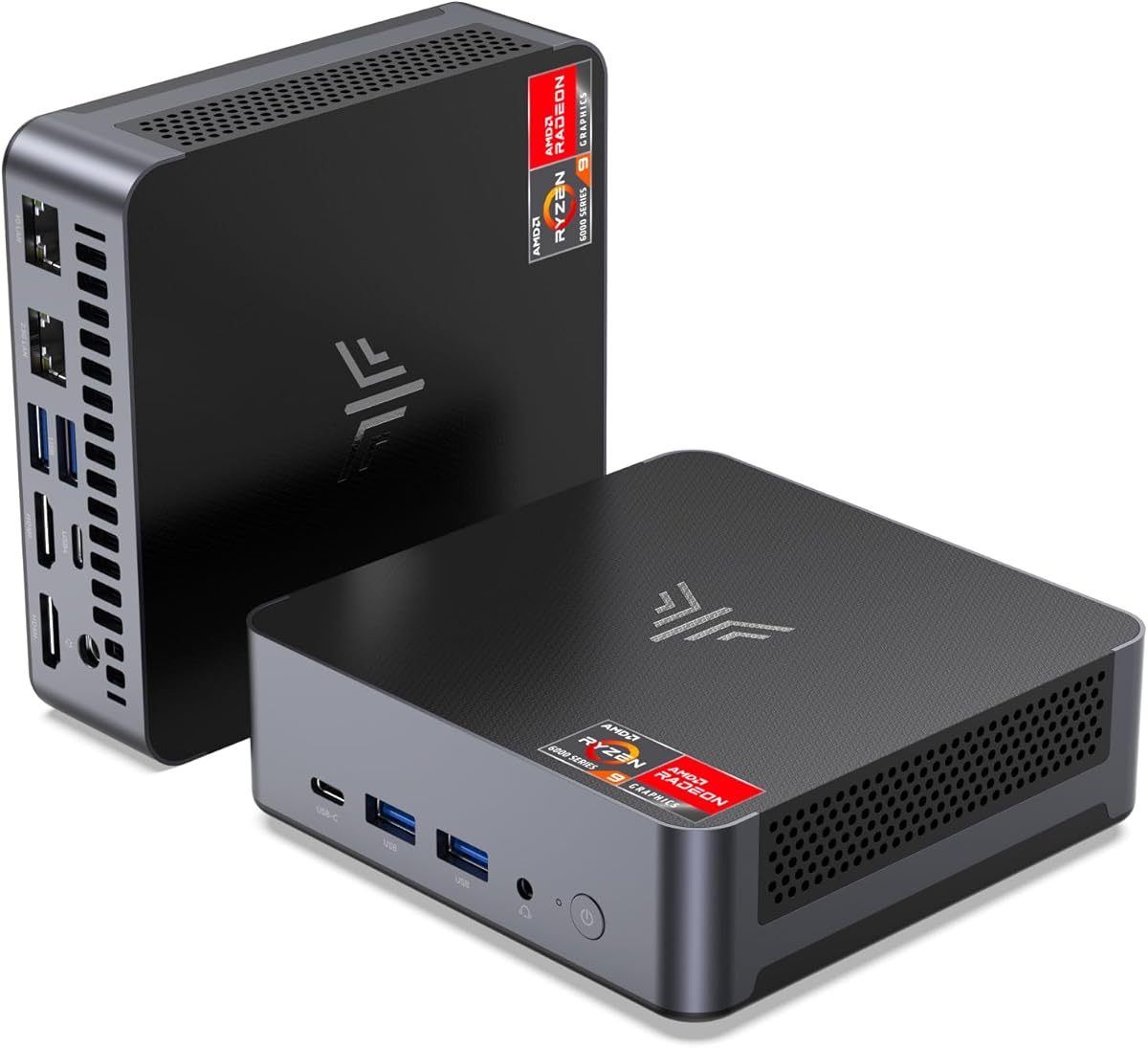
The KAMRUI Pinova P2 Mini PC delivers consistent performance with its AMD Ryzen 4300U processor. It outperforms many standard entry-level chips in multi-core tasks which is helpful for rendering. The integrated graphics are strong enough for 4K display outputs without stuttering.
We may earn a commission when you buy through this link, at no additional cost to you.
It comes with 16GB of LPDDR4 RAM and a 512GB SSD for fast startup and file transfers. Two storage slots allow expansion up to 4TB which is great for storing media libraries. The USB3.2 Gen2 Type-C port supports video output and fast data transfer rates.
The compact size and silent fan make it suitable for shared workspaces and home offices. It can be mounted on a wall using the included VESA mount. However, the memory is not upgradable so consider this before buying if you need more than 16GB.
This is a solid choice for business users who need a reliable second PC. It handles video calls, browsing, and light editing well. If you need a space-saving unit with efficient cooling and good connectivity this model fits the bill.
Two storage slots allow combination up to 4TB of total storage for future needs.
The cooling fan remains practically silent even under load for quiet work environments.
We may earn a commission when you buy through this link, at no additional cost to you.
The GEEKOM A6 Mini PC offers true desktop performance with its AMD Ryzen 7 6800H processor. It runs at a stable 45W TDP which prevents thermal throttling during heavy workloads. This makes it ideal for 4K video editing and complex coding tasks simultaneously.
We may earn a commission when you buy through this link, at no additional cost to you.
It features upgradable DDR5 RAM with two slots allowing expansion to 64GB which future-proofs your investment. The 1TB PCIe 4.0 SSD provides ample space for projects and fast read write speeds. A USB4 port enables high-speed data transfer and supports four 4K monitors.
The premium aluminum chassis looks sleek and helps with thermal cooling. It operates quietly under 35dB which is perfect for home offices and creative workflows. Unlike budget brands the 3-year warranty provides peace of mind for long-term use.
This mini PC is perfect for creators who need robust performance in a small box. It handles large Excel files dozens of browser tabs and video editing without slowing down. We recommend this model for anyone wanting a reliable high-performance desktop alternative.
Dual-slot memory upgradable up to 64GB offers long-term flexibility soldered alternatives cannot match.
Advanced cooling keeps workspace quiet at under 35dB perfect for 24/7 operations.
We may earn a commission when you buy through this link, at no additional cost to you.
The GMKtec M6 Ultra Series is equipped with the AMD Ryzen 5 7640HS processor. This upper mid-range CPU delivers a 30% performance increase over previous generations. The included 32GB of DDR5 RAM ensures smooth multitasking for creative apps.
We may earn a commission when you buy through this link, at no additional cost to you.
The Radeon 760M iGPU has 8 CUs and supports AV1 codecs which is key for modern video streaming and editing. It can play moderate gaming at steady FPS and handles heavy decoding tasks. Triple 4K display support transforms your workspace into a command center.
Dual 2.5G RJ45 LAN ports are ideal for networked storage or running servers without lag. The unit supports dual slot expansion up to 8TB SSD although SATA drives are not supported. A 3-year limited warranty covers all defects due to design.
This mini PC is great for power users who need lots of RAM and fast networking. It works well for gaming streaming and intensive content creation. If you need a desktop replacement that can handle gaming and editing this model is a strong candidate.
Supports hardware encode and decode for AV1 HEVC and AVC for efficient video workflows.
Dual NIC LAN allows up to 2500Mbps transmission speed without worrying about lag.
We may earn a commission when you buy through this link, at no additional cost to you.
The BOSGAME P6 Mini PC powers through demanding tasks with the AMD Ryzen 9 6900HX. It delivers smooth 1080p video editing and runs lightweight virtual machines easily. The compact form factor makes it easy to carry for travel or remote work.
We may earn a commission when you buy through this link, at no additional cost to you.
It has 24GB of onboard LPDDR5X RAM and a 1TB PCIe 4.0 SSD for instant responsiveness. The advanced phase change materials manage heat effectively keeping noise under 36dB. Dual 1Gbps Ethernet ports support advanced setups like soft routers or home servers.
Although the RAM is not upgradable the 24GB capacity is generous for most users. The 3-year warranty for parts ensures long-term peace of mind. Drivers may need download for full Bluetooth 5.3 functionality but support is available online.
This machine is efficient for those needing a snappy system without bulky towers. It handles 2D drafting in AutoCAD and light photo editing well. We recommend it for power users who need speed without compromising on portability or silence.
Advanced phase change materials manage heat while incorporating CPU heat sinks and active cooling.
Dual USB 3.2 Gen2 ports and USB-C with data PD and DP support versatile connections.
We may earn a commission when you buy through this link, at no additional cost to you.
The ACEMAGICIAN S3A Mini PC delivers desktop-class performance with its AMD Ryzen 7 H 255 processor. The Radeon 780M graphics feature RDNA 3 architecture which offers significant speed gains. This makes it excellent for content creation and streaming.
We may earn a commission when you buy through this link, at no additional cost to you.
It comes with 16GB of LPDDR5 RAM and a 512GB PCIe 4.0 SSD for quick launches. You can customize performance with Silent Auto and Performance modes depending on your task. Triple 4K display support allows efficient multitasking across multiple screens.
The dual-fan cooling system maintains stable performance during extended use and keeps noise low. USB4 and DP 2.0 ports enable high-speed connections and multiple displays. The customizable RGB lighting adds a personal touch to your workspace setup.
This is a powerful choice for developers and creatives who need strong graphics in a small unit. It handles demanding multitasking and photo editing with ease. If you want a machine that grows with your needs this model is highly recommended.
Three adjustable power modes allow customization for quiet work or maximum processing power.
Radeon 780M handles coding video editing and 3D design without breaking a sweat.
We may earn a commission when you buy through this link, at no additional cost to you.
The GEEKOM IT13 MAX blends cloud AI inspiration with local NPU acceleration. It uses the Intel Core Ultra 9 185H processor which is 20-30% faster for video editing than standard i9 chips. This allows running LLMs and computer vision locally.
We may earn a commission when you buy through this link, at no additional cost to you.
It features 24GB of LPDDR5 memory at 5600 MT/s for fast data rates and smooth multitasking. The IceBlast 3.0 system sustains up to 65W performance while keeping operations quiet. Dual Ethernet ports and quad display outputs support maximum flexibility.
This premium mini PC supports Windows and major Linux distros for developers and engineers. It allows you to keep sensitive workloads local instead of relying on cloud services. The quiet performance makes it suitable for hospitals and shared offices too.
This is the best option for those who need dedicated AI hardware and extreme speed. It handles heavy AI workloads and local model training efficiently. If you are a professional needing a reliable productivity machine this model is worth the investment.
Dedicated NPU reduces cloud dependency and keeps more sensitive workloads local.
IceBlast 3.0 delivers 65W sustained performance with quiet operation in any environment.
We may earn a commission when you buy through this link, at no additional cost to you.
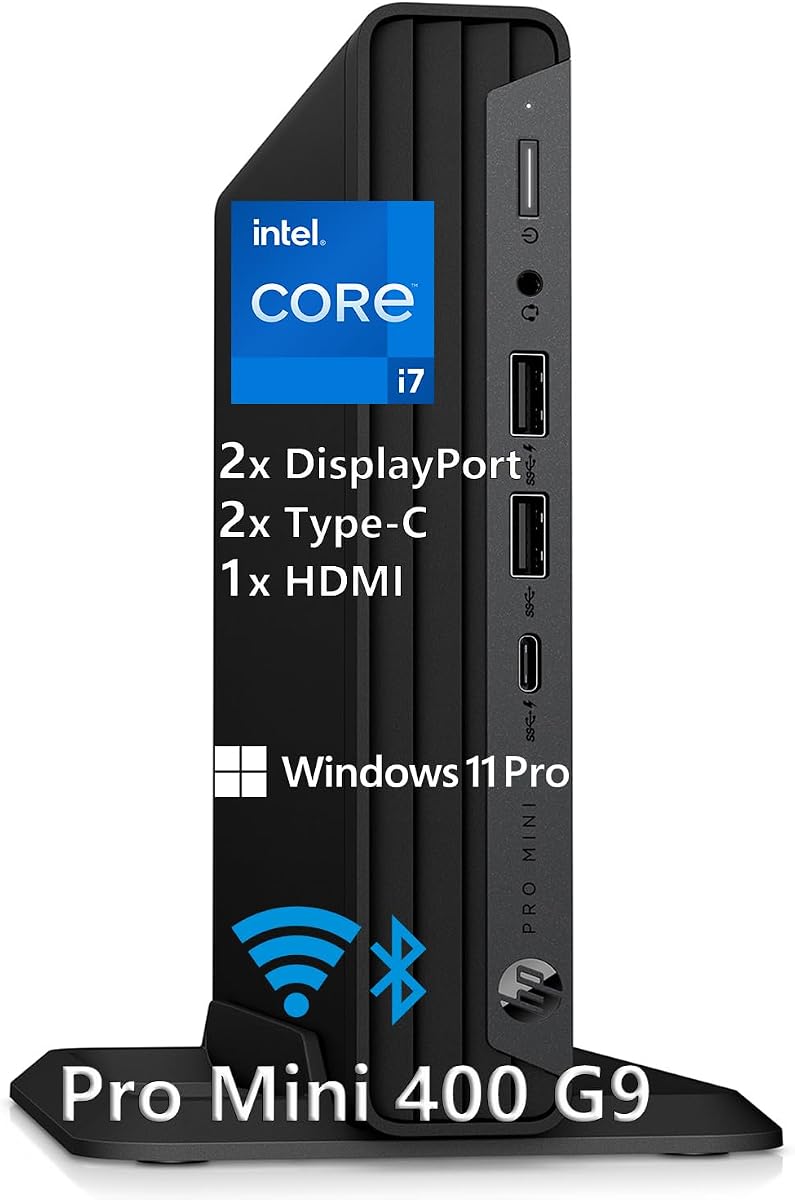
The HP Mini Desktop PC offers 12th Gen Intel i7-12700T performance in a compact design. It delivers workstation-class speed for accounting and video editing tasks. The complete package includes a keyboard and mouse so you can start working immediately.
We may earn a commission when you buy through this link, at no additional cost to you.
It has 16GB of DDR4 RAM and a 512GB NVMe SSD for fast boot times. Triple DisplayPort and HDMI support allow up to three 4K monitors simultaneously. This is perfect for workflows requiring maximum screen space like stock trading.
Universal connectivity includes seven high-speed USB ports including 20Gbps USB-C. The device is whisper-quiet making it suitable for any environment without noise issues. HP brand reputation ensures reliable build quality and professional support for offices.
This is a great choice for businesses needing a reliable all-in-one solution. It handles heavy multitasking and data processing without slowdowns. If you value brand trust and ready-to-use convenience this model is highly recommended.
Includes Windows 11 Pro wired keyboard and mouse for immediate unboxing and use.
Supports three 4K monitors at 60Hz for maximum productivity and screen space.
We may earn a commission when you buy through this link, at no additional cost to you.
The ACEMAGIC K1 Mini PC is a next-gen light office PC with Ryzen 3 7330U. It delivers more performance than N95 chips and is power efficient at 28W. The built-in power supply keeps the desktop neat with only one cable needed.
We may earn a commission when you buy through this link, at no additional cost to you.
It comes with 16GB of LPDDR4 RAM and a 256GB M.2 SSD. Storage can be expanded up to 2TB via M.2 NVMe or SATA slots. Triple 4K display support creates a larger work area for improved efficiency.
The advanced axial fan system is practically silent even under load. You can mount it on a wall using the VESA mount included in the package. WiFi 5 and Bluetooth 4.2 ensure stable wireless connections for peripherals.
This model is ideal for business trips and family entertainment. It handles browsing and light photo editing well. If you need a small PC for basic tasks and streaming this model is a cost-effective choice.
Built-in power supply means only one cable is needed for power keeping the desktop neat.
WiFi 5 and Bluetooth 4.2 provide reliable stable connections for mice and keyboards.
We may earn a commission when you buy through this link, at no additional cost to you.
The KAMRUI AM21 Mini PC is equipped with AMD Ryzen 7 8745HS processor. It delivers an 18% performance leap over Intel Core Ultra 7 155H and rivals dedicated graphics cards. The integrated Radeon 780M offers unmatched graphics capability for 8K displays.
We may earn a commission when you buy through this link, at no additional cost to you.
It features 16GB DDR5 RAM and 1TB PCIe 4.0 SSD. The memory is expandable up to 96GB and storage up to 4TB. USB4 supports 40Gbps transfers and 100W PD charging for laptops. Dual Ethernet ports support teaming for robust networking.
This model supports AV1 codecs for higher-quality video streaming and editing. It is designed to meet current and future computing needs for gamers and creators. Lifetime technical support ensures you get help whenever you need it.
This is a top choice for those seeking desktop-class power in a small unit. It redefines possibilities for mini gaming and editing. If you want a machine with modern architecture and strong graphics this model is an excellent investment.
Supports AV1 codec for smoother higher-quality 8K display and video playback.
USB4 port enables blazing 40Gbps data transfers and quad-display setups.
We may earn a commission when you buy through this link, at no additional cost to you.
Choosing the right Mini PC for Video Editing depends on several technical factors that affect your workflow.
Look for high core count processors like Ryzen 7 or Intel i7. Higher TDP models run cooler and faster under load.
Choose CPUs with at least 8 cores for smooth rendering and multitasking.
Video editing requires fast RAM speeds such as DDR5 or LPDDR5. Aim for at least 16GB for basic 1080p work.
Upgradable RAM slots are vital if you plan to edit 4K footage in the future.
Integrated GPUs like Radeon 680M or 780M handle decoding tasks efficiently. Avoid very low power chips for complex projects.
Ensure the GPU supports modern codecs like AV1 for smooth playback.
A fast NVMe SSD is essential for loading large video files quickly. PCIe 4.0 drives offer faster transfer rates.
Prioritize models with expansion slots to store large media libraries later.
Multiple 4K display outputs increase productivity by allowing split screen workflows. Look for HDMI and USB4 ports.
Triple or Quad display support lets you preview edits while managing other apps.
Gigabit Ethernet or 2.5G LAN ensures stable uploads from cloud servers. Dual LAN ports allow network teaming.
Strong networking is key for editing footage stored on a network drive.
Efficient cooling prevents thermal throttling during long render times. Dual-fan systems often run quieter and more efficiently.
Quiet cooling is important if you work in shared office spaces.
A longer warranty like 3 years gives peace of mind for expensive hardware. Lifetime support helps with driver issues.
Check if parts are covered separately to avoid future replacement costs.
Connect your Mini PC to multiple monitors to maximize screen real estate for editing. Use a fast external SSD for storing active project files.
Keep the vents clean and place the unit in a well-ventilated area to prevent overheating. Dust accumulates easily in small units.
Regularly update graphics drivers to ensure compatibility with new video codecs. Use software tools to monitor system temps during heavy workloads.
Yes many modern Mini PCs can handle 4K video editing efficiently. Look for models with Ryzen 7 or Intel i7 processors and at least 16GB of RAM. Integrated graphics like Radeon 680M or higher provide the necessary decoding power.
Some models have upgradable RAM slots while others do not. Always check the specifications before buying if you need to add memory later. GEEKOM A6 for example allows expansion to 64GB.
You need HDMI or DisplayPort for monitors and USB3.2 or USB4 for fast data transfer. USB4 supports high-speed connections and multiple displays which is ideal for editing workflows.
Yes Mini PCs are generally quieter due to optimized cooling fans. They produce less noise which is great for home offices. However high power models may still spin fans loudly under heavy load.
At least 512GB is a good starting point for active projects. However editing footage can fill up quickly so choose models with M.2 expansion slots to add more storage later.
Not for light to mid level editing. Integrated graphics have improved significantly. For heavy effects and 3D work a dedicated GPU is better but Mini PCs usually rely on strong integrated options.
We reviewed ten powerful Mini PC options for video editing in 2026. The top picks cover budget enthusiasts and premium needs alike.
Prioritize processor speed and RAM capacity for smooth editing. Choose models with upgradable memory to future proof your setup.
Prices and availability change often so verify current details before purchasing. These compact units save space without compromising on performance.