
LG 27GX704A-B
4.5Editor score
Glossy QHD OLED
Dual HDMI 2.1
High brightness peak
This guide compares the top OLED monitors for PS5 Pro to help you find the perfect display for next-generation gaming with stunning visuals and speed.
Choosing the right OLED monitor for PS5 Pro can transform your gaming experience with vibrant colors and deep blacks that bring every scene to life.
We have carefully evaluated ten top-rated models based on refresh rate, response time, color accuracy, and specific features that enhance console gaming performance.
Each pick highlights key strengths and potential trade-offs so you can make an informed decision while noting that pricing and availability may change over time.
4.5Editor score

4.6Editor score

4.6Editor score
Below is a detailed side-by-side comparison of all ten OLED monitors selected for their compatibility and performance with high-end gaming consoles.




This ASUS ROG monitor stands out as a top choice for PS5 Pro gamers seeking high speed and rich color performance without compromise.
We may earn a commission when you buy through this link, at no additional cost to you.
Its 240Hz refresh rate ensures smooth motion clarity while the TrueBlack Glossy panel delivers deep blacks and vibrant HDR highlights.
While the glossy finish may reflect light in bright rooms, the vivid image quality typically outweighs this minor inconvenience for most users.
Enthusiasts who prioritize competitive advantage and visual fidelity will find this model an excellent long-term investment for their setup.
The 0.03ms response time eliminates ghosting making fast-paced shooters feel incredibly responsive and fluid during gameplay.
ASUS OLED Care Pro actively monitors usage patterns to reduce burn-in risks ensuring your display stays pristine over years.
We may earn a commission when you buy through this link, at no additional cost to you.
LG offers a compelling entry point into high-end gaming with this model that balances performance and value effectively for many users.
We may earn a commission when you buy through this link, at no additional cost to you.
The display delivers impressive brightness levels and a high refresh rate that keeps gameplay smooth even in demanding AAA titles.
Although it lacks some advanced HDR certifications found in pricier models the color volume remains strong for immersive storytelling experiences.
Gamers on a budget will appreciate the dual HDMI 2.1 ports which make connecting multiple consoles or PCs straightforward and convenient.
Certified for low blue light and flicker-free operation this monitor helps reduce strain during long gaming sessions.
Dual HDMI 2.1 ports allow easy switching between PS5 Pro and other devices without needing extra adapters.
We may earn a commission when you buy through this link, at no additional cost to you.
This premium monitor combines 4K resolution with a blistering 240Hz refresh rate delivering unmatched sharpness and speed for PS5 Pro games.
We may earn a commission when you buy through this link, at no additional cost to you.
The 4th-gen Tandem QD-OLED technology improves brightness and lifespan significantly over earlier generations making it a durable investment.
While the price is steep the included heatsink ensures stable performance during extended use without thermal throttling or brightness dimming.
Console gamers seeking the absolute best visual fidelity will find the extra cost justified by the crisp text and vibrant HDR effects.
Tandem layers increase the lifespan of the panel reducing the risk of degradation even with heavy daily usage.
The 4K resolution on a 27 inch screen provides pixel-perfect clarity that brings out every detail in modern game textures.
We may earn a commission when you buy through this link, at no additional cost to you.
The 32-inch panel offers a much larger field of view ideal for immersive single-player adventures on the PS5 Pro console.
We may earn a commission when you buy through this link, at no additional cost to you.
It supports dual modes allowing users to switch between 4K for visuals and Full HD for higher frame rates depending on the game.
The glossy finish ensures colors pop and blacks look deep but it may require a controlled lighting environment to minimize reflections.
Players who prioritize immersion and screen real estate over competitive refresh rates will appreciate this display capabilities and size.
Users can choose between 4K resolution or higher refresh rates to suit different types of games and performance needs.
USB-C with power delivery allows easy connection to laptops or mobile devices for versatile use beyond gaming.
We may earn a commission when you buy through this link, at no additional cost to you.
This ultrawide model wraps around your vision providing a cinematic feel that enhances exploration and simulation game genres significantly.
We may earn a commission when you buy through this link, at no additional cost to you.
The QD-OLED panel offers a wide color gamut ensuring skies and landscapes look vibrant and true to life during play.
However some PS5 titles may not support ultrawide resolutions natively limiting compatibility to specific game genres and modes.
Those who love cinematic immersion and play games that support wider aspect ratios will find this display a rewarding upgrade.
The 21:9 ratio expands your field of view giving you more situational awareness in supported racing and flight games.
Advanced motion blur reduction technology keeps visuals sharp even during rapid movement ensuring smooth and clear action.
We may earn a commission when you buy through this link, at no additional cost to you.
This model is designed for users who demand the fastest possible response times paired with high resolution for competitive gaming.
We may earn a commission when you buy through this link, at no additional cost to you.
It features DisplayPort 2.1a which supports higher bandwidth than HDMI allowing future-proof connectivity for next-gen graphics cards.
The tripod socket is a unique feature that allows vertical or angled mounting offering flexibility not found on standard monitors.
While primarily aimed at PC gamers the high specs make it a powerful option for PS5 Pro enthusiasts seeking the ultimate speed.
DisplayPort 2.1a ensures you can take advantage of higher bandwidth features as software and hardware evolve over time.
The integrated tripod socket provides creative mounting possibilities for streamers or those with unique desk setups.
We may earn a commission when you buy through this link, at no additional cost to you.
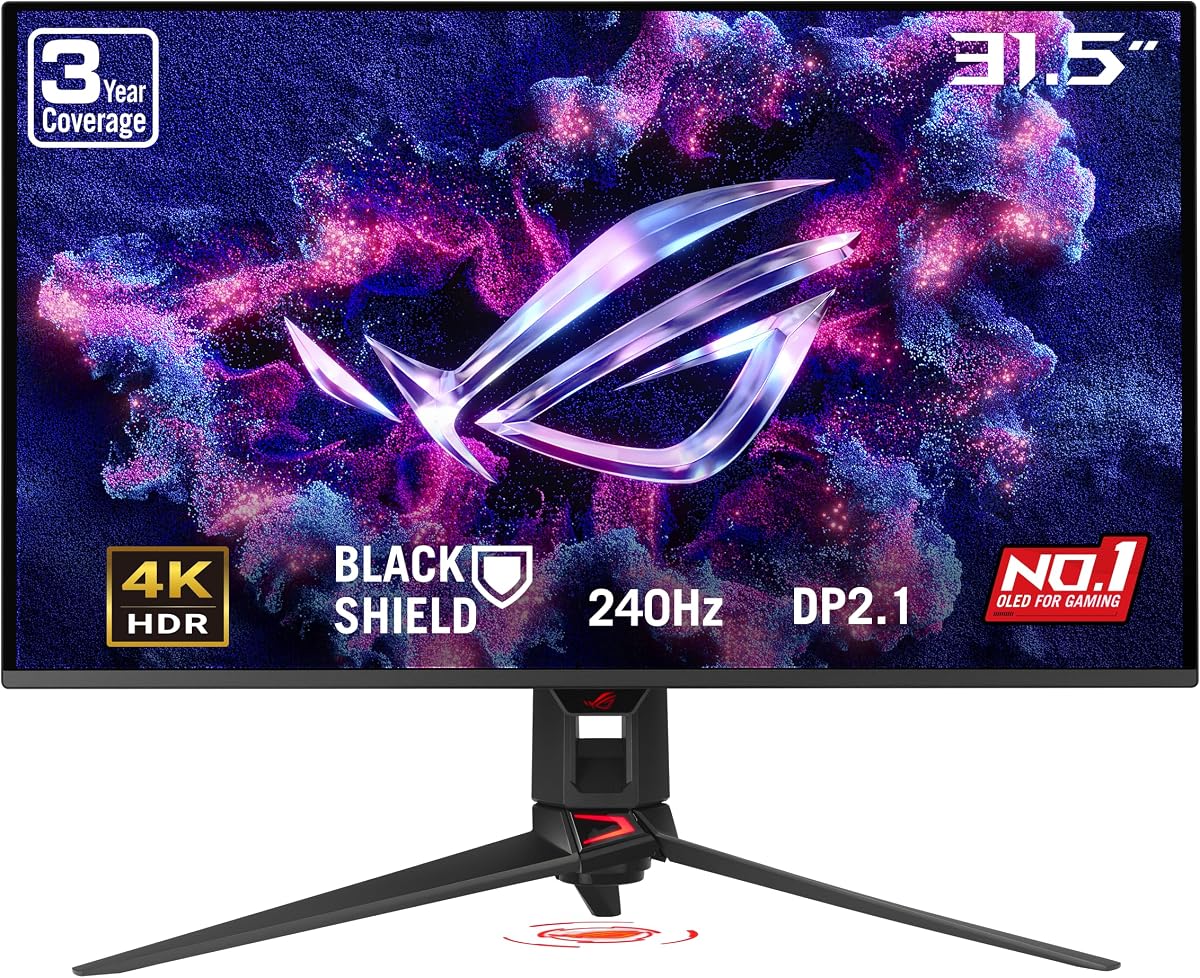
This flagship monitor offers a massive 32 inch 4K screen with a 240Hz refresh rate providing an immense leap in visual performance.
We may earn a commission when you buy through this link, at no additional cost to you.
BlackShield film technology increases scratch resistance and improves perceived black levels ensuring the image remains sharp and consistent.
The high price reflects its cutting-edge specs but it delivers a premium experience for those who want no compromises in size.
Gamers looking for a central piece for a luxury setup will appreciate the sheer scale and clarity of this powerful display.
BlackShield film adds a layer of protection against scratches making the monitor more robust for daily use.
VESA HDR500 compliance ensures that HDR content looks vibrant and detailed with excellent contrast ratios.
We may earn a commission when you buy through this link, at no additional cost to you.
With a 280Hz refresh rate this monitor offers one of the fastest refresh speeds available for smooth and responsive gameplay.
We may earn a commission when you buy through this link, at no additional cost to you.
The Tandem OLED technology boosts brightness and color volume significantly improving the viewing experience in various lighting conditions.
While most PS5 Pro titles may not fully utilize this speed the motion clarity remains superior for competitive shooters.
Speed enthusiasts who want the smoothest possible experience will find the extra cost worth the investment in performance.
The 280Hz refresh rate minimizes motion blur ensuring targets stay clear during high-speed tracking in games.
Tandem OLED layers provide higher peak brightness making HDR highlights pop even in well-lit rooms.
We may earn a commission when you buy through this link, at no additional cost to you.
LG brings a competitive 280Hz model to the market with enhanced brightness technology that rivals much larger or costlier panels.
We may earn a commission when you buy through this link, at no additional cost to you.
The Primary RGB Tandem tech increases brightness and maintains deep blacks ensuring the picture looks vibrant in any lighting.
Built-in audio features like DTS HP:X offer spatial sound through headphones without requiring external amplifiers or mixers.
Gamers who value both visual brightness and immersive audio will find this LG model a versatile choice for modern setups.
DTS Headphone:X provides 3D audio directly through the headphone jack enhancing sound immersion without extra gear.
The LG Switch app allows easy adjustment of display settings and layouts directly from a mobile device.
We may earn a commission when you buy through this link, at no additional cost to you.
Samsung delivers a solid mid-range option with QD-OLED technology offering excellent color accuracy at a competitive price point.
We may earn a commission when you buy through this link, at no additional cost to you.
The Glare Free technology helps reduce reflections making it easier to view the screen in rooms with ambient lighting.
OLED Safeguard keeps the panel cool during heavy use ensuring longevity and consistent performance during long gaming sessions.
This model is ideal for gamers who want vibrant colors and deep blacks without paying for the highest refresh rates.
Glare Free technology reduces reflections significantly making the screen easier to view in bright environments.
The Thermal Modulation System actively manages heat to prevent degradation and extend the monitor lifespan.
We may earn a commission when you buy through this link, at no additional cost to you.
Selecting the ideal OLED monitor for PS5 Pro requires understanding key features that directly impact visual quality and gameplay performance.
Refresh rate determines how many frames the display can show per second which is vital for competitive shooters and racing games.
Aim for 120Hz or higher to ensure smooth motion without stuttering especially when using HDMI 2.1 features.
Response time measures how quickly a pixel changes color affecting motion clarity and ghosting during fast movement.
OLED panels typically offer 0.03ms which is ideal for eliminating blur and keeping action crisp.
Resolution impacts text clarity and image detail with 4K offering sharper visuals than QHD on smaller screens.
Choose 4K if you want maximum sharpness but ensure your console can drive it effectively.
OLED panels provide perfect blacks and infinite contrast making them superior to LCDs for HDR content.
QD-OLED variants add better brightness and color volume while WOLED offers more reliable burn-in resistance.
Burn-in can occur when static images remain on screen for long periods potentially leaving permanent marks.
Look for features like pixel shift or sensor tech that mitigate this risk during daily use.
HDMI 2.1 is essential for PS5 Pro to enable 4K at 120Hz without compression or artifacts.
Dual HDMI ports are useful if you plan to connect multiple consoles or other devices.
Adjustable stands allow height tilt and swivel changes for ergonomic comfort during long sessions.
VESA mount compatibility is valuable if you prefer wall mounting or using a third-party arm.
A strong warranty including coverage for burn-in gives peace of mind given the high cost of OLED panels.
Many brands offer three-year warranties with advance replacement services to minimize downtime.
Set your PS5 Pro to output 4K at 120Hz in system settings to fully utilize the HDMI 2.1 bandwidth.
Use screen savers or auto-dim features if you frequently view static menus for long periods.
Clean the screen gently with a microfiber cloth and avoid harsh chemicals that could damage the coating.
Modern OLED monitors include features like pixel shift and auto-dim that significantly reduce burn-in risks. While static UI elements can cause retention, these protections usually mitigate permanent damage.
To enable 4K at 120Hz you need HDMI 2.1. Most OLED gaming monitors support this standard but confirm the ports support the full bandwidth for optimal performance.
QD-OLED offers brighter colors while WOLED provides better durability. Both deliver excellent contrast and blacks so choose based on your preference for brightness or longevity.
VESA certification ensures the monitor meets brightness and contrast standards for HDR. Look for at least TrueBlack 400 to guarantee good HDR performance.
Yes these monitors work well with PCs offering high refresh rates and fast response times. G-Sync and FreeSync compatibility adds value for PC users.
Glossy screens look more vivid and accurate while matte screens reduce glare. Choose glossy for dark rooms or matte for bright environments.
Prices typically range from $350 to over $700 depending on the resolution and refresh rate. Higher refresh rates and newer tech increase the cost significantly.
Given the price and burn-in risks a warranty covering burn-in is highly recommended. Brands like ASUS often include this in their standard packages.
The ASUS ROG XG27AQDMGR stands out as the top all-rounder offering speed clarity and reliability for most players.
Prioritize refresh rate and connectivity for competitive needs or go for higher resolution and brightness for cinematic experiences.
Always check current prices and availability as deals fluctuate frequently for these high-demand displays.