
Logitech Flip Folio Keyboard Case
4.5Editor score
High-precision trackpad
Backlit keys
Military-grade drop protection
This guide compares the top 10 iPad Air Folio Case with Keyboard options for 2026, evaluating build quality, typing comfort, and value to help you choose.
Finding the right iPad Air Folio Case with Keyboard can transform your tablet into a powerful workstation. You need a case that offers protection, typing comfort, and reliable connectivity without adding unnecessary bulk to your daily carry.
We have compared ten top-rated models based on build quality, typing experience, trackpad functionality, and overall value. This list covers options from Apple and Logitech to budget-friendly alternatives that still deliver solid performance for students and professionals.
Each pick highlights key features, pros, and cons to help you make an informed decision. Please note that product availability and prices can change frequently, so always check the latest details before making your final purchase.
4.5Editor score

4.5Editor score
4.3Editor score
This side-by-side comparison highlights the key specifications and unique features of each model to help you quickly identify which one fits your workflow and budget needs.


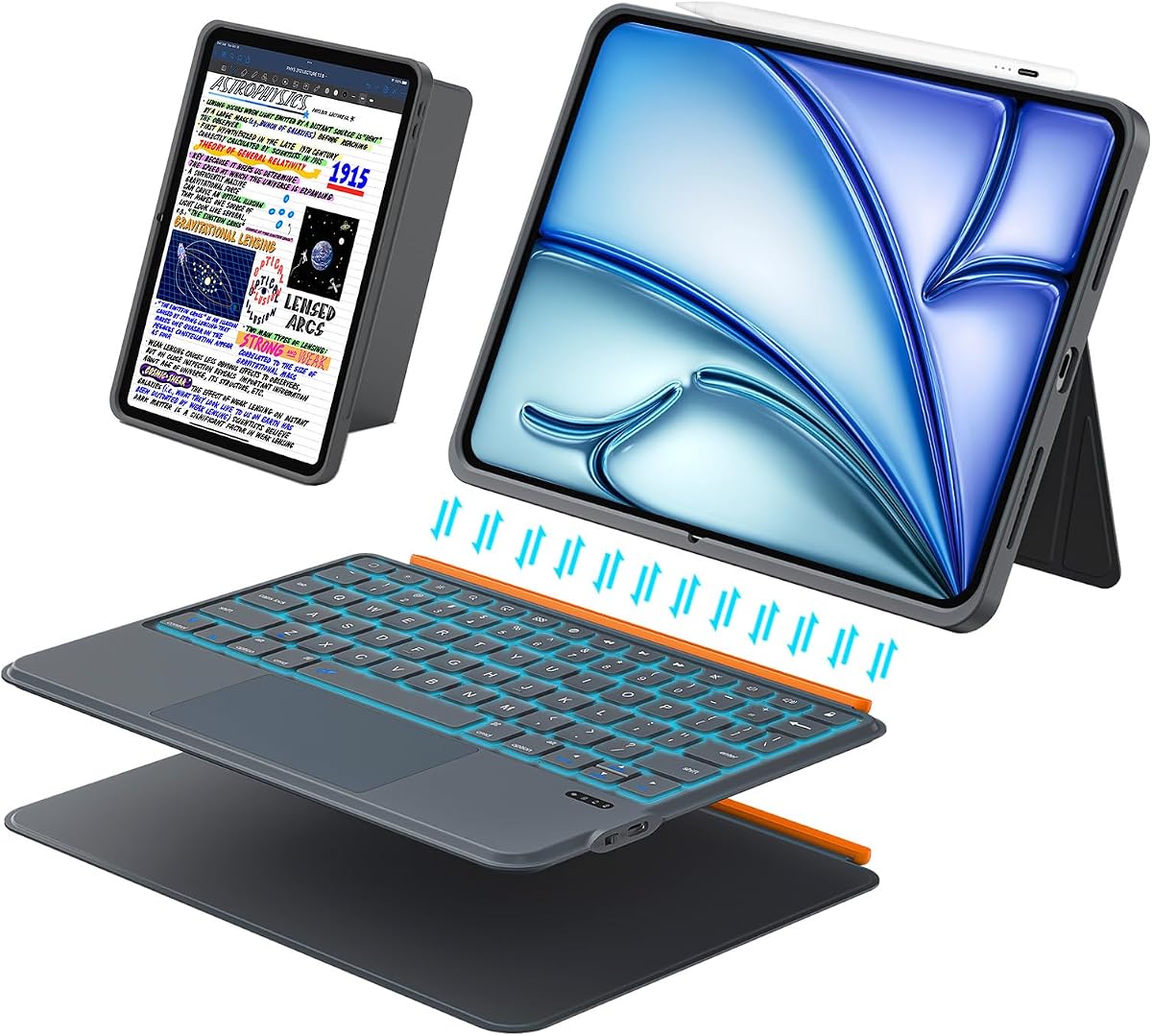


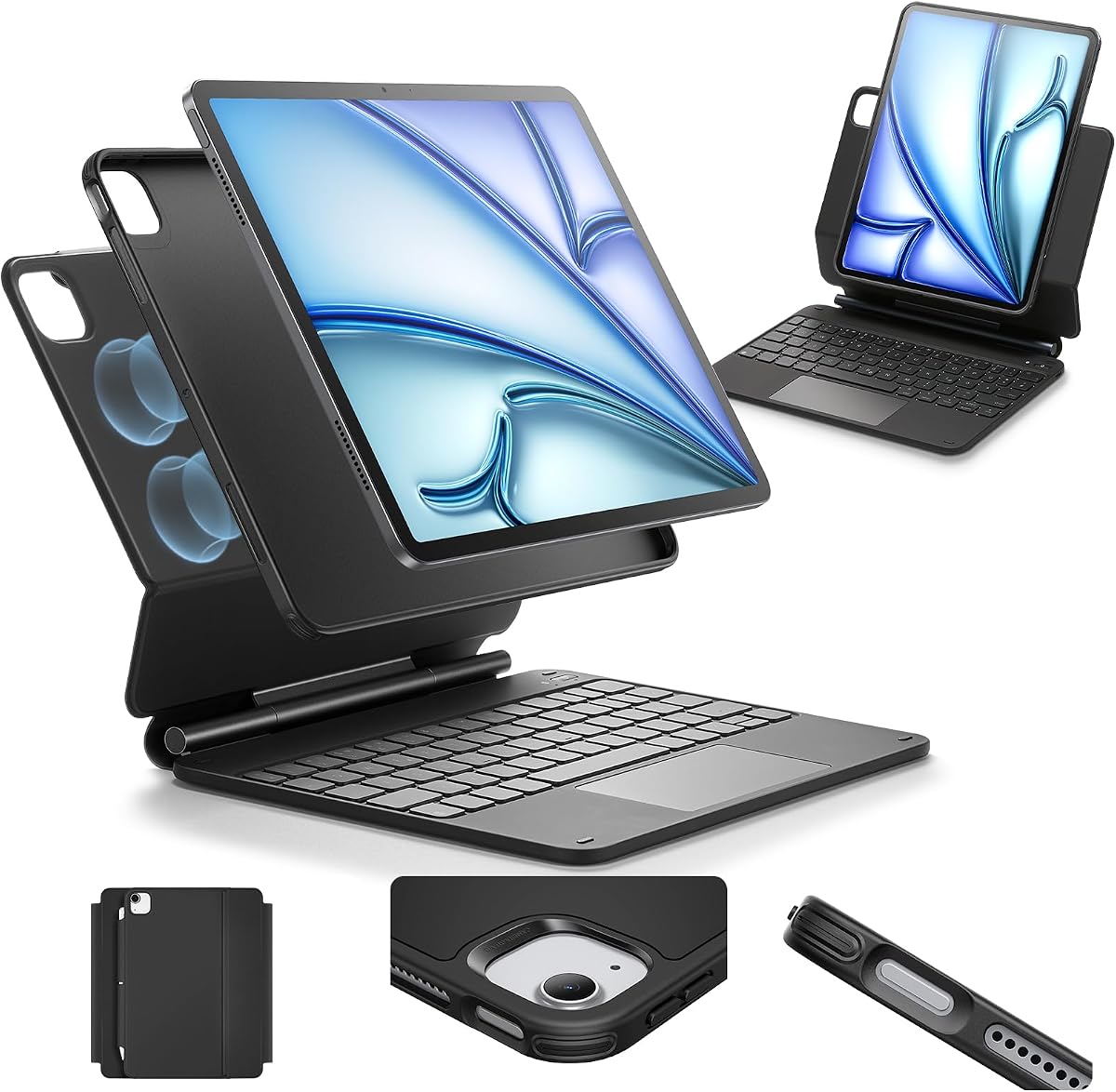
The Apple Magic Keyboard stands out as the top choice for users seeking a premium typing and protection solution for their iPad Air. With a high rating, it delivers a seamless experience that feels like a traditional laptop setup.
We may earn a commission when you buy through this link, at no additional cost to you.
Its floating cantilever design provides smooth adjustable viewing angles while the scissor mechanism keys offer comfort and precision. The built-in trackpad supports multi-touch gestures, enhancing navigation without needing to touch the screen.
While it is more expensive than third-party options, the lack of a backlight and limited angle range may be trade-offs for some. However, the pass-through charging and durable construction justify the investment for many.
This keyboard is ideal for professionals and students who prioritize build quality and typing comfort over budget savings. If you want the official Apple experience, this is the definitive pick.
The scissor mechanism keys provide a tactile and responsive feel that rivals traditional laptops, making long typing sessions comfortable.
As an official Apple product, it connects instantly and uses USB-C pass-through to charge your iPad without needing a separate cable.
We may earn a commission when you buy through this link, at no additional cost to you.
The Logitech Flip Folio offers a robust alternative to Apple's official keyboard with added features like backlighting and military-grade protection. It is highly rated for its versatility and typing accuracy.
We may earn a commission when you buy through this link, at no additional cost to you.
The backlit keys automatically adjust to your environment, ensuring visibility in low-light settings. Its trackpad supports all standard multi-touch gestures, making navigation smooth and intuitive across tasks.
While it is pricier than third-party options, the Smart Connector power source means you never need to charge it separately. However, the added bulk may not suit those wanting a minimalist setup.
This case is perfect for users who need a durable, feature-rich solution that rivals a laptop. It balances premium features with solid protection for daily use.
With four distinct use modes for typing, sketching, viewing, and reading, this case adapts to various workflows effortlessly.
Meeting MIL STD 810G standards, the case protects against drops and scratches while keeping your pencil accessible inside.
We may earn a commission when you buy through this link, at no additional cost to you.
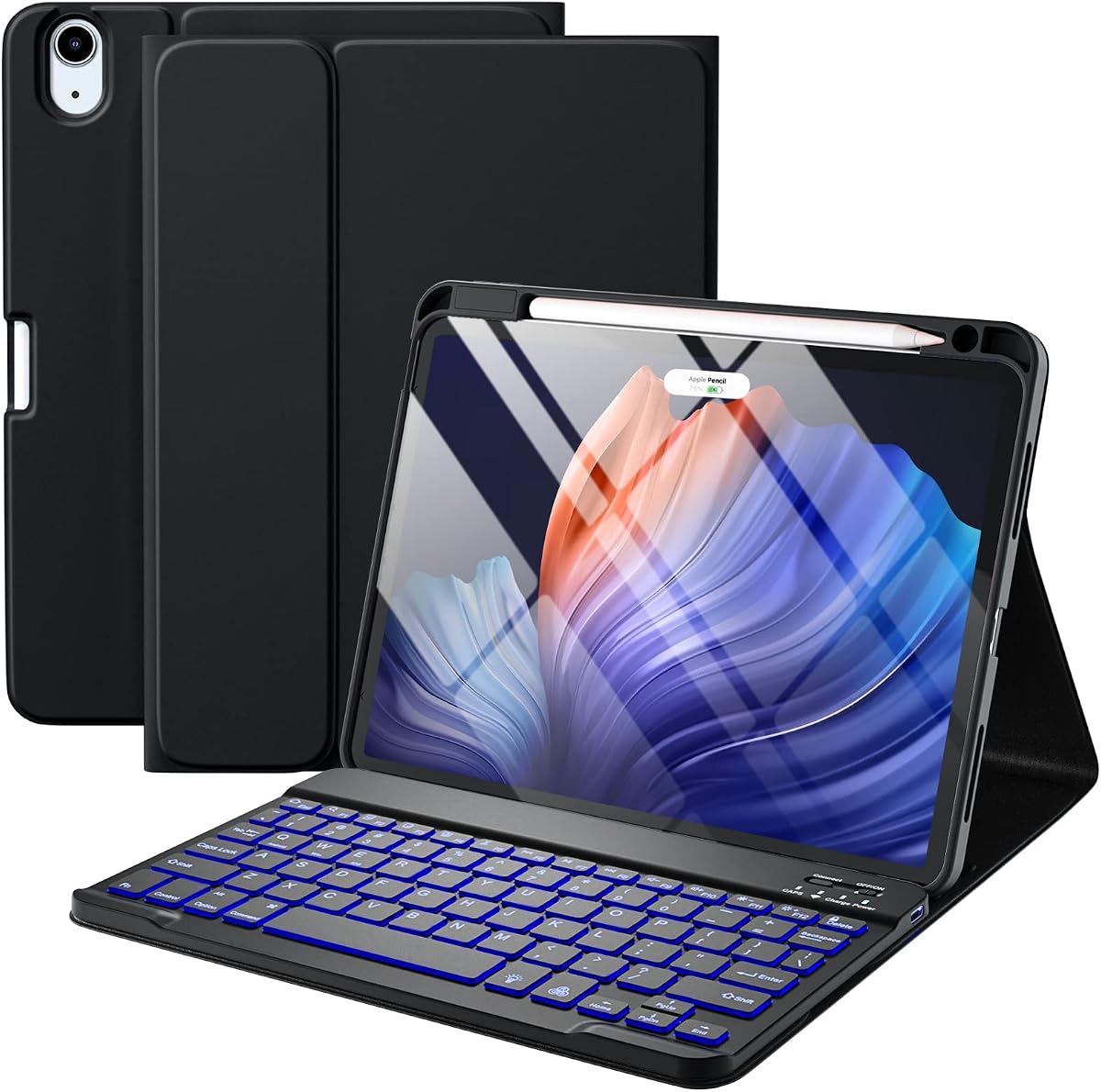
The Harvopu case provides an affordable solution for those wanting a keyboard and case without the high price tag. It includes a detachable backlit keyboard and supports pencil charging directly.
We may earn a commission when you buy through this link, at no additional cost to you.
You can choose from seven colors and three brightness levels for the backlight, making it ideal for night work. The anti-slip grooves allow for adjustable viewing angles to suit your comfort.
Although it lacks a built-in trackpad compared to premium models, the connectivity is stable and quick to pair. The battery life is impressive, lasting weeks on a single charge.
This is the best option for students or casual users looking for value. It covers the essentials of typing and protection without breaking the bank.
The customizable backlight ensures you can type clearly in any lighting condition, adding a premium feel to a budget device.
With a built-in pen tray that charges your pencil without removing the case, it keeps your accessories organized and ready.
We may earn a commission when you buy through this link, at no additional cost to you.
The ESR Ultra-Light keyboard case is perfect for users who prioritize portability without sacrificing functionality. It features a magnetic detachable design and a large precision trackpad for navigation.
We may earn a commission when you buy through this link, at no additional cost to you.
At just 6.9 mm thick, it adds minimal bulk to your tablet, making it easy to carry. The large trackpad supports intuitive gestures, enhancing productivity even without a mouse.
While it lacks a backlight, the typing experience is solid and the two viewing angles provide stability for work. The reinforced corners ensure your device is protected from accidental drops.
This is a great choice for travelers or commuters who need a lightweight solution. It offers a good balance of thinness and utility.
Its ultra-thin profile makes it one of the lightest options available, ideal for those who carry their iPad everywhere.
The extra-large trackpad allows for smooth scrolling and gestures, making media consumption and multitasking easier.
We may earn a commission when you buy through this link, at no additional cost to you.
This Magic-Style keyboard case combines affordability with a rich feature set including a trackpad and backlight. It is designed to mimic the functionality of premium keyboards at a lower cost.
We may earn a commission when you buy through this link, at no additional cost to you.
The backlight has three brightness levels for visibility in any setting. The 750mAh battery ensures you can work for months on a single charge depending on usage.
It offers enhanced protection with a sturdy base and synthetic vegan leather cover. While it is slightly heavier, the features justify the added weight for many users.
Ideal for users who want premium features without the premium price, this case is a solid all-rounder. It supports various iPad models and offers great versatility.
With a massive battery capacity, you can type for weeks without worrying about recharging the keyboard separately.
The multi-touch trackpad enables quick navigation, reducing the need to reach for the screen during complex tasks.
We may earn a commission when you buy through this link, at no additional cost to you.
This versatile case supports a wide range of iPad models and offers a 160-degree adjustable stand for optimal viewing. It includes a backlit keyboard and a precision trackpad for navigation.
We may earn a commission when you buy through this link, at no additional cost to you.
The Bluetooth 5.3 ensures a stable and lag-free connection, letting you switch between devices easily. The skin-friendly PU leather feels smooth and protects the tablet from scratches.
Its stand supports both vertical and horizontal placements, which is rare for this category. The keyboard is quiet and comfortable, making it suitable for long typing sessions.
Perfect for users who need flexibility in viewing angles, this case covers most use cases well. It combines utility with strong protection at a reasonable price.
The 160-degree adjustable stand allows you to find the perfect angle for any environment, from desk work to reading on a couch.
With a scissor structure and low travel, the keys are quiet enough for shared spaces without sacrificing tactile feedback.
We may earn a commission when you buy through this link, at no additional cost to you.
The Apple Smart Keyboard Folio is a classic choice for those who prefer fabric over hard plastic. It offers a slim profile and requires no charging since it connects directly.
We may earn a commission when you buy through this link, at no additional cost to you.
The fabric keycaps are durable and comfortable for typing. It folds neatly to protect the front and back of your iPad without adding bulk to your bag.
While it lacks a trackpad and backlight, it is a reliable option for straightforward typing tasks. The renewed status makes it more affordable while keeping quality high.
This is best for users who want a simple, no-fuss typing solution. If you do not need advanced features, this remains a solid contender.
Since it draws power from the Smart Connector, you never have to worry about battery levels or charging cables for the keyboard.
The slim profile ensures it fits easily into bags and cases, making it a great choice for travel.
We may earn a commission when you buy through this link, at no additional cost to you.
This renewed Logitech Folio Touch brings back the beloved features of the original model with a trackpad and backlight at a lower price. It is great for those wanting premium features for less.
We may earn a commission when you buy through this link, at no additional cost to you.
The backlit keys adjust to your lighting, and the trackpad supports all standard gestures for navigation. It connects instantly via the Smart Connector, so no pairing is needed.
While it is an older model, the build quality remains high and it meets military standards for protection. The renewed condition ensures you save money while getting a tested device.
Ideal for users looking for a cost-effective premium experience, this case offers great value. It is a reliable choice for students and professionals alike.
The high-precision trackpad allows you to navigate iPadOS gestures easily, enhancing your workflow without external accessories.
Buying renewed gives you access to top-tier features at a fraction of the original cost while maintaining quality.
We may earn a commission when you buy through this link, at no additional cost to you.
This updated Harvopu model offers a customizable backlight with seven colors to match your mood. It includes a multi-touch trackpad and strong magnetic detachment for versatility.
We may earn a commission when you buy through this link, at no additional cost to you.
The trackpad enhances navigation and productivity by reducing screen taps. You can switch between typing and tablet modes quickly, making it perfect for multitasking.
The adjustable viewing angles ensure you find a comfortable position for any task. While it uses Bluetooth, the connection is stable and pairing is quick with modern tablets.
This is a great choice for users who want personalization and functionality. It balances fun features with practical tools for work and play.
Choose from seven vibrant colors to make your typing experience more enjoyable and stylish in any environment.
The strong magnetic hold lets you attach or detach the keyboard instantly, adapting to your workflow in seconds.
We may earn a commission when you buy through this link, at no additional cost to you.
This ESR model focuses on ergonomics with a floating cantilever stand that improves posture. It includes a sensitive multi-touch trackpad and supports multiple view modes for comfort.
We may earn a commission when you buy through this link, at no additional cost to you.
The quick-set magnetic stand lets you open the case to your perfect angle instantly. The trackpad is extended for precise control, making it easier to navigate complex tasks.
While it lacks backlighting, the build quality is robust and the protective cover keeps the iPad safe. It is a great option for users who type for long periods.
Ideal for those prioritizing posture and comfort, this case delivers on ergonomics. It is a solid choice for office work or prolonged usage.
The raised screen view helps reduce strain on your neck and back, making it ideal for long working hours.
The extended multi-touch trackpad allows for precise navigation, enhancing productivity for detailed editing tasks.
We may earn a commission when you buy through this link, at no additional cost to you.
Choosing the right case involves balancing build quality, typing comfort, and additional features like trackpads or backlights.
Decide between Bluetooth keyboards and those with Smart Connectors. Bluetooth offers flexibility but requires charging, while Smart Connectors are convenient but limited to specific models.
Look for scissor mechanisms that mimic laptop keyboards for better comfort and accuracy during long typing sessions.
A built-in trackpad can significantly improve productivity by allowing you to navigate without touching the screen. Ensure it supports multi-touch gestures for smooth operation.
Check the trackpad size to ensure it is large enough for your needs and responsive to gestures.
Protection is key for a case. Look for features like drop ratings, reinforced corners, and sturdy materials that shield your iPad from accidents.
Ensure the case offers full coverage while still providing access to all ports and buttons easily.
An adjustable stand allows you to find the perfect viewing angle for typing or watching content. This feature is crucial for maintaining good posture.
Opt for a case that offers multiple angles or a wide range of tilt for versatility.
Backlighting is essential if you plan to work in low-light environments. Check if the brightness is adjustable to suit your preference.
Some models offer multiple colors, adding a personal touch to your setup while improving visibility.
If you use an Apple Pencil, ensure the case supports charging and storage without removing the tablet. This keeps your tools accessible.
Look for built-in trays or magnetic attachments that securely hold your pencil while protecting it.
Materials like vegan leather or military-grade plastics ensure your case lasts. Check for reinforced corners and quality stitching or molding.
A durable case protects your investment and maintains its appearance over time.
Determine your budget and what features matter most. Premium models offer better build quality, while budget options cover the basics.
Consider long-term value by choosing a case that fits your workflow and offers reliable performance.
To set up, attach the case securely to your iPad and ensure the Smart Connector or Bluetooth pairing is successful. Check that all ports remain accessible for charging.
Clean the keyboard and trackpad regularly with a soft, dry cloth to prevent dust buildup. Avoid harsh chemicals that could damage the materials.
When not in use, close the case to protect the screen and keyboard. Store your iPad in a cool, dry place to maintain battery health.
It depends on the model. Some use Smart Connectors to draw power from your iPad, while Bluetooth models have rechargeable batteries. Check the product specs to know which type you are buying.
Most cases are designed to support the Apple Pencil for charging and storage without removing the device. Look for built-in trays or magnetic attachments for convenience.
Trackpads are helpful for productivity as they allow you to navigate without touching the screen. While not strictly necessary, they make multitasking much smoother for many users.
Use a soft, dry cloth to wipe away dust and debris. Avoid using liquids directly on the keys, as this can damage the electronics underneath.
Most iPad cases are not waterproof. They provide basic protection against splashes, but avoid exposing them to water to prevent damage to the electronics.
Compatibility varies by generation. Check the specific model numbers listed in the product details to ensure the case fits your iPad Air version correctly.
Some models allow detached typing for a lighter experience. However, this might reduce stability since the base is not attached to the tablet.
If using Bluetooth, re-pair the keyboard in settings. For Smart Connector models, ensure the pins are clean and aligned properly with the iPad.
We hope this guide helps you find the perfect combination of protection and typing for your iPad Air. The options range from premium to budget-friendly to suit all needs.
Prioritize features that match your workflow such as trackpads for productivity or backlights for night work. Ensure the case offers the stability you require.
Always check the latest prices and availability before purchasing. A good case protects your investment and enhances your daily usage significantly.