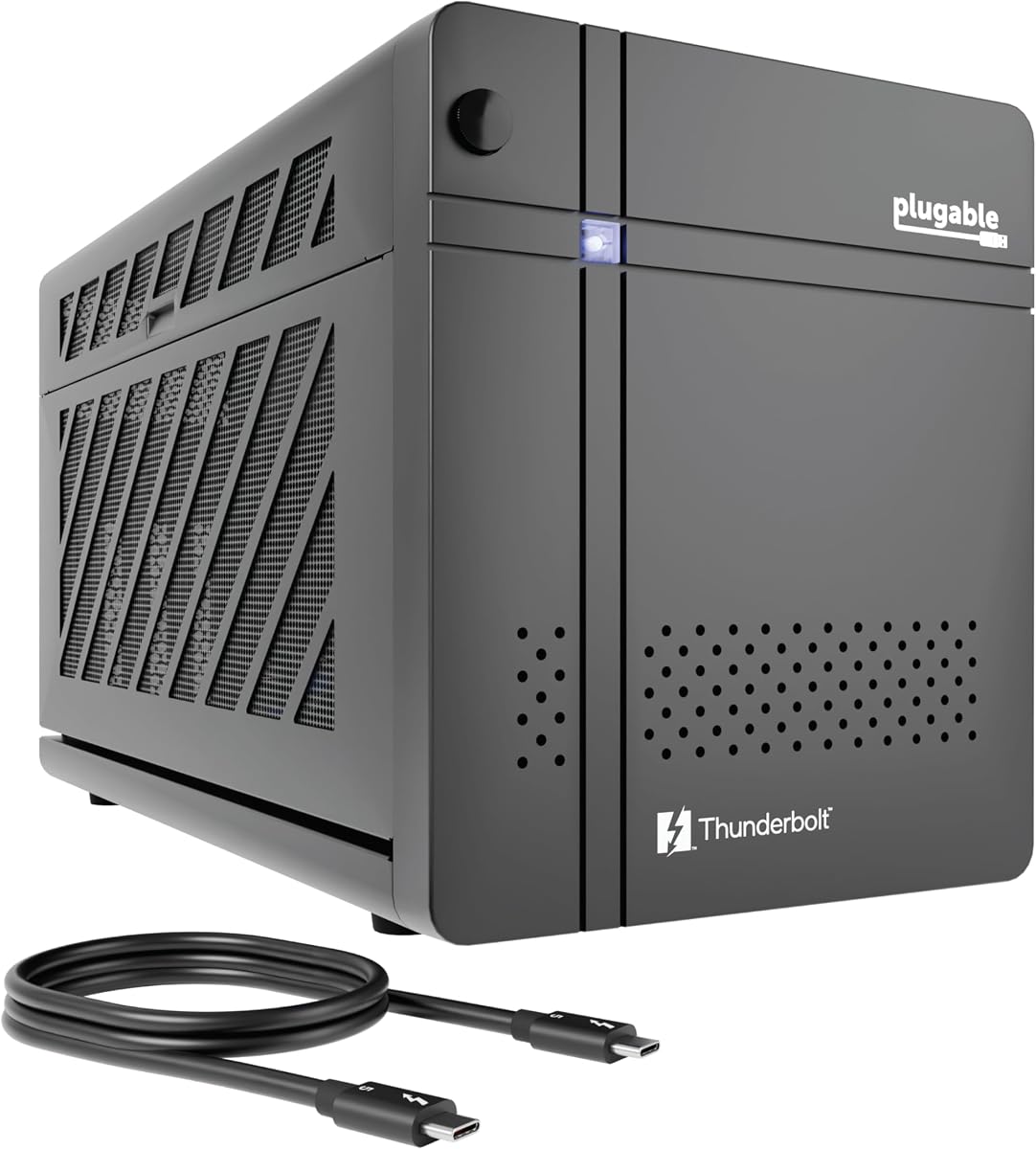
Plugable Thunderbolt 5 AI eGPU Enclosure
5.0Editor score
80Gbps Bandwidth
AI Model Optimization
Modular PSU Design
This comprehensive guide compares the top 10 eGPU enclosures for Thunderbolt and USB4 laptops, evaluating performance, compatibility, and features for gaming
External GPU enclosures transform laptops into powerful desktop workstations by allowing users to connect high-performance graphics cards. These devices bridge the gap between portable convenience and raw graphical power, essential for gamers and professionals alike.
We evaluated ten leading models based on bandwidth speed, power supply capacity, cooling efficiency, and overall build quality. Each product was assessed for compatibility with modern laptops and its ability to handle demanding creative and gaming workloads effectively.
Every selection highlights unique strengths such as AI optimization, compact design, or maximum power delivery. Prices and availability fluctuate frequently, so verify current details before purchasing to ensure you get the best value for your specific needs.
5.0Editor score

4.0Editor score

3.9Editor score
This table provides a side-by-side comparison of all ten selected enclosures. Review key specifications like bandwidth, power support, and unique features to find the perfect match for your system requirements.


The Razer Core X V2 leads the pack with its adoption of Thunderbolt 5 technology offering unmatched bandwidth for external graphics. It ensures that even the most demanding applications run smoothly without bottlenecking the host system performance.
We may earn a commission when you buy through this link, at no additional cost to you.
Its design accommodates massive graphics cards up to four slots wide while providing a robust power delivery system for laptops. The active cooling system keeps components at optimal temperatures during intense gaming or rendering sessions.
Users should note that while it supports the latest Windows laptops it is not compatible with Apple Silicon Macs which limits its audience. The build quality justifies the investment for those seeking future-proof connectivity options.
This enclosure is ideal for professionals and gamers needing maximum throughput from their hardware. It stands out as the top recommendation for anyone upgrading their setup with next-gen ports.
Thunderbolt 5 ensures that this enclosure remains relevant for years to come as bandwidth demands increase.
The built-in fan automatically adjusts based on load maintaining safe operating temperatures for your GPU.
We may earn a commission when you buy through this link, at no additional cost to you.
The Sonnet Breakaway Box 850 T5 is built for users who demand absolute maximum power and connectivity options. Its 850 watt power supply ensures that even the most energy-hungry graphics cards will run without issues.
We may earn a commission when you buy through this link, at no additional cost to you.
In addition to power it includes a built-in Thunderbolt 5 dock providing extra ports for peripherals and networking. This makes it a true workstation solution rather than just a graphics enclosure.
The main drawback is its size and price which may be overkill for casual users. However for those needing desktop replacement capabilities the investment delivers exceptional reliability and speed.
Choose this model if you need to run triple-wide GPUs or require extensive connectivity without extra hubs. It represents the pinnacle of premium eGPU enclosure design available today.
With 850 watts available you can power nearly any consumer graphics card with plenty of headroom.
Integrated USB and Ethernet ports reduce cable clutter on your desk while expanding connectivity.
We may earn a commission when you buy through this link, at no additional cost to you.
This enclosure is specifically designed to support local AI model inference keeping your data private and secure. It runs models like Llama 3 without sending sensitive data to external servers ensuring complete control over your workflows.
We may earn a commission when you buy through this link, at no additional cost to you.
The hardware supports massive bandwidth through Thunderbolt 5 which is crucial for training and inference tasks that move large data sets. The included 850 watt power supply is robust enough to handle high-end cards efficiently.
While it is excellent for AI developers it may not be the first choice for pure gaming due to its specialized focus. However the build quality and support from the North American team are exceptional.
It is the perfect choice for enterprises and researchers needing secure local computing power. This model sets a new standard for privacy-conscious AI hardware integration.
Data never leaves your perimeter reducing risks associated with cloud-based AI processing and subscriptions.
Lifetime support and TAA compliance make this suitable for government and large-scale IT deployments.
We may earn a commission when you buy through this link, at no additional cost to you.
This enclosure stands out for its complete kit approach offering everything needed to get started without extra purchases. The included carrying case and power supply make it ready for travel immediately upon unboxing.
We may earn a commission when you buy through this link, at no additional cost to you.
The compact design is perfect for laptops where space is at a premium but performance is still required. It supports most common GPU sizes and offers reliable charging capabilities for your host device.
The main limitation is the power supply which may not suffice for the largest high-end graphics cards available today. However for mid-range cards it provides an excellent balance of portability and power.
Choose this if you need a turnkey solution for boosting graphics without complexity. It is highly recommended for students and travelers needing desktop-grade power on the go.
The included carrying case protects your investment during transport ensuring safety for mobile setups.
Having the power supply and cables included saves time and ensures compatibility out of the box.
We may earn a commission when you buy through this link, at no additional cost to you.
The ANQ-L336 Mini is tailored for users of handheld gaming consoles like the ROG Ally X. It provides the necessary power delivery to enable turbo modes while supporting external graphics effectively.
We may earn a commission when you buy through this link, at no additional cost to you.
Supporting multiple power supply formats gives users flexibility to choose based on their existing hardware needs. It also remains one of the few options that maintains compatibility with macOS systems.
Performance is slightly limited by Thunderbolt 3 speeds compared to newer Thunderbolt 5 models. However for a compact and affordable solution it remains a strong contender for portable gaming setups.
Buy this if you own a handheld console and want to plug into a larger monitor occasionally. It offers great value for those seeking portability and Mac support.
Designed specifically to work with USB4 handhelds enhancing their gaming experience significantly.
Supports ATX SFX and DC supplies so you can reuse existing power units if available.
We may earn a commission when you buy through this link, at no additional cost to you.
This model offers unique flexibility for running local AI models on Apple Silicon Macs using specific applications. It bridges the gap between gaming and AI development without requiring entirely separate hardware.
We may earn a commission when you buy through this link, at no additional cost to you.
The dual Thunderbolt ports allow for daisy chaining or multiple device connections without needing extra hubs. Support for standard ATX power supplies makes it easy to upgrade the power source if needed.
While the controller is stable users must be prepared to handle some driver settings for optimal performance. It is a versatile choice for tech enthusiasts who want to experiment with local AI.
Select this if you want a dual-purpose enclosure for creative work and AI experimentation. It stands out for its unique compatibility with AI tools on Mac systems.
Enables running LLMs on Apple Silicon via specific apps for privacy focused AI development.
Official Intel controllers ensure reliable data transfer minimizing connection drops during use.
We may earn a commission when you buy through this link, at no additional cost to you.
The Breakaway Box 750ex is a trusted name in the eGPU world for its stable Thunderbolt 3 performance. It remains a solid option for users with older laptops that do not yet support Thunderbolt 5.
We may earn a commission when you buy through this link, at no additional cost to you.
With 750 watts of power it handles a wide range of graphics cards suitable for both gaming and professional work. The addition of Ethernet and USB ports adds valuable connectivity for a workstation setup.
While it lacks the bandwidth of newer models it provides consistent performance without the premium price of newer tech. This makes it a smart choice for budget-conscious buyers with compatible older systems.
Ideal for users with Macs or laptops that only have Thunderbolt 3 ports. It delivers reliable performance and essential features for a stable graphics upgrade.
Thunderbolt 3 has been extensively tested ensuring stable connections for critical professional workflows.
Extra USB and Ethernet ports turn the enclosure into a versatile docking station for peripherals.
We may earn a commission when you buy through this link, at no additional cost to you.
This unit is designed for users comfortable with setting up their own power supplies and connections. It offers a great entry point into external graphics without the high cost of pre-installed power units.
We may earn a commission when you buy through this link, at no additional cost to you.
The certified controller ensures stable data transfer which is crucial for avoiding crashes or performance drops. It works well with a variety of laptops and handhelds supporting both Thunderbolt and USB4 protocols.
Buyers must note that it requires careful selection of a compatible power supply and some technical know-how. It is best suited for hobbyists who want to customize their setup completely.
Choose this if you already have a spare power supply and want to save money. It offers excellent value for those willing to handle the technical setup themselves.
Allows you to use existing ATX or SFX power supplies reducing overall project costs.
Extra ports allow the enclosure to act as a secondary dock for your peripherals.
We may earn a commission when you buy through this link, at no additional cost to you.
This docking station offers unique flexibility by supporting both Thunderbolt 5 and OCuLink interfaces for different performance needs. The M.2 NVMe slot allows you to store AI models locally on the dock itself.
We may earn a commission when you buy through this link, at no additional cost to you.
Switching between docking mode and pure GPU mode allows users to optimize performance based on current tasks. The built-in signal booster helps maintain stable connections even during high bandwidth usage.
While powerful it requires a host device that supports OCuLink to utilize all features fully. For users with compatible systems it provides a future-proof and highly versatile expansion solution.
It is perfect for enthusiasts who want maximum control over bandwidth and storage options. This model offers a unique hybrid approach to external graphics expansion.
Direct storage on the dock keeps project files synced across different host devices easily.
Support for both OCuLink and TB5 ensures you can choose the best interface for your needs.
We may earn a commission when you buy through this link, at no additional cost to you.
This enclosure is virtually identical to another model in the list but offers exceptional value for its price. It includes all necessary cables and a carrying case making it ready to use immediately.
We may earn a commission when you buy through this link, at no additional cost to you.
The compact build and high user rating suggest a reliable and user-friendly experience for most common use cases. It is a fantastic choice for those wanting a straightforward upgrade without technical complications.
Like other compact options it is limited by its power supply size which may not fit the largest cards. However for most mid-range GPUs it performs exceptionally well without issues.
Recommend this for users who want a safe bet with a proven track record. It provides a smooth experience for those new to external graphics upgrades.
High rating and included accessories make this an attractive option for budget buyers.
Carrying case ensures safe transport allowing for easy setup at different locations.
We may earn a commission when you buy through this link, at no additional cost to you.
Selecting the right eGPU enclosure depends on your specific needs, host device capabilities, and budget. This guide outlines the most critical factors to consider before making your purchase.
The interface type determines how much data can travel between your laptop and the GPU. Thunderbolt 5 offers the highest speeds at 80Gbps while Thunderbolt 3 and 4 provide solid performance for most tasks.
Choose the fastest interface your laptop supports to avoid bottlenecks during intensive workloads like gaming or rendering.
Different graphics cards have different power requirements ranging from low wattage models to high-end ones needing over 500 watts. Ensure the enclosure can supply enough power for the specific GPU you plan to use.
Always check the wattage rating and connector types to ensure compatibility with your selected graphics card.
Enclosures vary significantly in size meaning some may not fit your graphics card physically. Check the maximum supported GPU dimensions such as length, width, and height before purchasing.
Selecting a unit that supports the physical size of your card is essential to avoid installation issues.
Effective cooling is vital to maintain peak performance during long sessions without throttling. Look for enclosures with active cooling fans that adjust speed based on temperature loads.
Good thermal management ensures your components last longer and run quietly under heavy loads.
Some enclosures include extra ports for Ethernet, USB, or display outputs which can reduce cable clutter. These built-in docks can turn the enclosure into a versatile workstation hub.
Prioritize models with extra ports if you want to simplify your desk setup beyond just graphics acceleration.
Not all enclosures support every operating system particularly Apple Silicon Macs or Linux systems. Verify that the product explicitly supports your OS to avoid driver or connection issues.
Confirm OS compatibility in the product description to ensure your chosen model works with your computer.
If you plan to move your setup frequently consider the weight and size of the enclosure. Compact models with carrying cases are ideal for travelers who need to move between locations.
Balance performance with portability to find an enclosure that fits your lifestyle requirements.
Prices range significantly from affordable DIY options to premium all-in-one kits. Determine how much you are willing to spend and if you already have necessary components like power supplies.
Investing in a higher quality unit may save money long term by providing better reliability and support.
First connect your host device to the enclosure using a high-quality cable to ensure stable data transfer. Make sure to install any necessary drivers on your operating system to enable proper recognition of the external graphics card.
Second power on the enclosure before starting your computer to prevent connection errors. This helps ensure the system recognizes the GPU correctly during boot up and avoids initialization problems.
Third regularly clean the vents of the enclosure to prevent dust buildup which can lead to overheating. Use compressed air occasionally to maintain optimal airflow and extend the life of your hardware components.
Most enclosures support standard desktop GPUs but you must check the physical dimensions and power requirements. Some units have size limits or wattage caps that restrict which cards can be installed internally.
It depends on the model. Some come with a power supply included while others require you to use your own ATX or SFX unit. Always verify if the power supply is included or sold separately.
Compatibility varies. Many modern units support Windows but Mac support can be limited especially on Apple Silicon chips. Check the product details to ensure your Mac model is officially supported.
Performance gains depend on your laptop and the GPU installed but expect near-desktop performance for gaming and creative work. Some users report significant speedups in rendering and gaming frame rates.
Most Thunderbolt and USB4 enclosures support hotplugging but it is often safer to restart your system after connecting. This ensures the drivers load correctly and the GPU is recognized properly.
Thunderbolt 5 offers double the bandwidth of Thunderbolt 4 which helps prevent bottlenecks with high-end GPUs. If you plan to use top-tier graphics cards Thunderbolt 5 is the better choice for future-proofing.
We reviewed ten distinct models offering choices for everyone from budget users to enterprise professionals. The Razer Core X V2 and Plugable TBT5-AI stand out for their speed and specialized features respectively.
When selecting a unit prioritize bandwidth and power supply compatibility to ensure your chosen GPU runs efficiently. Also consider portability if you plan to move your setup regularly between locations.
Prices for these accessories fluctuate frequently so always check current listings before making your final decision. A little research ensures you get the best deal and performance for your investment.