
LG Smart Monitor Swing
4.1Editor score
Rolling wheeled base
webOS built-in platform
360-degree adjustability
Finding the right display can transform how you work and create. A 32 inch touchscreen monitor offers a perfect blend of size and interactivity. It allows you to interact directly with your content without relying on a mouse or keyboard.
We evaluated ten leading models based on resolution, touch responsiveness, and connectivity. Our analysis covers gaming, professional design, and general productivity needs. Each product brings unique strengths to different user scenarios and budgets.
Each pick highlights key strengths and potential trade-offs for real world use. We focus on features that matter most for daily tasks and creative workflows. Please note that availability and pricing can change frequently over time.
4.1Editor score

5.0Editor score

4.2Editor score
As an Amazon Associate we earn from qualifying purchases.
This side-by-side comparison highlights the core specifications of each model to help you decide. We look at resolution, touch points, connectivity options, and stand features across all ten picks.



This monitor stands out as a top choice for those needing high resolution and smooth performance. With a 5.0 rating, it delivers on clarity and interactivity. The 4K resolution ensures sharp text and detailed visuals for any task.
We may earn a commission when you buy through this link, at no additional cost to you.
The 144Hz refresh rate makes motion appear fluid, which is crucial for gaming or video editing. Its 10-point capacitive touchscreen allows for natural gestures like pinching and swiping. Connectivity is robust with HDMI 2.1 and Type-C options.
Users should note that macOS devices support limited touch functionality due to protocol limits. The power-up sequence requires connecting power before signals to avoid issues. These are minor trade-offs for the premium display quality offered.
Ideal for professionals and gamers who want a large, interactive canvas. The stand offers height adjustment and rotation for ergonomic comfort. We recommend this for anyone prioritizing sharp visuals and responsive touch controls.
The 3840×2160 resolution provides immense detail for creative work and media consumption.
144Hz ensures buttery-smooth motion for gaming and fast-paced content without blur.
We may earn a commission when you buy through this link, at no additional cost to you.
The LG Smart Monitor Swing brings a unique mobility to the category. Its rolling base allows you to move the display effortlessly around a room. The 4K IPS panel ensures colors remain vibrant from any viewing angle.
We may earn a commission when you buy through this link, at no additional cost to you.
Powered by webOS, this monitor can function without a PC for streaming and basic tasks. It supports AirPlay 2 for seamless sharing from Apple devices. The touchscreen adds an intuitive layer of control for presentations and notes.
The price reflects the premium features and unique form factor. Setup involves configuring the smart system which may take time. However, the flexibility it offers justifies the investment for dynamic workspaces.
Best for collaborative environments or homes needing a versatile display. The hidden cable management keeps the area tidy. Choose this if mobility and smart features are top priorities for your setup.
The wheeled base and torsion spring hinge allow easy movement and angle adjustments.
Access streaming apps and cloud services directly via webOS without a computer.
We may earn a commission when you buy through this link, at no additional cost to you.
This model offers excellent value for those seeking a large interactive screen. The 2K resolution provides sharp text and images suitable for office tasks. A 100Hz refresh rate ensures smooth visuals without excessive blur or ghosting.
We may earn a commission when you buy through this link, at no additional cost to you.
The IPS panel maintains consistent colors from wide angles. Touch functionality is responsive for general use and design work. Connectivity includes USB-C for modern laptops and HDMI for older devices. It fits many budgets without sacrificing key features.
Be aware that some consoles and older devices may not support touch. The brightness is adequate indoors but might struggle in bright sunlight. Still, it remains a strong contender for general productivity.
Recommended for students and small offices needing cost-effective interactivity. The stand allows tilt and rotation for comfort. Opt for this if you need a large screen without a premium price tag.
Balances cost with performance by offering QHD and high refresh rate features.
Works with various systems including Windows and Android for easy integration.
We may earn a commission when you buy through this link, at no additional cost to you.
This unit is designed for practical use in offices or studios. The 2K resolution delivers clear images for documents and media. Its built-in speakers save the need for external devices which simplifies cabling and setup.
We may earn a commission when you buy through this link, at no additional cost to you.
The 100Hz refresh rate supports smooth motion for video playback. Touch input is precise for navigating interfaces or drawing. The stand is fully adjustable to reduce strain during long sessions of work or study.
Setup is straightforward without requiring complex drivers for Windows systems. However, it lacks the smart features found in higher-end models. This makes it a solid choice for desktop users with existing PC setups.
Great for daily tasks where audio and touch matter. The VESA mount allows flexible wall installation options. Select this if you want a reliable interactive display with built-in sound.
Built-in speakers provide convenient audio for videos and calls without extra gear.
Tilt and height adjustments help maintain a healthy posture during work.
We may earn a commission when you buy through this link, at no additional cost to you.
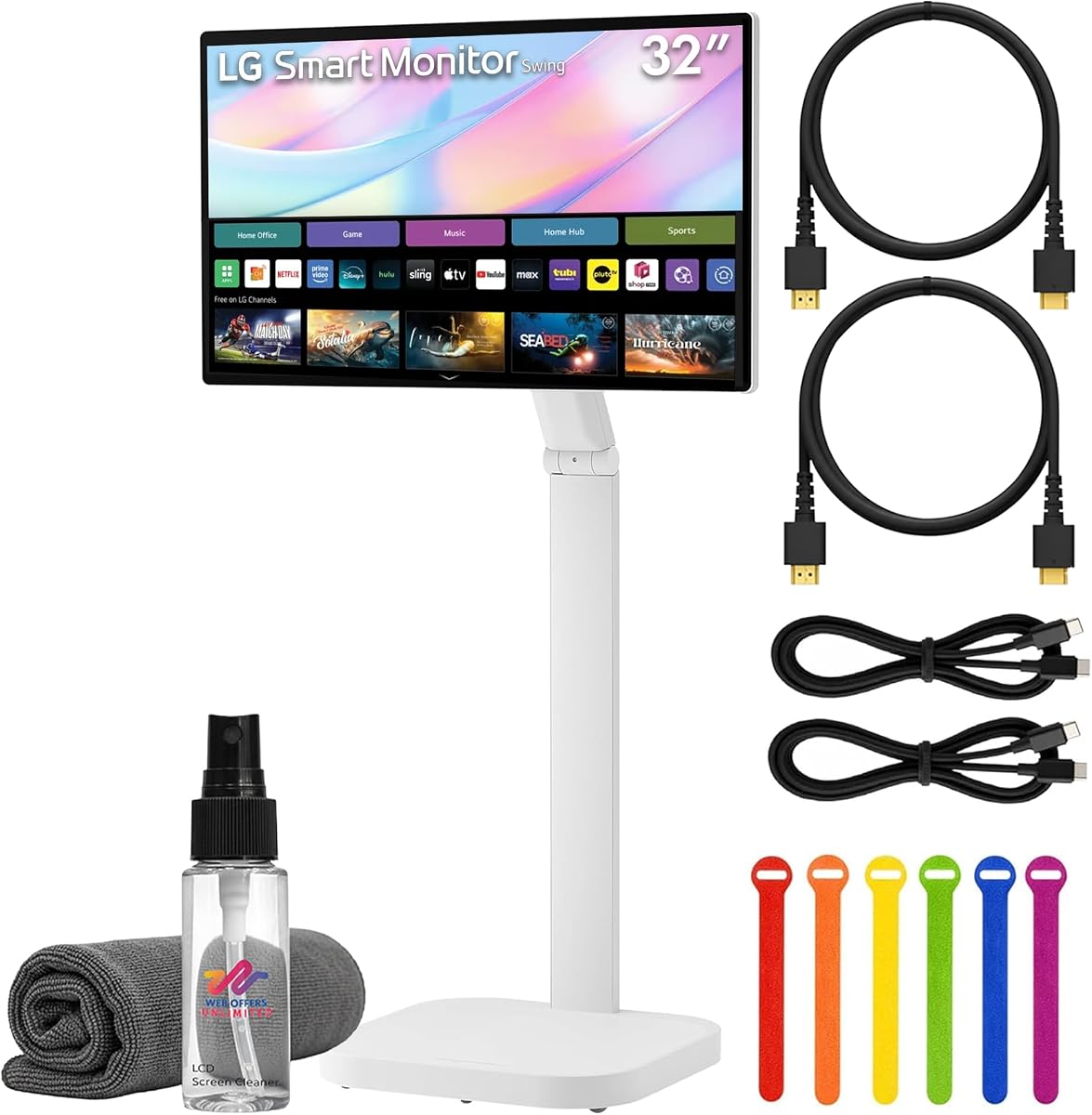
This bundle offers everything needed for immediate use with minimal setup. The included cables and cleaning kit ensure you can start right away. The 4K screen provides a detailed canvas for visual work.
We may earn a commission when you buy through this link, at no additional cost to you.
It supports webOS for independent streaming and smart functions. The rolling stand allows easy movement between rooms or meeting spaces. USB-C with power delivery simplifies connections for modern laptops and devices.
While more expensive, the added value of accessories saves time. Users should be mindful of the smart OS learning curve. It fits environments needing mobility and smart features without extra costs.
Ideal for small businesses or classrooms needing flexible displays. The bundle ensures a ready-to-use experience. Choose this if you value convenience and comprehensive setup options.
Includes cables and cleaning tools to reduce setup time and effort.
The wheeled stand allows smooth movement across different spaces.
We may earn a commission when you buy through this link, at no additional cost to you.
This unit is engineered for demanding commercial environments. It is designed to operate continuously in high traffic areas without failure. The build meets strict safety standards for durability and impact resistance.
We may earn a commission when you buy through this link, at no additional cost to you.
Setup allows adding an external PC easily with passthrough capabilities. It supports IoT controls for advanced management in business settings. The focus is on reliability and performance rather than consumer features.
It is less suitable for general home use due to its specialized nature. The price reflects its industrial grade engineering. However, it is unmatched for stores or offices needing robust signage.
Recommended for businesses requiring durable and reliable touch displays. It ensures long-term performance with minimal downtime. Choose this for critical applications where reliability is paramount.
Designed for continuous operation in high traffic commercial environments.
Meets UL and IK testing standards for impact and safety requirements.
We may earn a commission when you buy through this link, at no additional cost to you.
This monitor provides a straightforward large screen experience. It focuses on delivering bright and clear visuals without complexity. The IPS panel ensures colors look consistent from different angles around the desk.
We may earn a commission when you buy through this link, at no additional cost to you.
It is reliable for general office tasks and media viewing. The full HD resolution is adequate for documents and web browsing. It fits well where touch is not required but size matters.
Users should note it lacks touchscreen capabilities found in other models. It remains a good option for static displays. The brightness ensures visibility even in well-lit rooms.
Best for users needing a large reliable screen at a lower cost. It simplifies your setup with essential features. Opt for this if you do not need touch interactivity.
350 cd/m2 brightness ensures readability in well-lit indoor spaces.
IPS technology maintains color accuracy from various viewing positions.
We may earn a commission when you buy through this link, at no additional cost to you.
This model targets commercial settings requiring sturdy displays. It offers a 1080p touch screen with reliable performance for daily use. The build quality ensures it withstands frequent interaction in public spaces.
We may earn a commission when you buy through this link, at no additional cost to you.
It connects easily to existing systems without needing complex drivers. The focus is on stability and ease of use for basic tasks. It works well for POS systems or simple signage applications.
The resolution is standard for general business needs. It may lack advanced color features for creative work. However, it is highly rated for reliability in commercial environments.
Ideal for retail or office kiosks needing basic touch. It provides a solid solution for fixed setups. Choose this if you prioritize stability and simplicity.
Built for high traffic areas with sturdy construction and stability.
Connects easily to standard systems with minimal configuration effort.
We may earn a commission when you buy through this link, at no additional cost to you.
This unit is a practical choice for basic interactive needs. It provides a large screen with standard resolution for general tasks. The touch function works smoothly for navigation and simple inputs.
We may earn a commission when you buy through this link, at no additional cost to you.
The refresh rate supports moderate motion without major lag. It fits well in office environments where cost is a factor. The design is sleek and blends into most workspaces.
It does not offer high resolution or advanced features. However, it remains reliable for day-to-day business use. Users find it to be a cost-effective solution for touch display needs.
Recommended for businesses needing budget-friendly touch screens. It is simple to deploy and maintain. Choose this if you need a large interactive display on a strict budget.
Offers essential touch and display features for general office tasks.
Balances price and performance for practical business applications.
We may earn a commission when you buy through this link, at no additional cost to you.
This monitor brings mobility and smart features together in one package. The 4K IPS screen ensures high quality visuals for content and work. Its rolling base allows you to move it easily around any space.
We may earn a commission when you buy through this link, at no additional cost to you.
AirPlay 2 support makes sharing content from Apple devices seamless. Eye care features help reduce strain during long work hours. The design is modern and fits various interior styles.
Some users report mixed experiences with the stand's stability. It may require adjustments to ensure smooth movement. Despite this, the core display and smart functions remain strong.
Best for users who need flexibility and smart streaming. It balances mobility with high resolution visuals. Choose this if you want a smart interactive monitor on wheels.
WebOS and AirPlay 2 allow seamless content sharing and streaming.
Rolling stand and sleek look suit dynamic work environments.
We may earn a commission when you buy through this link, at no additional cost to you.
Choosing the right touchscreen monitor involves considering resolution, touch tech, and connectivity. This guide breaks down the key factors to help you find the best fit.
Resolution determines how sharp images and text appear. Look for 4K UHD for detailed work or 1080p for general use. Higher resolution means more screen real estate and better visuals.
Prioritize higher resolution if you work with fine details.
Most monitors use capacitive touch which offers smooth and accurate input. Ensure it supports enough touch points for your workflow like drawing or gestures. Some models limit touch based on device compatibility.
Check compatibility with your devices before buying.
Refresh rate affects how smooth motion looks during video or gaming. Higher rates like 100Hz or 144Hz reduce blur and improve responsiveness. For static office work standard rates suffice.
Choose higher rates for motion intensive tasks.
Ensure the monitor has ports compatible with your devices like HDMI USB-C or DP. USB-C is ideal for single cable power and data transfer. Check for audio ports if you need built-in speakers.
Verify ports match your existing laptop setup.
A good stand allows height tilt and rotation to reduce strain. Some models offer VESA mounts for wall or arm setups. Ergonomic features are vital for long work hours.
Look for adjustable stands for comfort.
Some monitors include smart platforms like webOS for streaming without a PC. This is useful for presentations or media centers. Decide if you need independent functionality or just a display.
Smart features add value but increase cost.
Commercial grade monitors are built for continuous use in high traffic areas. Consumer models may not handle heavy daily usage as well. Consider the environment where the monitor will sit.
Select durable builds for business or public use.
Prices vary widely from budget options to premium models. Weigh features against cost to find the best value. Consider what is essential for your work versus nice to have.
Balance needs with available budget for best value.
Connect the monitor to your device using the appropriate cable for video and touch. Follow power up instructions to ensure signals are detected correctly. Calibrate touch settings in your system preferences for accuracy.
Clean the screen with a soft microfiber cloth and avoid harsh chemicals. Keep the device away from direct sunlight to prevent overheating. Ensure ventilation slots are not blocked for proper cooling.
Use ergonomic settings like adjusting height and tilt to maintain good posture. Take breaks to reduce strain on your eyes and hands. Restart the monitor periodically to maintain smooth performance.
Not all models support full touch on macOS due to system protocol limits. Some allow basic point touch while others offer full multi-touch. Always check the compatibility details before purchasing for Mac systems.
Yes many models support gaming with high refresh rates. However gaming consoles may only support video without touch. Ensure the monitor meets your refresh rate needs for smooth gameplay.
USB-C allows single cable connection for power video and data. This reduces cable clutter and simplifies setup for laptops. Some models provide power delivery to charge your device.
Capacitive touch models work well for basic drawing tasks. For professional art look for high accuracy and low latency. Some include stylus support for more precise control.
Smart monitors with webOS can function without a PC. They stream content directly and offer basic apps. However full productivity usually requires a connected computer.
Most models support VESA mounting standards. Check the specific hole spacing like 100x100mm. Use a compatible wall mount and follow installation guides carefully for safety.
We found that the top models offer a mix of resolution, responsiveness, and smart features. The 4K options stand out for clarity while smart monitors offer mobility. Each pick meets different needs from home offices to commercial setups.
Prioritize resolution and touch accuracy if you work with detailed content. For flexibility look for models with rolling stands and smart OS. Choose a model that fits your workflow and budget.
Please check current availability and pricing before purchasing. Features may change with new product updates. We hope this guide helps you find the perfect interactive display for your space.