
Tapo Matter Smart Dimmer Switch
4.5Editor score
Matter certified connectivity
Affordable 2-pack option
Easy app guided setup
This expert guide compares the top in wall smart dimmer switch models for reliability and features to help you choose the best smart lighting control for your
Transform your home lighting with an in wall smart dimmer switch that offers precise control and automation. These devices replace traditional switches to let you adjust brightness via apps or voice commands for any occasion.
We evaluated ten leading models based on connectivity, ease of installation, dimming range, and smart home compatibility. Our comparison highlights key differences to help you find the right fit for your specific wiring and ecosystem needs.
Each pick below showcases unique strengths like Matter support or neutral wire requirements. Note that product availability and specifications can change over time, so verify details before purchasing to ensure compatibility with your setup.
4.5Editor score

4.8Editor score

4.6Editor score
This table provides a quick side-by-side look at the key specifications and connectivity options for each model to help you narrow down your choices based on your specific wiring and smart home needs.




The Lutron Caseta Smart Dimmer Switch stands out as the most reliable option for those seeking seamless smart home integration. With a high rating of 4.8 stars it is trusted by millions of users for its consistent performance and ease of use.
We may earn a commission when you buy through this link, at no additional cost to you.
Its most significant advantage is the ability to work without a neutral wire making it ideal for older homes where wiring may be limited. The Smart Hub connects with a wide range of devices including Alexa Apple Home and Sonos for unified control.
While the need for a separate Smart Hub adds to the upfront cost this investment ensures stable connectivity and advanced features like Smart Away and scheduling. The wireless Pico remote option also adds flexibility without extra wiring work.
Homeowners prioritizing reliability and broad compatibility should choose this model for long-term satisfaction. It offers a premium experience with minimal troubleshooting and supports complex setups like 3-Way configurations effortlessly.
Create a 3-Way switch easily by mounting a Pico remote on any wall surface without cutting holes or pulling new wire.
Connect with more leading smart home devices including Serena shades and Ring for a comprehensive automation ecosystem.
We may earn a commission when you buy through this link, at no additional cost to you.
The Leviton Decora Smart Dimmer Switch offers a premium experience with robust Matter support and deep integration across major ecosystems. It is designed to provide elegant ambiance and precise control for modern smart homes with advanced wiring.
We may earn a commission when you buy through this link, at no additional cost to you.
Users can personalize their lighting experience with customizable fade rates and preset light levels that match their daily routines. The device supports wired or wireless 3-Way setups giving flexibility in how multi-location control is achieved.
Installation requires a neutral wire which limits use in some older homes but ensures stable performance and power for advanced features. Matter support can be enabled via a firmware update to future-proof your setup against evolving standards.
Tech enthusiasts who value Apple Home compatibility and Matter standards will appreciate this switch for its versatility and control depth. It delivers a high-end feel with reliable Wi-Fi connectivity and extensive ecosystem support.
Enable Matter support through a firmware update to ensure compatibility with emerging smart home standards and devices.
Choose between wired or wireless 3-Way configurations to suit your existing electrical box setup and preferences.
We may earn a commission when you buy through this link, at no additional cost to you.
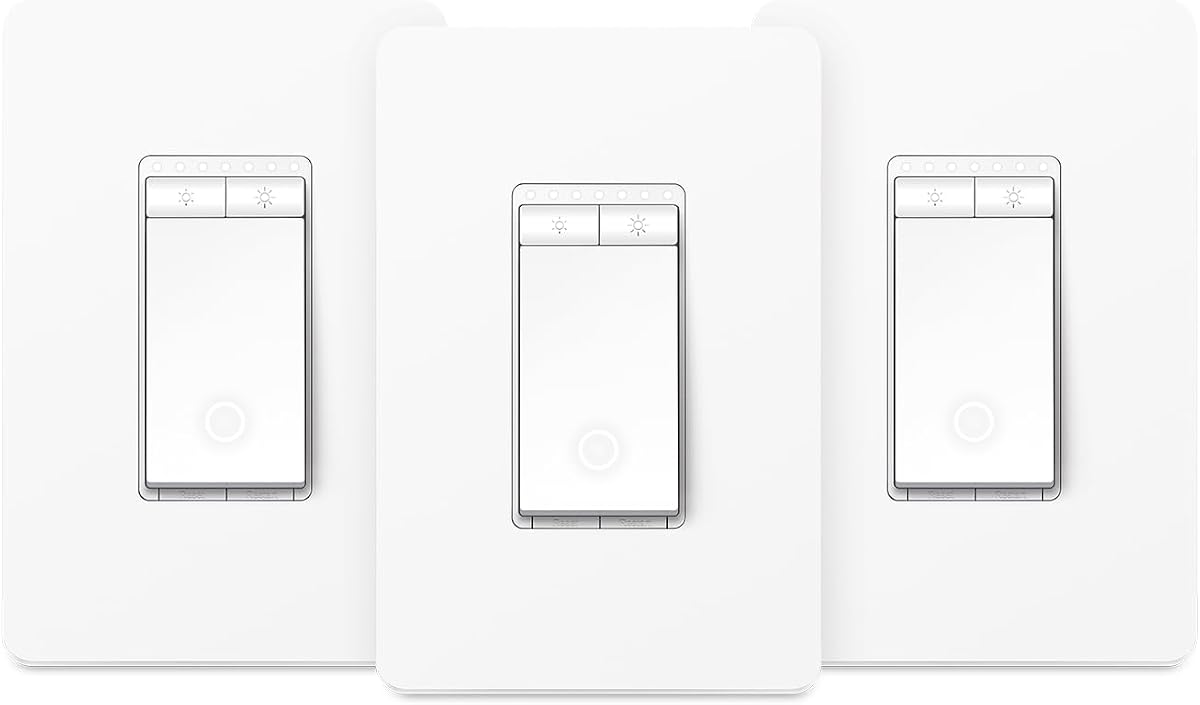
The Tapo Matter Smart Dimmer Switch delivers exceptional value by offering a 2-Pack of Matter-certified switches at a budget-friendly price. This makes it easy to upgrade multiple rooms without breaking the bank while maintaining modern standards.
We may earn a commission when you buy through this link, at no additional cost to you.
Matter certification ensures these switches work together seamlessly across different brands and platforms like Alexa Apple Home and Samsung SmartThings. You can manage lights anytime via the app or voice commands for flexible daily use.
Installation requires a neutral wire and a 2.4GHz Wi-Fi connection which is common in most modern homes. The Away Mode randomly turns lights on and off to mimic occupancy enhancing home security while you are away.
Homeowners looking to smarten several areas affordably should choose this pack for its versatility and cost-effectiveness. It provides essential smart features without unnecessary complexity and meets the needs of most average lighting setups.
Enjoy flexible control across Amazon Alexa Apple HomeKit Google Home and Samsung SmartThings with unified Matter support.
Use the Away Mode to randomly control lighting schedules and deter burglars by mimicking home occupancy.
We may earn a commission when you buy through this link, at no additional cost to you.
The Enbrighten Smart Dimmer Light Switch simplifies installation with its QuickFit design that reduces housing depth for crowded electrical boxes. It supports Matter and Wi-Fi connectivity allowing hub-free app control and voice assistant integration.
We may earn a commission when you buy through this link, at no additional cost to you.
Color-coded flying leads make identifying connections easier during setup though they may require crimping if your home uses screw terminals. The switch works with Amazon Alexa and Google Home for convenient hands-free control throughout your day.
Users can create smart schedules and automations based on time weather or location to tailor lighting to their lifestyle. Remote dimming remains functional even when internet access is unavailable thanks to local control capabilities within the home network.
DIY installers dealing with shallow boxes will appreciate the reduced housing depth and clear wiring guidance provided here. It balances ease of setup with robust smart features for a reliable experience in modern smart home environments.
The QuickFit design reduces housing depth by 20 percent to fit easily into crowded electrical boxes.
Connect directly to Wi-Fi or Matter platforms without a separate hub for simplified setup and control.
We may earn a commission when you buy through this link, at no additional cost to you.
The Kasa Smart Dimmer Switch HS220 offers precise control over brightness from 0 to 100 percent ensuring smooth transitions for any mood. It connects directly to Wi-Fi without needing a separate hub making setup straightforward for most users.
We may earn a commission when you buy through this link, at no additional cost to you.
App guided installation walks you through each step to reduce guesswork and ensure proper wiring. The switch supports voice control via Alexa and Google Assistant and allows double-click fade off for bedtime routines.
You can set schedules to wake up to a soft morning glow or turn off lights remotely for security. The dimensions are standard for most wall plates though neutral wire is required for power and functionality.
Those seeking a reliable single pole dimmer with extensive scheduling options will find this model a strong choice. Its balance of performance and ease of use makes it a popular pick for general home automation.
Use a double-click on the switch to fade lights off softly which is perfect for bedtime routines.
Set daily schedules to turn on or off at specific times and adjust brightness for morning or evening.
We may earn a commission when you buy through this link, at no additional cost to you.
This Kasa Smart 3-Way Dimmer Kit replaces traditional switches in stairways and hallways to allow control from two locations. The kit includes all necessary hardware and guides you through setup using the Tapo or Kasa app.
We may earn a commission when you buy through this link, at no additional cost to you.
Adjusting brightness can be done directly from the switch or via the app with scheduling options for gentle waking or night lighting. It supports voice commands through Alexa and Google Assistant for hands-free convenience in busy areas.
Neutral wiring is necessary for both units in the kit so verify your existing wiring before purchase. ETL certification ensures safety and reliability while the app keeps firmware updated for best performance.
Families needing reliable multi-location lighting control will find this kit a practical and energy-saving solution. It simplifies the complexity of 3-Way wiring and brings smart automation to shared spaces effectively.
Adjust brightness from anywhere using the Tapo or Kasa app for energy savings and convenience.
The Kasa or Tapo app guides you through step-by-step setup to ensure correct installation.
We may earn a commission when you buy through this link, at no additional cost to you.
The Tapo Matter Smart 3-Way Kit brings energy monitoring to multi-location setups so you can track usage and save on bills. It supports full dimming and seamless transitions that prevent eye irritation when adjusting brightness levels.
We may earn a commission when you buy through this link, at no additional cost to you.
Matter certification ensures unified control across platforms like Alexa Google Home and Samsung SmartThings for flexible integration. You can schedule lights to turn on off or dim at specific times to match your daily routine perfectly.
Neutral wiring is required for the kit and installation is guided by the Tapo app to simplify the process. The Away Mode helps enhance security by randomly mimicking occupancy when you are away from home.
Eco-conscious users needing 3-Way control will value the energy insights and Matter support provided by this kit. It combines practicality with smart features to optimize lighting usage in large or multi-entry areas.
Track energy usage of connected lights and make eco-conscious adjustments to save money on bills.
Enjoy flexible control across platforms like Alexa Google Home and Samsung SmartThings with Matter certification.
We may earn a commission when you buy through this link, at no additional cost to you.
The Lutron Caseta Diva Smart Dimmer offers precise wall control with a soft-glow light bar and slider for intuitive brightness adjustments. It works without a neutral wire making it flexible for older homes where wiring is limited.
We may earn a commission when you buy through this link, at no additional cost to you.
Connectivity is managed through a Smart Hub that supports extensive device integration including Serena shades and Ring for a cohesive system. You can create schedules and scenes via the app or activate them with a single button press.
The Diva design is stylish and fits well with various decor styles while maintaining top tier reliability. Wireless remote control via a Pico remote adds convenience for controlling lights from anywhere in the room.
Homeowners seeking elegant design and flexible 3-Way setup will find this model a premium option for smart lighting. It delivers smooth performance and broad compatibility for a sophisticated home automation experience.
The soft-glow light bar and slider provide precise wall control and a preset for your preferred level.
Connect with leading smart home devices including Alexa Google Assistant and Sonos for seamless automation.
We may earn a commission when you buy through this link, at no additional cost to you.
The Leviton Decora Smart Wi-Fi Dimmer provides reliable control with customizable fade rates and preset light levels for consistent ambiance. It connects directly to your home network and allows status checks from anywhere for peace of mind.
We may earn a commission when you buy through this link, at no additional cost to you.
Night settings automatically provide softer lighting in kitchens or bathrooms to avoid bright lights during late hours. Flicker-free dimming ensures smooth performance with dimmable LED bulbs and adjustable settings for reliable use.
Neutral wire is required for installation and the device operates on a secure 2.4GHz Wi-Fi network. While it does not support Matter it offers a stable and familiar user experience for single pole setups.
Users needing simple and effective smart dimming with robust scheduling options will appreciate this model for its dependability. It delivers a classic smart switch experience with essential features for daily use.
Use automatic softer lighting at night in kitchens or bathrooms with My Leviton Night Settings for comfort.
Check the status of your lights and adjust them remotely using your smartphone from anywhere.
We may earn a commission when you buy through this link, at no additional cost to you.
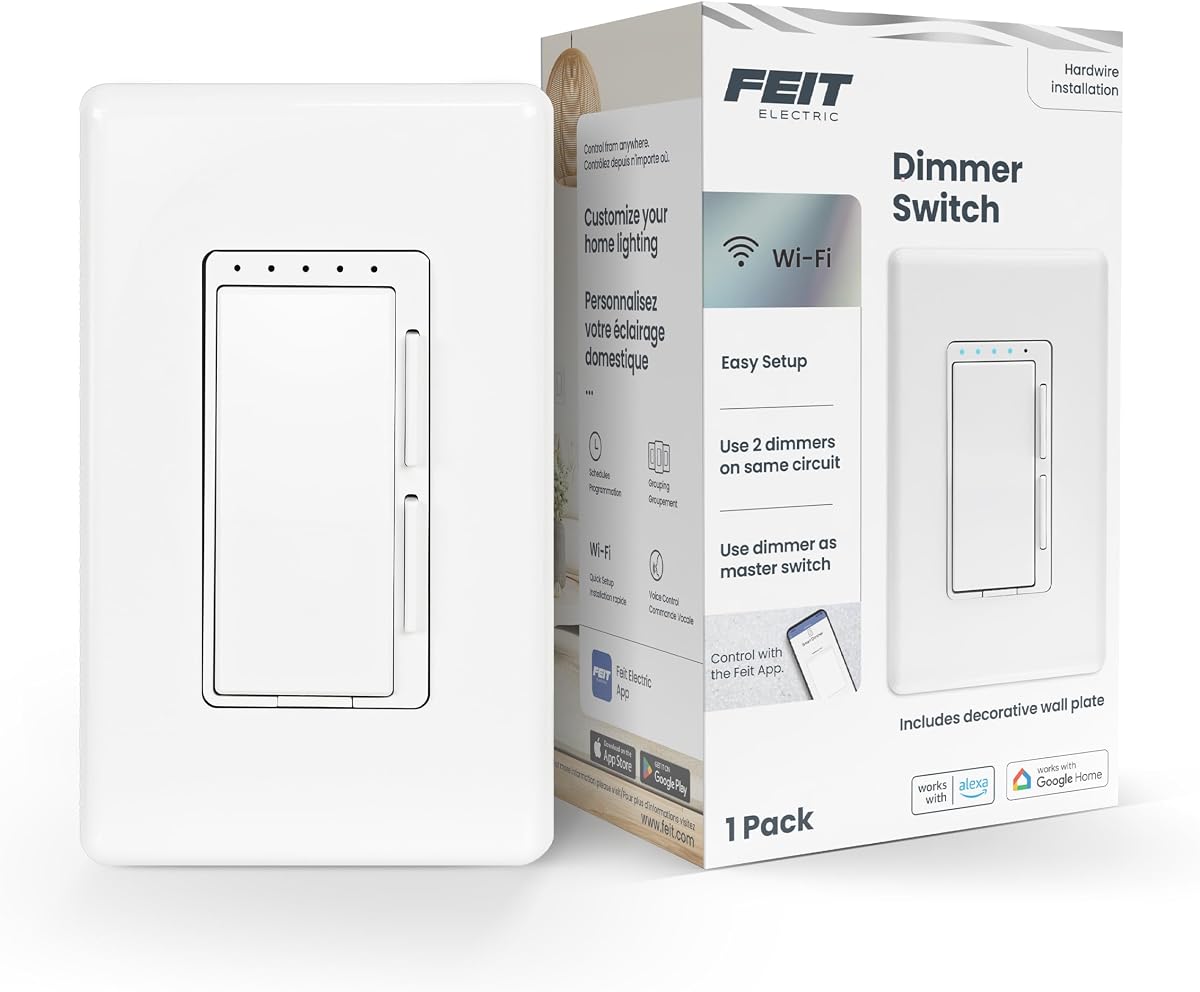
The Feit Electric Smart Dimmer Switch offers a simple entry into smart lighting with high wattage support and voice compatibility. It connects to a 2.4GHz Wi-Fi network and works with Alexa and Google Home for basic control.
We may earn a commission when you buy through this link, at no additional cost to you.
A power indicator light shows connectivity status and LED dimming indicators help verify dimmability range during setup. Neutral wire is required for installation and it supports 3-Way 4-Way and single pole setups for flexible use.
You can set schedules and timers within the app to automate routines and save energy over time. It handles incandescent bulbs up to 450 watts and dimmable LED loads up to 150 watts.
Budget focused buyers needing basic smart control with reliable voice support will find this switch a practical choice. It covers essential needs without unnecessary complexity for straightforward home automation.
Dimmable incandescent or halogen loads up to 450 watts for versatile bulb compatibility.
Compatible with single pole 3-Way and 4-Way configurations for broad installation possibilities.
We may earn a commission when you buy through this link, at no additional cost to you.
Selecting the right smart dimmer involves assessing wiring compatibility connectivity standards and ecosystem needs to ensure seamless operation in your home.
Many smart dimmers need a neutral wire to operate which is common in newer homes but absent in older wiring. Check your electrical box for a bundle of white wires before purchasing to avoid installation issues.
If no neutral wire is present look for models specifically designed to work without one like the Lutron Caseta series for reliable functionality.
Wi-Fi is common and allows direct connection but newer Matter protocols offer broader cross-platform support. Matter reduces reliance on hubs and ensures devices from different brands work together efficiently.
Prioritize Matter-enabled switches if you plan to expand your smart home ecosystem with mixed brand devices in the future.
Ensure the dimmer supports your preferred voice assistant and app such as Alexa Google Assistant or Apple HomeKit. Compatibility prevents friction when trying to control lights with voice commands or routines.
Choose models that integrate well with your existing setup to simplify automation and maintain consistency across rooms.
Some switches require complex wiring for 3-Way setups while others simplify this with wireless remotes or companion units. Assess your willingness to cut wires or hire an electrician based on your technical confidence.
Look for app-guided install tools that walk you through steps to reduce mistakes and save time during setup.
Ideally a dimmer should offer 0 to 100 percent brightness control for smooth transitions and mood setting. Some budget models may struggle with lower dimming levels causing flicker at reduced brightness.
Verify the minimum dimming capability in the specs to ensure consistent performance especially with LED bulbs.
Some brands require a dedicated hub to function which adds to the initial cost but may offer better reliability. Others work directly via Wi-Fi or Matter for a simpler setup without extra devices.
Decide if you prefer centralized control via a hub or a streamlined wireless setup based on your home network layout.
Advanced users may want scheduling features that adjust lights based on time location or weather conditions. These capabilities enhance energy efficiency and security by simulating occupancy when you are away.
Check the app capabilities to ensure they support custom triggers and routines that align with your daily habits.
A solid warranty and responsive customer support are vital in case of defects or wiring confusion. Trusted brands often provide detailed manuals and community forums for troubleshooting tips.
Prioritize models from established manufacturers who stand behind their products for long-term reliability and peace of mind.
Start by turning off power at the circuit breaker before installing your new smart dimmer switch to ensure safety. Follow the wiring diagram included or provided via the app to connect line load and neutral wires correctly.
After wiring use the manufacturer app to connect the switch to your home network and configure preferences like fade rates. Test basic functions such as on off and dimming to confirm proper operation before restoring full power.
Regularly update the firmware through the app to maintain security and compatibility with new smart home features. If connectivity issues arise reboot your router or reset the switch following the instructions in the user manual.
Not all models require a neutral wire but many common Wi-Fi switches do. Some premium options like Lutron Caseta are designed to work without one so check the product details before buying to avoid rewiring costs.
Most smart dimmers are designed for dimmable LED bulbs but you must verify the wattage and bulb compatibility. Non-dimmable LEDs may flicker or malfunction so always match the bulb type to the switch specifications.
Matter certification ensures devices work seamlessly across different platforms like Apple Home Alexa and Google Home without extra hubs. It reduces setup complexity and future-proofs your system against evolving technology standards.
Some switches retain local control through the physical rocker even if Wi-Fi is down but remote access requires internet. For full offline automation look for devices with local processing or Zigbee connectivity via a hub.
Yes many models support 3-Way setups either via dedicated kits or wireless remotes that act as secondary switches. Check the product description to confirm if it includes companion devices for multi-location control.
Flickering usually happens if the bulb is not fully dimmable or the switch settings are not calibrated. Adjust min dim settings in the app or swap to certified dimmable bulbs to resolve the issue.
If you are unfamiliar with electrical wiring hiring a licensed electrician is safest and ensures code compliance. However many brands provide app-guided tutorials that allow confident DIYers to complete the swap safely.
Most smart dimmers remain functional as physical switches even without internet but remote features like app control or schedules may pause. A few models offer local processing that keeps automations running offline.
Choosing the right in Wall Smart Dimmer Switch depends on your wiring compatibility ecosystem needs and desire for advanced automation. The Lutron Caseta stands out for reliability and neutral-free support while Tapo offers great value with Matter integration.
Prioritize switches that match your existing smart home setup and wiring type to minimize installation headaches. Consider connectivity standards like Matter for long-term flexibility and ease of adding new devices later.
Always verify current product details and availability before purchasing since specs and pricing can change. With the right model your lighting control will be seamless efficient and tailored to your lifestyle needs.